50+ Free ChatGPT Photo Editing Prompts You Can Copy and Paste

50+ Free ChatGPT Photo Editing Prompts You Can Copy and Paste
No sign-up, no paywall — just prompts that tell ChatGPT Images exactly how to relight, retouch, or restyle a photo.
ChatGPT can edit an uploaded photo directly through text now, but the result depends almost entirely on how the instruction is worded. A vague request like "make this look better" produces an inconsistent, often over-processed result. The prompts below are written the way an editor would brief a photo retoucher — naming the light, the mood, and the exact adjustment — so the model has something precise to follow.
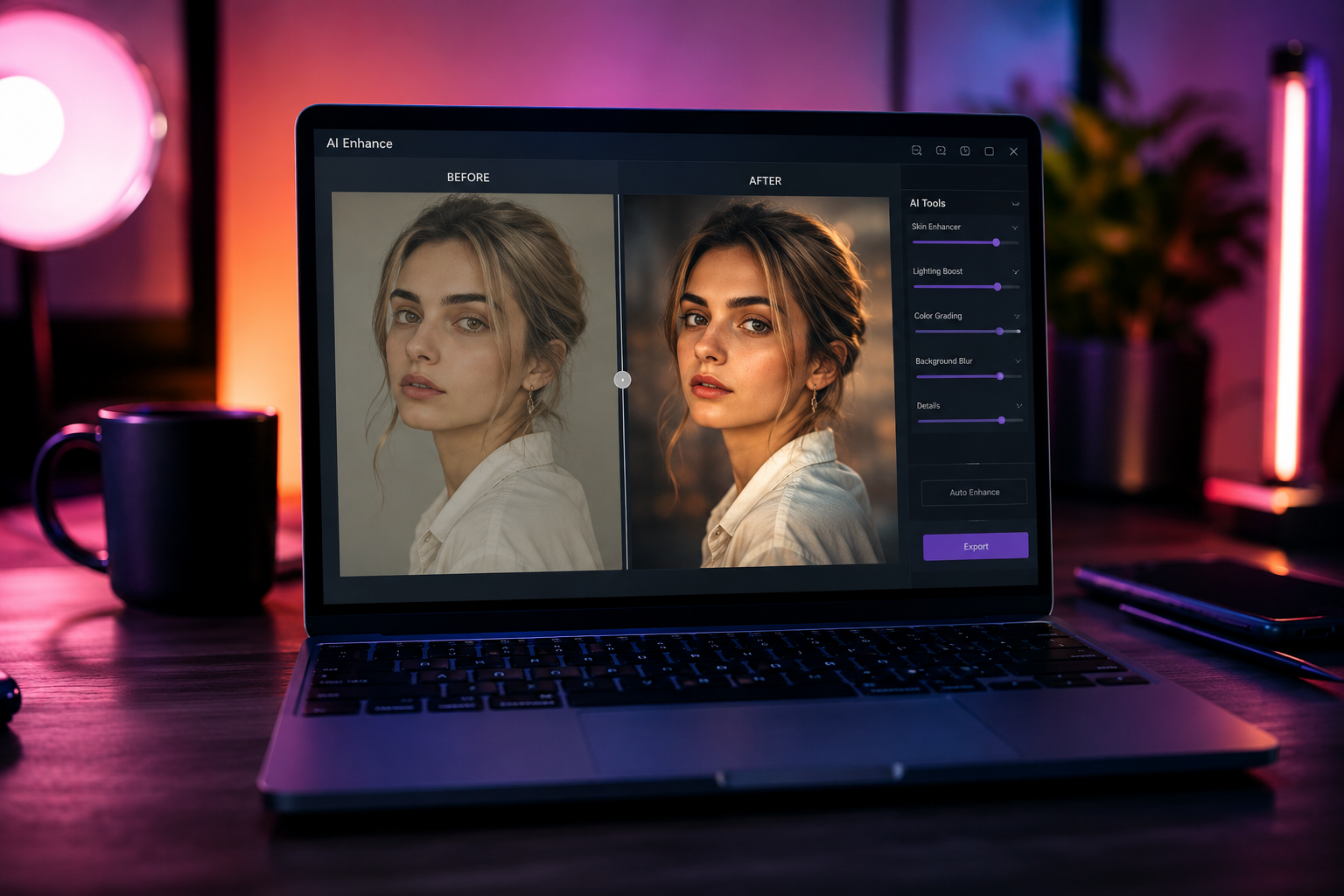
Paste this into ChatGPT, Gemini, or Nano Banana to generate a header image for this exact topic:
Split-frame comparison photo of the same young woman's portrait: left half is a flat, dim, unedited phone snapshot; right half is the identical portrait transformed with warm cinematic color grading, soft golden rim light from the upper left, shallow depth of field, and gentle skin retouching. Photorealistic, shot on 50mm lens, 3:2 aspect ratio, clean neutral background.
How These Prompts Work
- Copy any prompt below and open ChatGPT (or Gemini / Nano Banana).
- Upload the photo you want edited in the same message.
- Paste the prompt, send it, and adjust one detail at a time if the first result isn't quite right — changing "soft" to "dramatic," for example, has a bigger effect than most people expect.
Free ChatGPT Photo Editing Prompts
1. Cinematic Golden Hour Retouch
Turns a flat, evenly-lit photo into something that looks shot at sunset — the most requested single edit for portraits.
Edit this photo to look like it was shot during golden hour. Add warm, low-angle sunlight from the left side, a soft orange-to-amber color grade, gentle lens flare, and a subtle warm glow on the skin. Keep the subject's face and proportions exactly as in the original photo.
2. Studio Black & White Portrait
A high-contrast editorial look that works well for LinkedIn photos or profile pictures.
Convert this photo into a dramatic black and white studio portrait. Increase contrast, add soft directional studio lighting from one side, deepen the shadows slightly, and keep skin texture natural rather than overly smoothed. Preserve the original facial features exactly.
3. Vintage Film Grain Edit
Recreates the look of a 35mm film camera — warm tones, slightly faded blacks, visible grain.
Give this photo a vintage 35mm film look: slightly faded blacks, warm and slightly desaturated colors, visible fine film grain, and a soft vignette at the corners. Do not alter the subject's pose or facial features.
4. Soft Glow Portrait Retouch
A gentle, flattering retouch for everyday selfies without an obvious "AI filter" look.
Apply a soft, natural retouch to this photo: even out skin tone slightly, add a gentle diffused glow, keep visible skin texture, and slightly brighten the eyes. Avoid a plastic or over-smoothed appearance. Keep everything else in the photo unchanged.
Explore More Free Prompts
These four are a starting point — the full library is organized by style so you can find the exact look you're after on NanoAIPrompts.
Written by Rizwan Ullah Qureshi
Rizwan is a web software developer and the Founder of Nano AI Prompts. He specializes in engineering high-fidelity prompt templates for multimodal AI models like ChatGPT, Gemini, and Nano Banana Pro.
View all AI Prompts →