
 Nano Banana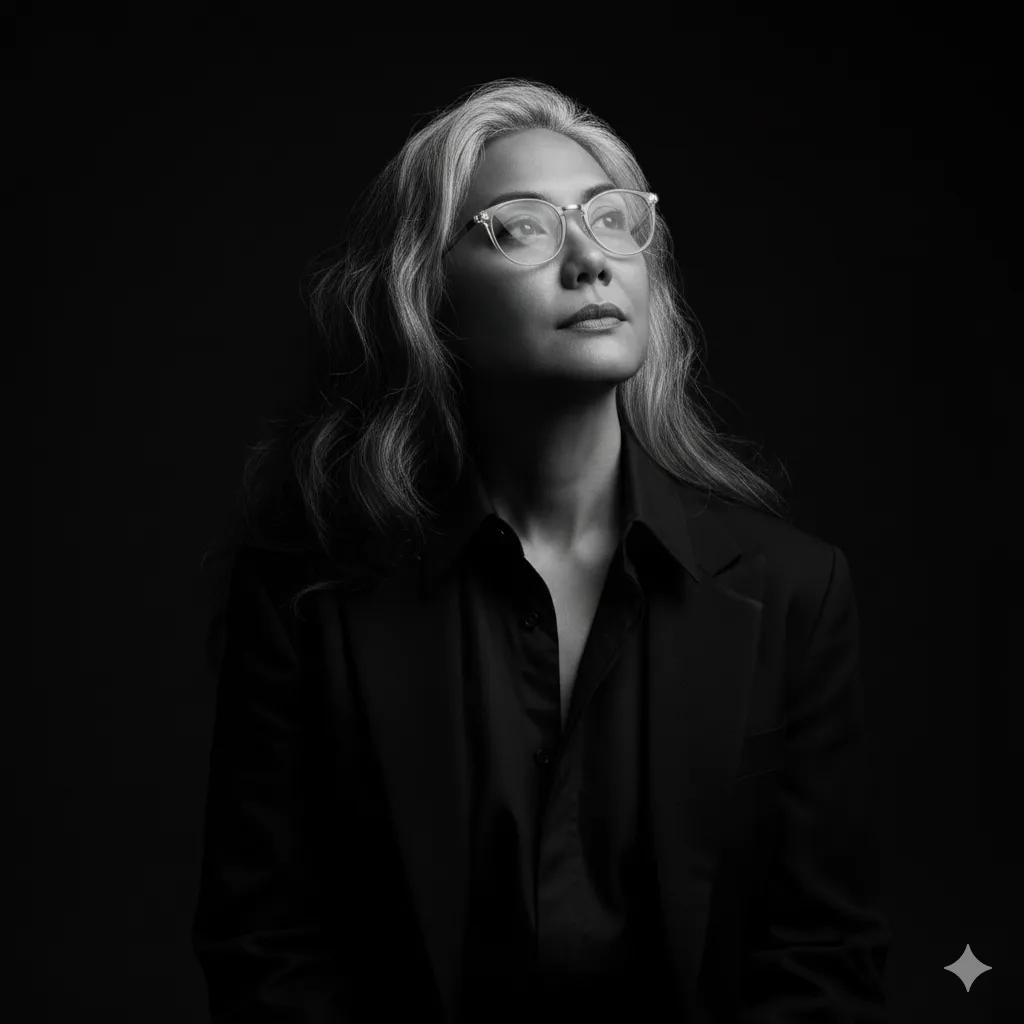
The Prompt
How to Use this Nano Banana Prompt
Open Nano Banana
Launch the AI image tool.
Add Reference
Upload a photo if the prompt needs one.
Paste Prompt
Copy and paste the prompt above.
Generate
Create your AI image.
About This Dramatic Black and White Studio Portrait Prompt Prompt
This AI image prompt generates a striking, dramatic black and white studio portrait centered around your uploaded reference image. Designed for precise face integration, the prompt positions the subject wearing glasses and a dark layered outfit, looking upward toward the top right corner. The visual composition relies on deep shadows and stark highlights to sculpt the facial features against a pitch-black background, giving the final image a moody, professional photographic quality.
Creative professionals, digital artists, and individuals looking to transform casual photos into artistic studio pieces will find this prompt especially useful. It bridges the gap between everyday snapshots and high-end artistic portfolio imagery without requiring complex photo editing software. By leveraging reference image features, the output maintains facial consistency while completely transforming the lighting, atmosphere, and overall aesthetic of the original photo into a timeless monochrome masterpiece.
To achieve the best results with this prompt, ensure you upload a clear reference image that matches the framing needs. Input the prompt into your preferred AI image generator that supports image-to-image or reference uploading, maintaining the specified 4:5 aspect ratio. The system reads the structural data from your upload and applies the dramatic low-key lighting parameters, dark clothing elements, and specific gaze direction outlined in the text.
Customization within this prompt should strictly adhere to the established visual boundaries since the core composition is tightly controlled. You can experiment with different reference images to see how various facial structures interact with the stark monochrome lighting, or adjust descriptive clothing details if your source image requires a different layered outfit. Because the background is purely black, the focus remains entirely on the interplay of light and shadow across the subject's face and neck.
This high-contrast black and white style is exceptionally valuable for social media profile pictures, artistic portfolios, and dramatic mood boards where visual impact matters most. The timeless appeal of monochrome photography combined with intentional low-key lighting creates a sophisticated look that stands out in digital feeds. Utilizing this a dramatic black and white studio portrait prompt allows you to produce gallery-worthy studio art directly from standard digital uploads.
Frequently Asked Questions
Common questions about this AI prompt and how to get the best results.
Pro Tips for Better Results
- Upload a clear, front-facing reference image with good lighting to help the AI accurately map facial features.
- Ensure your reference image includes glasses if you want to closely match the specified subject details.
- Stick strictly to the 4:5 aspect ratio to maintain the intended portrait framing.
- Use a high-resolution reference upload to preserve fine details in the high-contrast shadows.
- Keep the background of your source photo clean to ensure the black studio backdrop renders seamlessly.