
 Nano Banana
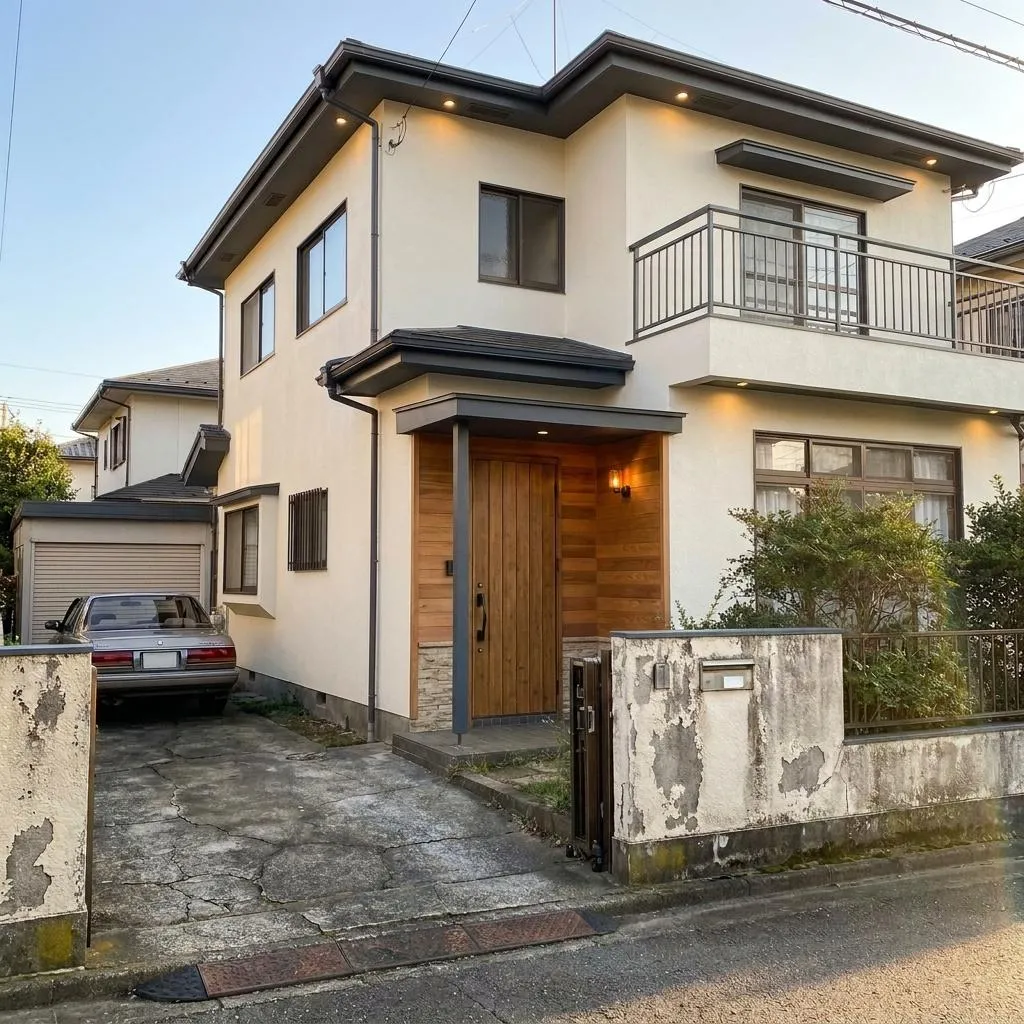
Before & After
Drag the slider to compare the original input with the AI result.
AFTER
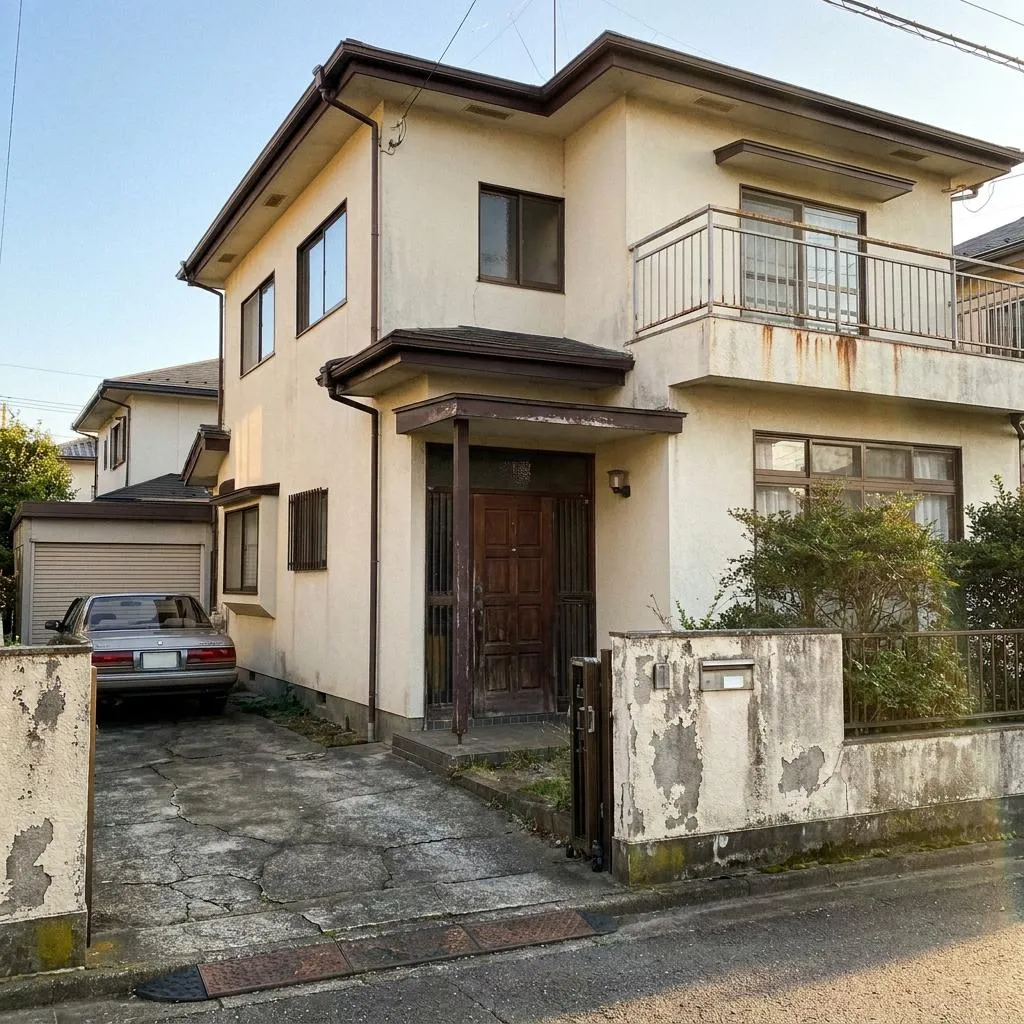 BEFORE
The Prompt
How to Use this Nano Banana Prompt
Open Nano Banana
Launch the AI image tool.
Add Reference
Upload a photo if the prompt needs one.
Paste Prompt
Copy and paste the prompt above.
Generate
Create your AI image.




About This AI Prompt for House Exterior Color & Finish Upgrade Prompt
This AI prompt is designed to transform an existing house exterior photograph into a stunning visualization of a contemporary color and finish upgrade. It meticulously applies a sophisticated palette of warm off-white, refined charcoal gray, natural warm wood tones, and subtle stone texture detailing. The goal is to show how your exact house would look after a professional repaint and material enhancement, without altering its fundamental architectural structure or proportions.
This prompt is invaluable for homeowners contemplating an exterior renovation, offering a realistic preview before committing to costly changes. Architects and exterior designers can use it to present conceptual designs to clients, demonstrating potential aesthetic improvements with an **AI house exterior color upgrade**. Real estate professionals might leverage it to showcase a property's potential for modernization, aiding in marketing and sales. Anyone seeking a photorealistic representation of a home's updated facade will find this prompt highly beneficial.
To use this prompt, upload a clear, high-resolution photograph of the house exterior you wish to transform. Then, paste the prompt into your preferred AI image generation tool that supports image-to-image transformation or detailed descriptive prompts. The AI will interpret the instructions to repaint and refinish the surfaces according to the specified contemporary palette. Ensure your base image is well-lit for the best results, as the prompt emphasizes realistic daylight and accurate reflections.
While strictly preserving the architecture, this prompt offers several customization points for your **AI house exterior color upgrade**. You can experiment with variations of the suggested colors; for instance, specifying different shades of off-white or charcoal, or unique types of warm wood for entrance elements. Describe specific stone textures (e.g., "limestone texture," "slate detailing") or even different types of "subtle exterior lighting" to further personalize the premium entrance appearance. Remember to keep within the contemporary aesthetic outlined.
The ultra-photorealistic and sophisticated style generated by this prompt is incredibly useful for practical applications. It provides a believable vision of a property's potential, making it easier to make informed decisions about design choices. This visual fidelity is particularly effective for social media showcases, design portfolios, or direct client presentations, as it minimizes guesswork and effectively communicates the impact of an **AI house exterior color upgrade**. It’s a powerful tool for bridging the gap between imagination and reality in home design.
Frequently Asked Questions
Common questions about this AI prompt and how to get the best results.
Pro Tips for Better Results
- Start with a clear, high-quality exterior photograph of your house to ensure the best transformation results.
- Specify precise color HEX codes or descriptive names (e.g., "warm off-white #F8F8F7") for primary and accent colors to achieve desired tones.
- Experiment with different "natural warm wood tones" or "subtle stone-texture detailing" for entrance elements to find your ideal aesthetic.
- Clearly mention specific architectural features like "columns," "balcony edges," or "window frames" when detailing where to apply accent colors.
- Describe the desired "subtle exterior lighting" and "refined landscaping" in more detail to enhance the premium appearance of the entrance.