
 ChatGPT
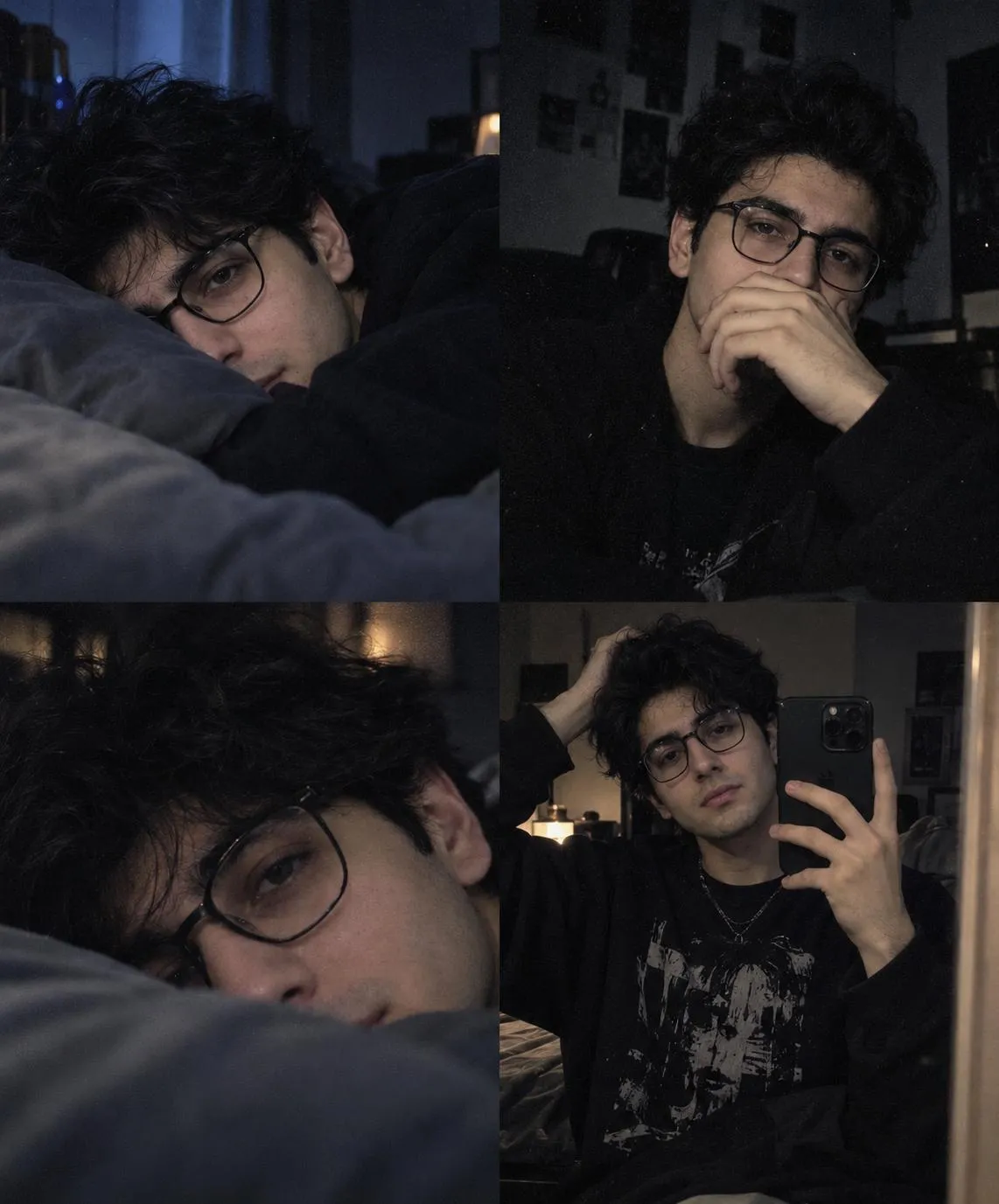
The Prompt
How to Use this ChatGPT Prompt
Open ChatGPT
Launch the AI image tool.
Add Reference
Upload a photo if the prompt needs one.
Paste Prompt
Copy and paste the prompt above.
Generate
Create your AI image.




About This AI Prompt: Moody Aesthetic Collage & Mirror Selfie Prompt
This AI aesthetic collage prompt is designed to generate a deeply atmospheric, multi-panel image perfect for capturing a specific melancholic and indie vibe. It masterfully blends a moody low-light setting with an emo/alt aesthetic, presenting a young person with messy black hair and glasses. The output is a four-panel grid, each frame contributing to a cohesive narrative of introspection and quiet contemplation, including a distinct mirror selfie. Expect desaturated tones, soft blur, and authentic film grain, creating a visual story that feels both personal and artistically curated.
Artists, content creators, and social media enthusiasts looking to express nuanced emotions or cultivate a distinct visual brand will find this prompt invaluable. It's ideal for crafting unique profile pictures, evocative social media posts, or compelling visual assets for personal projects that demand a moody collage AI prompt. The distinct emo aesthetic image prompt elements make it particularly appealing to those within alternative subcultures, offering a tool to visualize their identity and feelings through AI-generated art.
To use this prompt, simply copy the full text and paste it into your preferred AI image generation tool. While no specific AI model is mandated, most advanced text-to-image generators will interpret the detailed descriptions effectively. Pay close attention to how the AI renders the four distinct panels and the overall melancholic atmosphere. If your AI struggles with complex multi-panel layouts, some tools allow for generating individual scenes which can then be assembled in an external editor, ensuring each part of your moody aesthetic collage prompt is perfect.
Customization is key to making this AI aesthetic collage prompt truly your own. Experiment by altering the subject's features, such as hair color or style, or modifying the "black oversized outfit" to reflect different fashion choices. You can also adjust the "dim blue lighting" to other hues like deep reds or purples to shift the emotional tone. Fine-tune the "tired expression" to convey different contemplative moods, or emphasize the "grainy texture" and "cinematic noise" for an even more pronounced retro feel, allowing for a unique mirror selfie AI prompt within the collage.
This distinct visual style, characterized by its dark, desaturated tones and soft blur, is highly effective for social media and creative projects. It naturally draws the eye, conveying depth and emotion without needing bright, overt imagery. For those aiming to establish an indie aesthetic photo prompt presence, this prompt provides a powerful foundation. The blend of a personal narrative through the young person's portrayal and the artistic elements like film grain creates images that resonate, fostering engagement and a strong sense of identity online.
Frequently Asked Questions
Common questions about this AI prompt and how to get the best results.
Pro Tips for Better Results
- Experiment with varying the 'young person's' hair style or color to personalize the subject.
- Adjust the 'dim blue lighting' to deep red or purple to explore different emotional undertones.
- Specify alternative 'oversized outfit' details or graphic tee designs to customize the fashion.
- Emphasize 'film grain' or 'cinematic noise' with higher intensity values for a more pronounced vintage effect.
- If your AI struggles with the four-panel grid, try generating each panel's description separately and combining them in an image editor.