
 ChatGPT
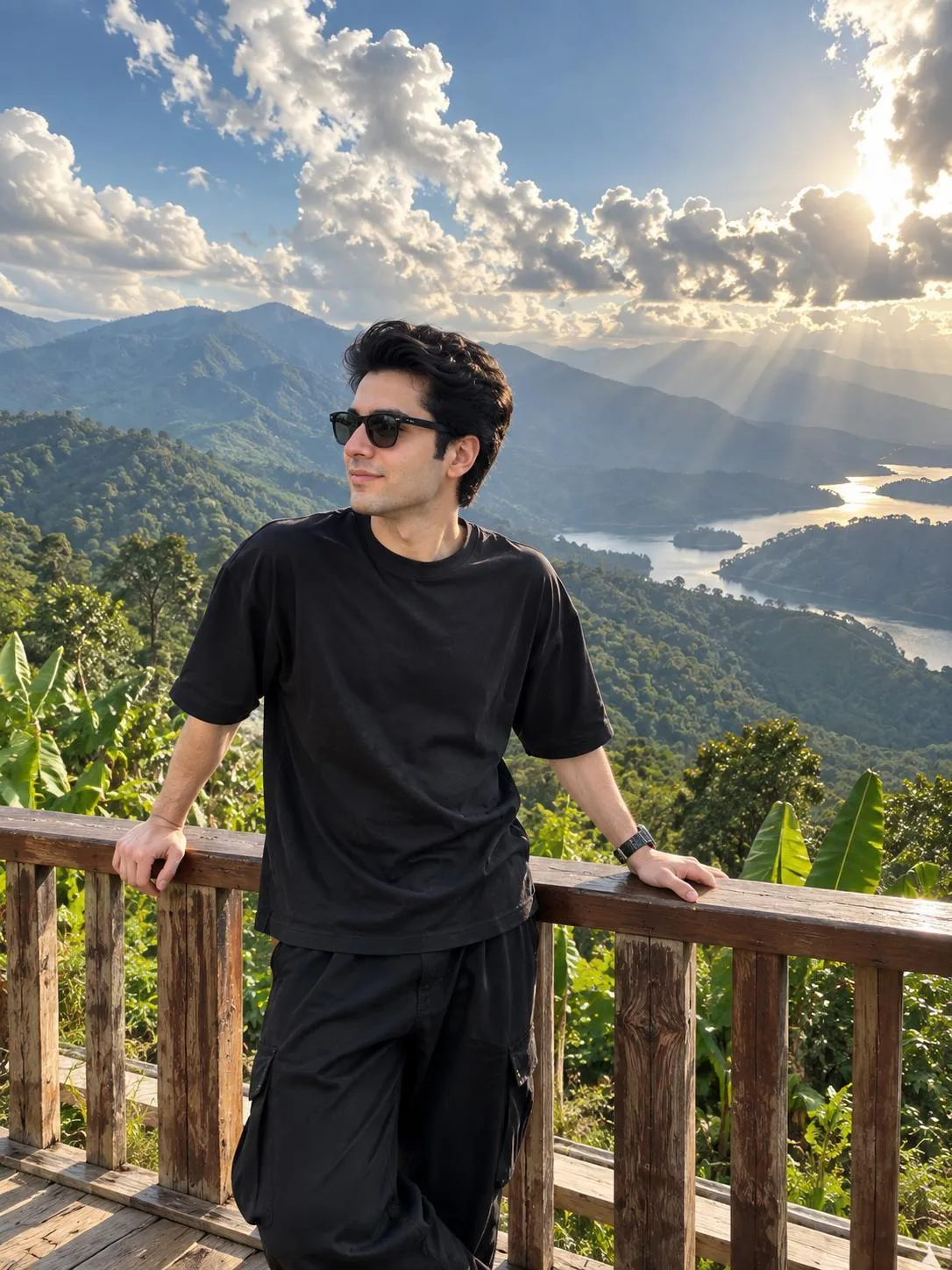
The Prompt
How to Use this ChatGPT Prompt
Open ChatGPT
Launch the AI image tool.
Add Reference
Upload a photo if the prompt needs one.
Paste Prompt
Copy and paste the prompt above.
Generate
Create your AI image.





About This AI Travel Photo Prompt for Mountain Viewpoint Prompt
This AI travel photo prompt generates an ultra-realistic iPhone 15 Pro wide-angle lens photograph featuring a stylish young man standing casually on a wooden mountain viewpoint deck. Overlooking dramatic lush green tropical mountains, the subject is dressed in an all-black drop shoulder t-shirt and baggy black pants, accessorized with black sunglasses. With hands resting on a wooden railing and looking to the left side in a relaxed, confident pose, the composition captures voluminous dark hair and cinematic sunlight rays breaking through massive fluffy clouds.
Content creators, travel influencers, and digital enthusiasts looking to produce high-end travel imagery without booking a physical trip will benefit greatly from this setup. It serves as an ideal solution for social media feeds, virtual travel portfolios, and conceptual lifestyle branding. By leveraging the specific framing of an iPhone wide-angle lens, the generated output achieves an authentic travel blog aesthetic that stands out in crowded digital spaces.
To use this prompt effectively, integrate it into your preferred AI image generator that supports reference image uploads. Because the prompt relies on an initial user-uploaded image for subject consistency, ensure your source photo clearly captures the face and upper body before applying the descriptive text. This allows the AI model to accurately map the facial features while wrapping the subject entirely in the specified mountain viewpoint environment.
Customization within this prompt should strictly adhere to the visual elements provided in the original text. You can adjust the clothing colors if you wish to experiment with different wardrobe aesthetics, or alter the time of day to modify the cinematic sunlight rays. However, maintaining the core descriptors like the wooden mountain viewpoint deck and the lush green tropical mountains ensures the composition remains cohesive and visually balanced.
This specific visual style is exceptionally valuable for modern social media platforms where realistic travel photography drives high engagement. The combination of dramatic weather effects, such as sunlight breaking through clouds, and a casual viewpoint pose creates an aspirational narrative. Utilizing an AI travel photo prompt of this caliber allows creators to maintain a consistent, high-quality aesthetic across their digital channels with minimal production friction.
Frequently Asked Questions
Common questions about this AI prompt and how to get the best results.
Pro Tips for Better Results
- Upload a clear, well-lit reference image to ensure the AI accurately preserves facial identity during generation.
- Keep the iPhone 15 Pro lens and wide-angle specifications in the prompt to maintain the authentic smartphone photography aesthetic.
- Ensure the background descriptors like lush green tropical mountains remain intact if you want to preserve the exact landscape context.
- Experiment with slight variations in the clothing description only if you want to test alternative wardrobe styles while keeping the pose identical.
- Retain the cinematic sunlight rays instruction to achieve the dramatic, cloud-filtered lighting effect seen in the original prompt.