
 ChatGPT
The Prompt
How to Use this ChatGPT Prompt
Open ChatGPT
Launch the AI image tool.
Add Reference
Upload a photo if the prompt needs one.
Paste Prompt
Copy and paste the prompt above.
Generate
Create your AI image.





About This Cinematic Theater AI Photo Prompt Prompt
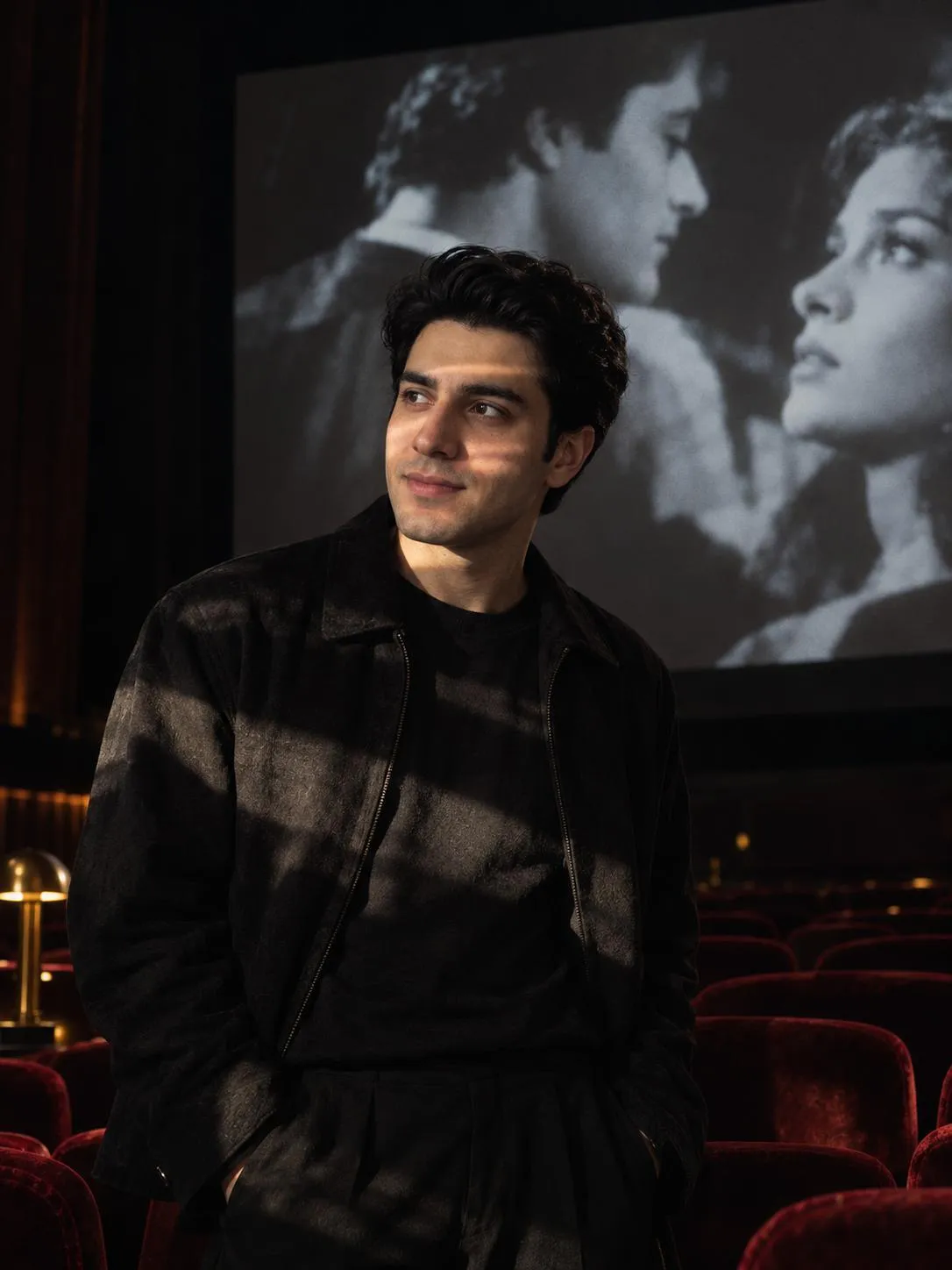
This cinematic theater AI photo prompt generates a moody, high-contrast portrait set inside a dark auditorium. The subject stands directly in front of a glowing movie screen, allowing ambient film light to cast complex, ghostly projections across their face and the surrounding air. Designed to replicate advanced medium-format photography, it incorporates specific technical cues to achieve a striking visual depth.
Photographers, digital artists, and visual creators seeking dramatic mood lighting will find this prompt especially useful. It works exceptionally well for generating atmospheric narrative imagery, conceptual art, and dramatic character studies that rely heavily on strong environmental context rather than standard studio backdrops.
To use this prompt, paste the text into your preferred AI image generator that supports detailed camera and lighting specifications. Ensure that your settings allow for high-resolution output so the fine details of the film projections and deep shadows render accurately without losing definition.
When customizing this prompt, you can adjust the subject's placement relative to the screen or modify the color temperature of the projected light to shift the mood. However, maintaining the single-source lighting and high-contrast parameters is essential to preserving the distinct noir aesthetic and dark environment.
The resulting visual style is ideal for social media portfolios, mood boards, and narrative-driven creative projects. The combination of deep velvet textures, brass patina elements, and dramatic projection lighting delivers a polished, film-inspired aesthetic that stands out in digital galleries.
Frequently Asked Questions
Common questions about this AI prompt and how to get the best results.
Pro Tips for Better Results
- Keep the Hasselblad X2D and 85mm references to maintain the medium-format lens depth of field.
- Adjust the projection description if you want specific colors or patterns cast onto the subject's face.
- Retain the Chiaroscuro high-contrast lighting parameter to preserve the dramatic noir atmosphere.
- Ensure the dark theater environment remains specified to keep the deep-pile velvet light absorption effect active.
- Use a high-resolution generation setting to capture the subtle details of the air and light interplay.