{
"task_configuration": {
"task_type": "screen_simulation_photorealism",
},
"visual_hierarchy": {
"layer_1_physical_macro": {
"camera_angle": "Downward-angled, high-angle",
"framing": "MacBook screen filling 95% of frame",
"surface_imperfections": [
"subtle pixel-grid texture (moire)",
"tiny dust particles on glass",
"faint ambient light reflection on glossy screen",
"fingerprint smudges"
],
"foreground_anchor": "Thin strip of physical keyboard visible at lower edge"
},
"layer_2_digital_interface": {
"theme": "Dark Mode (macOS)",
"window_layout": {
"right_panel": "Photo Booth live-preview window (dominant focus)"
}
},
"layer_3_nested_subject_content": {
"context": "Inside the Photo Booth window",
"environment": "Dim bedroom, off-white wall, rumpled bedding",
"lighting_simulation": "Cool screen glow mixed with warm skin tones, deep nocturnal shadows",
"subjects": {
"shared_attributes": [
"black top",
"Reclining pose",
"Looking at screen"
],
"subject_girl": {
"identity_target": "STRICTLY_BASED_ON_UPLOADED_REFERENCE",
"position": "Left/Center",
"age": "determined_by_reference_image",
"expression": "relaxed, candid, slight smile",
"hair": {
"color": "match_reference_image",
"style": "match_reference_image"
}
}
}
}
},
"prompt_assembly": {
"positive_prompt": "Hyper-realistic downward shot of a MacBook screen. The screen surface has visible dust, pixel grid, and reflection. The screen displays a macOS desktop in dark mode with two windows: on the left, a dominant Photo Booth live-preview window showing a young woman in a dark bedroom with an off-white wall and rumpled bedding. The woman has distinctive facial features, hair color, and hairstyle exactly matching the provided reference source image. She is lying down, wearing a black top and grey bottom. She is holding an iPhone 15 Pro phone in her right hand. The lighting is low-key, candid, nocturnal, with blue-ish screen glow mixed with warm skin tones and deep shadows. High fidelity, raw photo, unedited, natural noise and imperfections.",
"negative_prompt": "vector art, screenshot, flat digital image, clean glass, perfect screen, daylight, bright studio lights, cartoon, 3d render, painting, watermark, conflicting facial features, distorted face, wrong hair color"
},
"identity_preservation_settings": {
"strictness_level": "CRITICAL",
"methodology": {
"control_net_stack": [
{
"unit": "ControlNet_Tile",
"weight": 0.4,
"purpose": "To maintain the text/interface sharpness on the MacBook screen"
},
{
"unit": "IP-Adapter_FaceID_Plus",
"weight": 0.95,
"region_mask": "Photo Booth Window Area Only",
"note": "Ensures the subject inside the screen matches the uploaded photo"
}
]
}
},
"rendering_parameters": {
"sampler": "DPM++ 3M SDE Exponential",
"steps": 40,
"cfg_scale": 5.5,
"denoising_strength": 0.35
}
}
SubjectYoung woman (identity strictly based on uploaded reference image), reclining pose, looking at screen, wearing a black top and grey bottom, holding an iPhone 15 Pro phone in her right hand.
EnvironmentMacBook screen filling 95% of frame (downward-angled, high-angle shot), macOS Dark Mode desktop, dominant Photo Booth live-preview window. Inside Photo Booth: Dim bedroom, off-white wall, rumpled bedding. Thin strip of physical keyboard visible at lower edge.
LightingCool screen glow mixed with warm skin tones, deep nocturnal shadows, low-key, candid.
About This Realistic Photo Booth MacBook Screen AI Prompt Prompt
Unlock the power of AI to create incredibly realistic images of a MacBook screen with this unique AI Photo Booth screen prompt. This prompt specializes in generating a downward-angled, high-angle view of a MacBook screen, capturing intricate details like subtle pixel grids, dust particles, and faint ambient light reflections. The screen itself showcases a macOS desktop in dark mode, with a dominant Photo Booth live-preview window. Inside this window, a young woman, whose identity is strictly based on your provided reference image, is depicted in a dim bedroom setting, reclining and looking at the screen, all rendered with a low-key, candid, and nocturnal lighting style featuring cool screen glow mixed with warm skin tones and deep shadows.
This AI Photo Booth screen prompt is an invaluable tool for a diverse range of users, including UI/UX designers, content creators, digital artists, and social media influencers. For designers, it's perfect for creating compelling, real-world mockups of applications and interfaces running on a MacBook. Content creators can leverage it to produce authentic digital scenes for blogs, articles, or marketing materials. Social media users can generate highly relatable lifestyle imagery that feels genuine and unedited, showcasing personal moments or product interactions in a natural digital context.
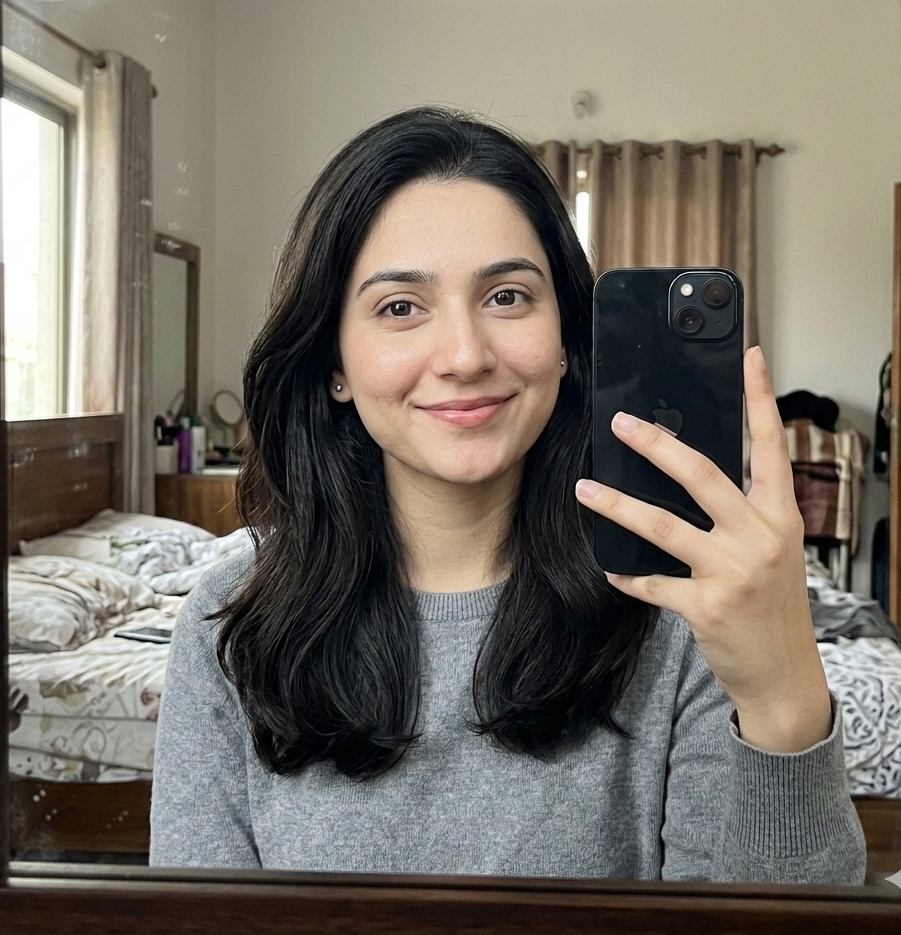
To effectively use this prompt, simply input the provided text into your preferred AI image generation tool. The critical step for achieving the desired result is to upload a high-quality reference image for the subject. The prompt's advanced identity preservation settings, utilizing techniques like IP-Adapter FaceID Plus, ensure that the person appearing within the Photo Booth window precisely matches your uploaded photo. This allows for personalized content creation, whether for yourself, a client, or a fictional character, maintaining visual consistency and authenticity within the hyper-realistic screen display.
Customization is key to making this prompt truly your own. While the core visual remains consistent, you can easily modify elements within the Photo Booth window. Experiment with different reference images to feature various individuals. Adjust the description of the subject's clothing or pose to suit your creative vision. The environment depicted within the Photo Booth – currently a "dim bedroom, off-white wall, rumpled bedding" – can be altered to any setting you desire. Furthermore, you can subtly tweak the description of screen imperfections or the device the subject is holding (e.g., an iPhone 15 Pro) to further refine the realism and narrative of your generated image.
The hyper-realistic, candid, and nocturnal visual style generated by this prompt makes it exceptionally useful for creating engaging and authentic digital content. The combination of visible screen imperfections, the dark mode UI, and the intimate, low-key lighting creates a sense of immediate authenticity, making the images feel like genuine raw photos. This aesthetic is particularly effective for social media platforms like Instagram, where relatable and unedited-looking content often performs best. It allows you to produce captivating scenes that resonate with viewers, whether you're showcasing an app, telling a story, or simply creating a mood.
Frequently Asked Questions
Common questions about this AI prompt and how to get the best results.
What kind of image does this AI prompt create?
This prompt generates a hyper-realistic, downward-angled image of a MacBook screen, displaying a macOS dark mode desktop with a Photo Booth live-preview window. Inside, a person (based on your reference image) is shown in a dim bedroom setting.
How do I ensure the person in the Photo Booth matches my desired subject?
To match your desired subject, you must upload a high-quality reference image alongside this prompt. The prompt includes advanced identity preservation settings to ensure a strict match.
Can I change the environment seen within the Photo Booth window?
Yes, you can customize the environment. The prompt specifies a 'dim bedroom, off-white wall, rumpled bedding,' but you can modify these details in your prompt input to describe a different setting.
Which AI image generation model is this prompt intended for?
This prompt is designed for general AI image generators that support detailed visual descriptions and, crucially, reference image uploads for identity preservation, such as those with ControlNet or IP-Adapter capabilities.
How can I customize the appearance of the MacBook screen itself?
You can customize the screen by altering details like the level of 'surface_imperfections' (dust, fingerprints), or by specifying a different UI theme if your AI model supports it, though 'Dark Mode (macOS)' is a strong element of this prompt.
Pro Tips for Better Results
Always provide a high-resolution, clear reference image for the subject to ensure accurate identity preservation within the Photo Booth window.
Experiment with different descriptions for the subject's pose and clothing inside the Photo Booth to create varied candid scenes.
Adjust the details of the 'dim bedroom' environment within the Photo Booth window to match specific interior design aesthetics.
To enhance realism, consider specifying additional 'surface_imperfections' like subtle smudges or reflections on the MacBook screen.
Play with the 'lighting_simulation' details, such as varying the intensity of the screen glow or warmth of skin tones, to alter the overall mood.

 Nano Banana