
 Nano Banana
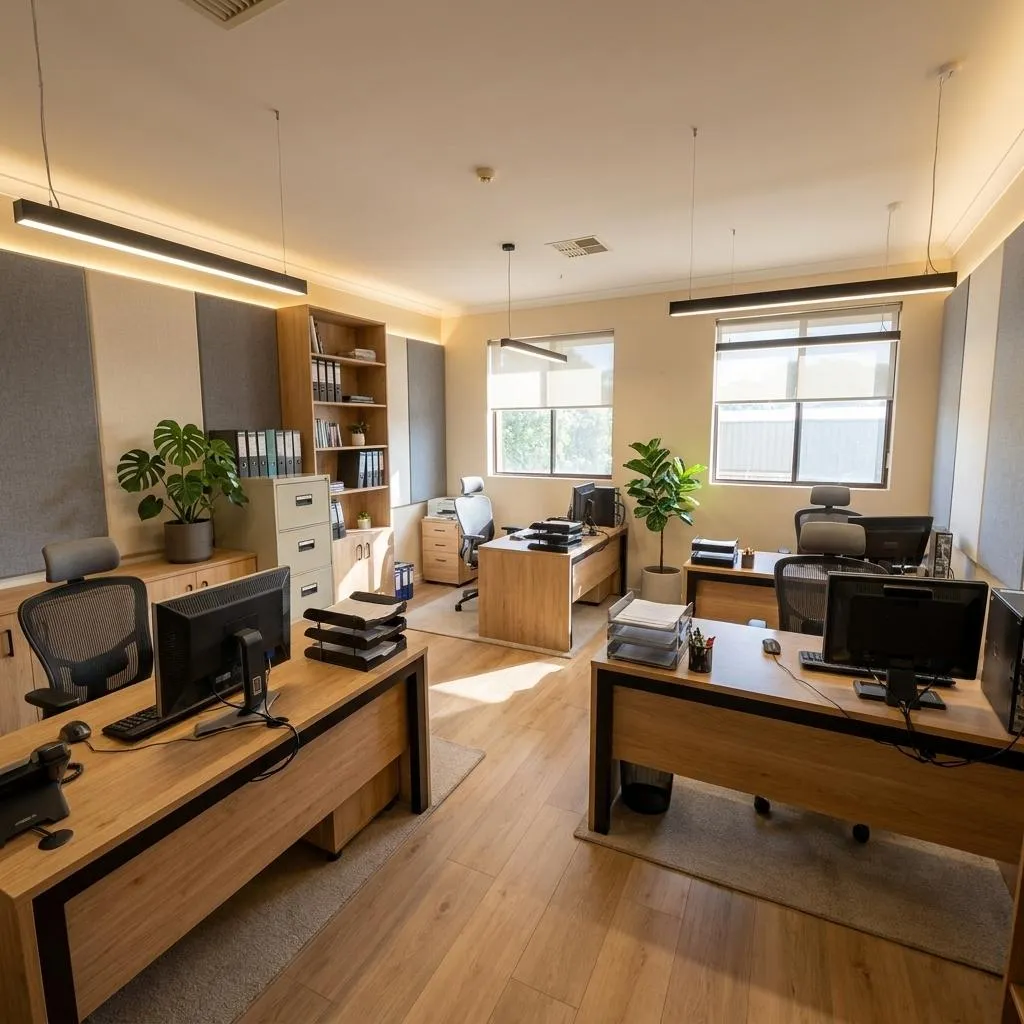
Before & After
Drag the slider to compare the original input with the AI result.
AFTER
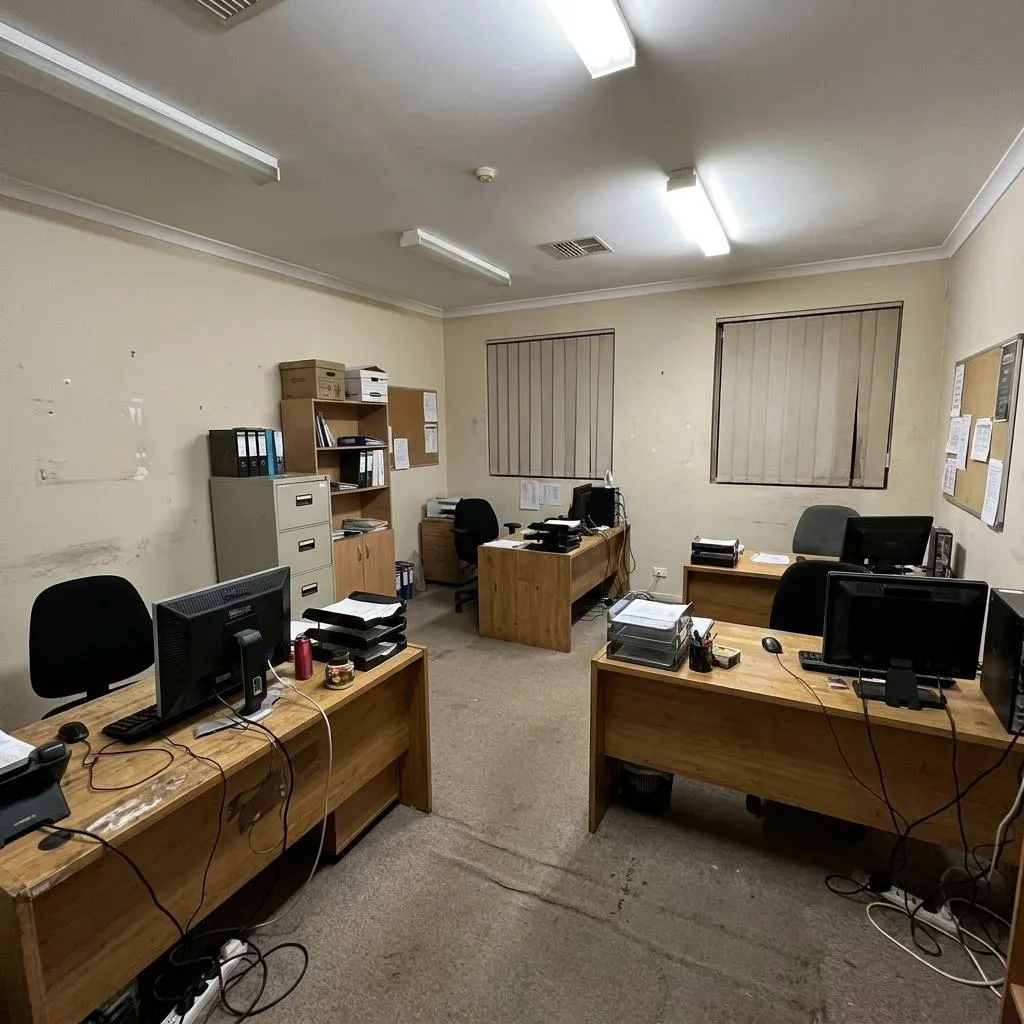 BEFORE
The Prompt
How to Use this Nano Banana Prompt
Open Nano Banana
Launch the AI image tool.
Add Reference
Upload a photo if the prompt needs one.
Paste Prompt
Copy and paste the prompt above.
Generate
Create your AI image.




About This AI Office Redesign Prompt: Modern Tech Workspace Prompt
This AI office redesign prompt is engineered to transform an existing office photograph into a stunning, ultra-photorealistic modern technology startup workspace. It meticulously preserves the original architecture, including walls, windows, ceiling, and overall layout, ensuring the redesigned space feels like a genuine renovation rather than a completely new room. The output will feature clean contemporary workstations, light natural oak surfaces, matte black details, and sophisticated linear LED lighting, all rendered with professional commercial interior photography aesthetics.
This prompt is invaluable for interior designers, architects, and startup founders looking to visualize future office spaces. It's also perfect for real estate professionals needing to showcase potential property transformations or for marketing agencies creating compelling visuals for tech companies. Anyone seeking to generate photorealistic startup workspace images without the cost and time of physical staging will find this prompt exceptionally useful for planning, presentation, and ideation.
To utilize this AI office redesign prompt effectively, begin by uploading or referencing the "provided office photo" in your chosen AI image generation tool. The prompt's strength lies in its ability to interpret and apply modern design elements while strictly adhering to the original structure. Ensure your AI model supports image-to-image transformations or includes strong control over architectural elements to fully leverage the instruction to "keep the exact existing architecture and camera perspective unchanged."
Customization is key to making this prompt your own. While preserving the core architecture, you can easily modify the specified design elements. Experiment with different wood tones instead of "light natural oak surfaces," or introduce alternative accent colors beyond "matte black details." You might also specify different types of "ergonomic chairs" or vary the "subtle greenery" to match a particular brand aesthetic, allowing for a truly personalized contemporary office prompt.
The "premium architectural magazine aesthetic" and "ultra-photorealistic" quality generated by this prompt make the resulting images ideal for a wide range of applications. They are perfect for social media marketing to attract talent or clients, for professional portfolios showcasing interior design concepts, or for creative projects requiring high-fidelity office visuals. The emphasis on "realistic shadows" and "physically accurate materials" ensures the images are not only visually appealing but also believable, elevating any presentation or digital campaign.
Frequently Asked Questions
Common questions about this AI prompt and how to get the best results.
Pro Tips for Better Results
- To ensure architectural fidelity, provide a clear, well-composed reference image of the existing office space.
- Experiment with variations of 'subtle greenery' by specifying different plant types like desk succulents or larger floor plants.
- Adjust the material details, for instance, changing 'light natural oak surfaces' to a darker wood or 'matte black details' to a metallic finish.
- Clarify specific ergonomic chair designs or storage solutions if you have a particular vision beyond the general description.
- For the best results, use an AI model known for its strong photorealism and ability to handle detailed image-to-image transformations.