
 Nano Banana
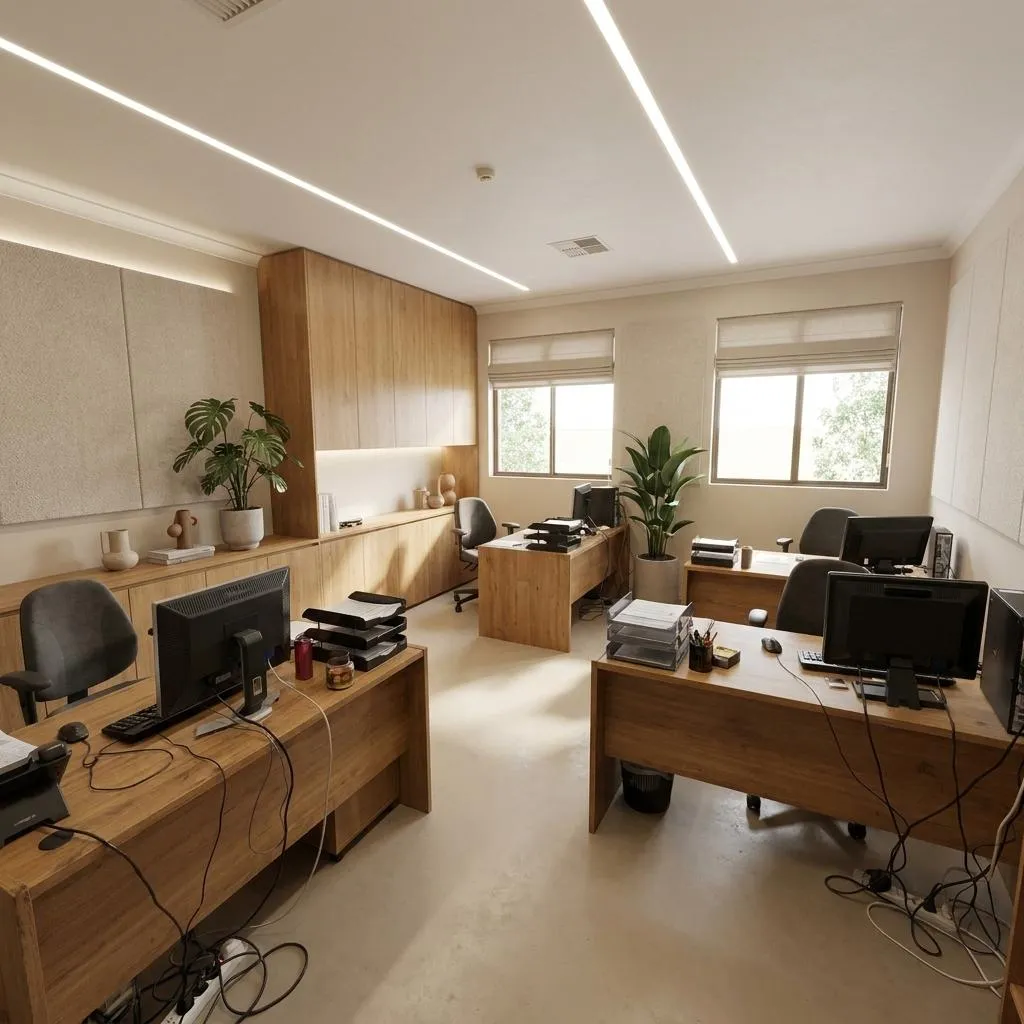
Before & After
Drag the slider to compare the original input with the AI result.
AFTER
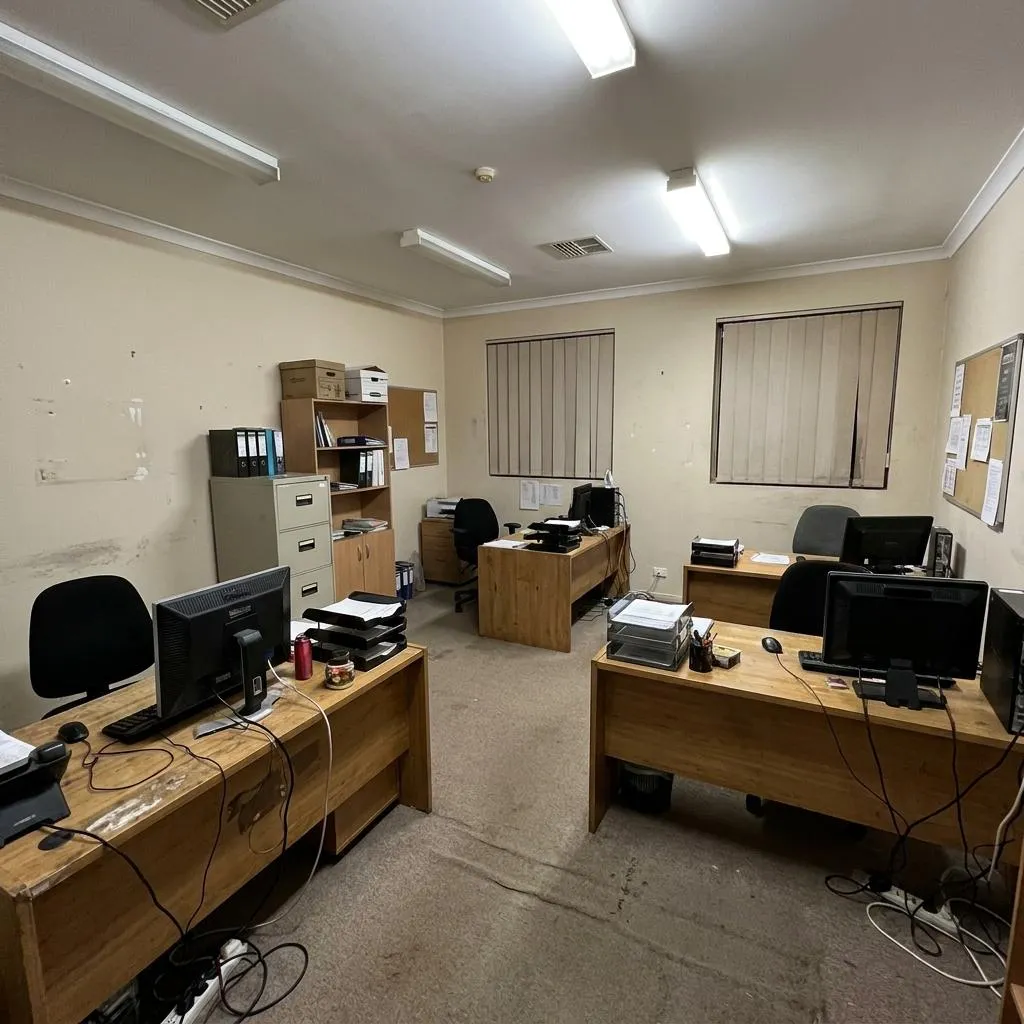 BEFORE
The Prompt
How to Use this Nano Banana Prompt
Open Nano Banana
Launch the AI image tool.
Add Reference
Upload a photo if the prompt needs one.
Paste Prompt
Copy and paste the prompt above.
Generate
Create your AI image.




About This AI Office Redesign Prompt: Minimalist Architectural Workspace Prompt
This prompt allows you to transform an existing office photograph into a sophisticated, minimalist architectural workspace. It meticulously re-imagines the interior, removing clutter and introducing sleek, modern design elements while strictly adhering to the original room's structure and perspective. The result is a premium editorial-quality image that showcases a refined, functional environment, perfect for visualizing a modern office aesthetic.
This AI office redesign prompt is invaluable for interior designers, architects, real estate agents, and anyone looking to visualize potential office renovations. It's perfect for creating compelling before-and-after presentations, showcasing design concepts to clients, or generating marketing materials for properties. Content creators can also use it to produce high-quality visuals for articles or social media about modern workspace aesthetics, making it a versatile tool for various professional applications.
To use this prompt effectively, upload a clear photograph of your existing office space to your chosen AI image generation tool. The prompt explicitly instructs the AI to use this image as a "strict spatial reference," preserving all foundational elements like walls, windows, and camera position. Copy and paste the full prompt to ensure the AI understands the detailed transformation required, focusing on the removal of clutter and the introduction of minimalist furniture and finishes.
While maintaining the core minimalist vision, you can subtly customize elements present in the original prompt. For instance, adjust the "restrained palette of warm white, natural oak, soft beige and charcoal accents" by slightly emphasizing one tone or altering the proportion of materials. You could specify "a few carefully selected plants" to be a specific type or number, or refine "architectural objects" to be more precise (e.g., "a single sculptural vase"). However, avoid introducing new structural elements or entirely different styles not supported by the prompt.
The resulting visual style, characterized by soft natural daylight, authentic material textures, and a professional architectural photography feel, makes these images highly effective. They are ideal for social media posts highlighting modern design trends, professional portfolios, or presentations where a clean, sophisticated aesthetic is paramount. The ultra-realistic and premium editorial quality ensures the transformed office spaces are not only visually appealing but also convey a sense of high-end design and functionality, enhancing any visual project.
Frequently Asked Questions
Common questions about this AI prompt and how to get the best results.
Pro Tips for Better Results
- Ensure your uploaded image has good lighting and a clear view of the existing office space for optimal transformation.
- For best results, choose an office photo with distinct architectural lines that the AI can easily reference and build upon.
- Experiment with slight variations in the specified "carefully selected plants and architectural objects" for subtle personalization.
- Focus on the overall feel; the prompt is designed for a refined, minimalist aesthetic, so don't try to force maximalist elements.
- If your AI tool allows, specify a "28mm lens" in your settings to reinforce the professional architectural photography style.