
 Nano Banana
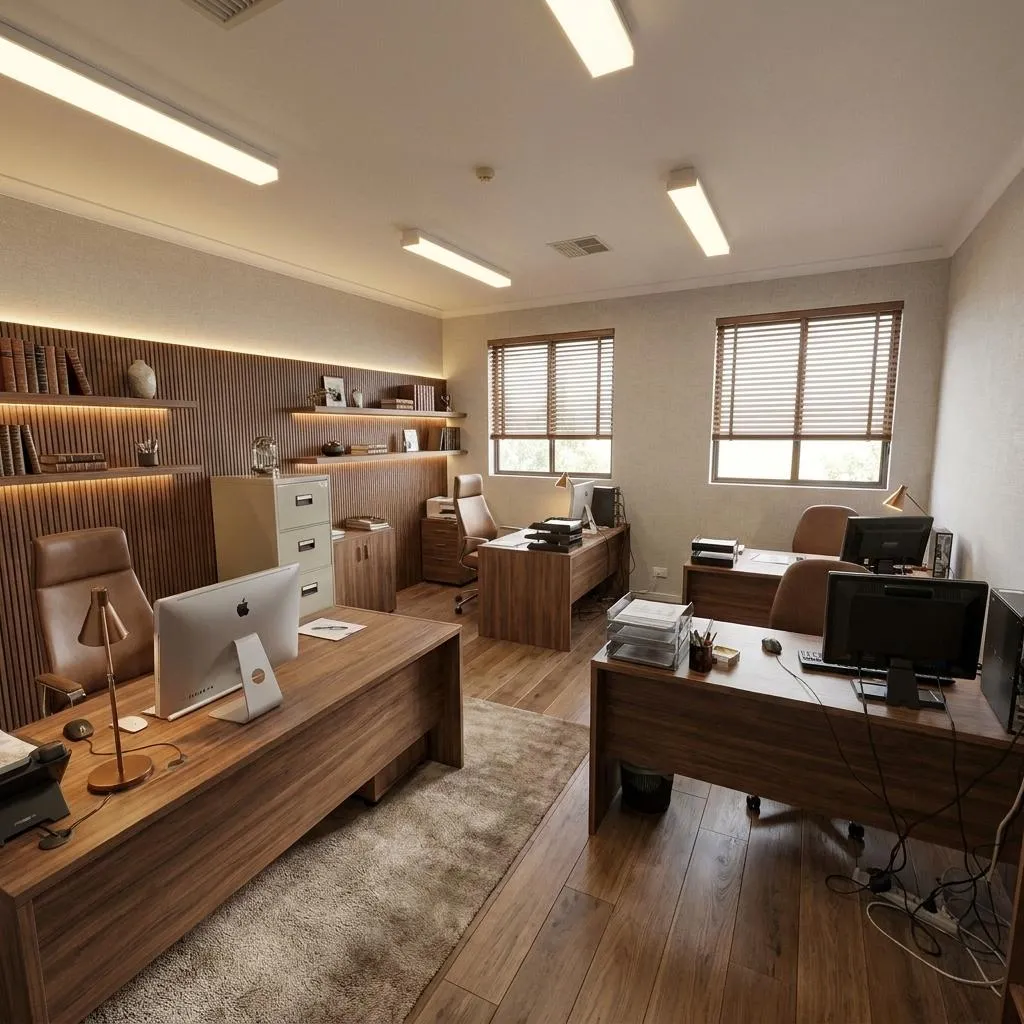
Before & After
Drag the slider to compare the original input with the AI result.
AFTER
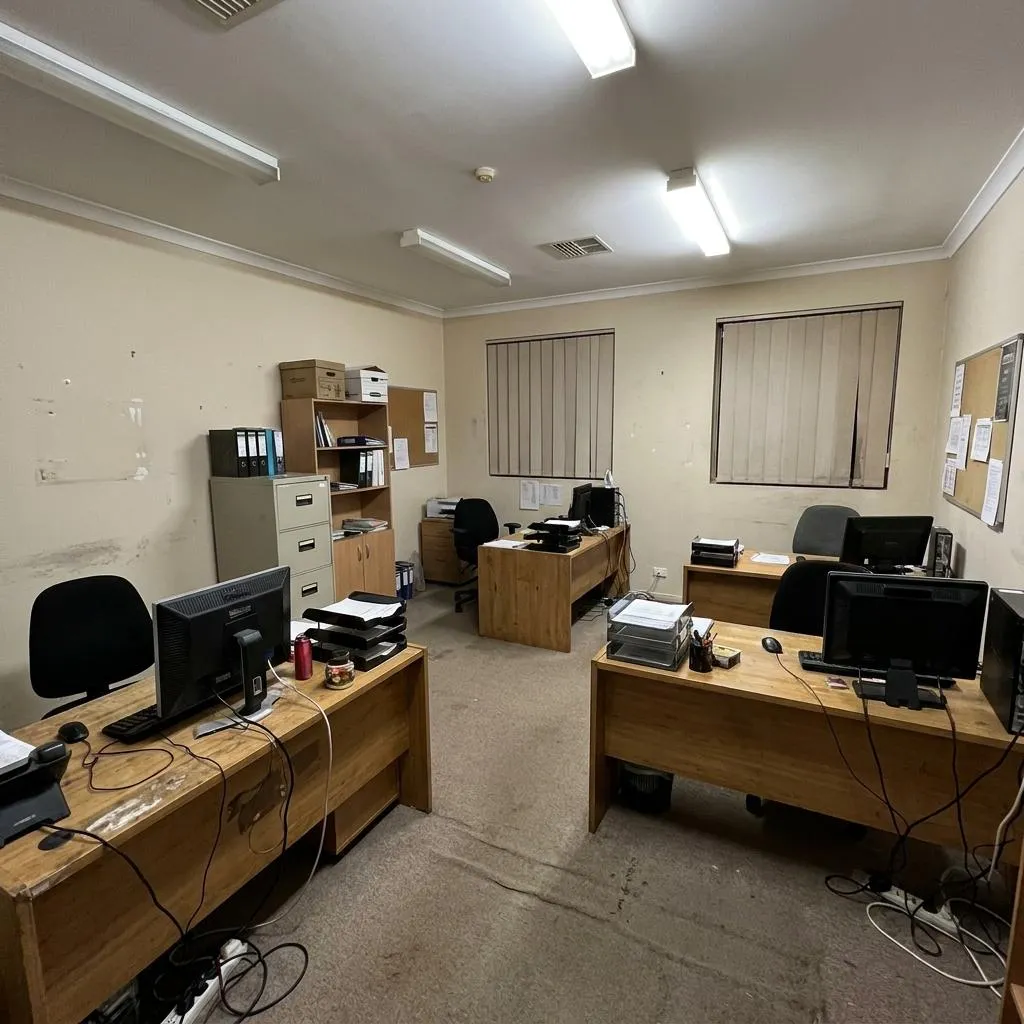 BEFORE
The Prompt
How to Use this Nano Banana Prompt
Open Nano Banana
Launch the AI image tool.
Add Reference
Upload a photo if the prompt needs one.
Paste Prompt
Copy and paste the prompt above.
Generate
Create your AI image.




About This AI Office Redesign Prompt: Executive Workspace Transformation Prompt
This AI office redesign prompt specializes in transforming existing office photos into luxurious, premium executive workspaces. It meticulously replaces dated elements with sophisticated custom walnut workstations, elegant designer chairs, and warm architectural lighting, all while strictly preserving the original room architecture, spatial proportions, and camera angle. The result is an ultra-photorealistic image that showcases a high-end commercial interior without altering the fundamental structure of the space.
This prompt is ideal for interior designers, architects, real estate professionals, and business owners looking to visualize office upgrades or present potential property value. It's perfect for creating compelling marketing materials, design proposals, or simply exploring renovation ideas for an executive workspace. Anyone needing to showcase a sophisticated office transformation while maintaining the integrity of the existing layout will find this AI office redesign prompt invaluable.
To use this AI office redesign prompt, provide an initial office photograph as a reference image to your AI model. The prompt instructs the AI to use this photo as a base, focusing on interior elements for transformation. Ensure your chosen AI model supports image-to-image or reference image capabilities for optimal results. Clearly specify the exact image you wish to transform for the AI to apply the specified design upgrades accurately.
While the prompt preserves architectural elements, you can customize the new interior details. Experiment with different material descriptions beyond walnut, such as "dark oak" or "light maple" for workstations, or vary chair styles (e.g., "leather ergonomic chairs"). You could also specify different "acoustic panel textures" or "brushed brass details" instead of metal. Focus on modifying the descriptive adjectives for furniture and finishes to achieve diverse executive workspace aesthetics.
The "high-end commercial interior photography" and "architectural editorial style" make the generated images exceptionally useful for professional portfolios, luxury real estate listings, or corporate branding. The ultra-photorealistic output, complete with authentic textures and realistic lighting, ensures that the transformed executive workspace looks expensive but entirely believable. This visual style effectively communicates sophistication and quality, enhancing perception across various professional platforms.
Frequently Asked Questions
Common questions about this AI prompt and how to get the best results.
Pro Tips for Better Results
- Provide a high-quality reference image: The AI's ability to preserve architecture and apply new details accurately depends heavily on the clarity and resolution of your initial office photo.
- Experiment with material variations: While the prompt suggests walnut and brushed metal, try substituting "dark oak," "polished concrete," or "matte black finishes" to explore different high-end aesthetics.
- Refine lighting descriptors: Adjust "warm architectural wall lighting" to "cool overhead lighting" or "natural daylight with accent lamps" to fine-tune the ambiance of the executive workspace.
- Specify chair styles: Instead of just "ergonomic designer chairs," try "Eames-inspired executive chairs" or "sleek modern task chairs" for more specific design outcomes.
- Maintain spatial consistency: When adding or modifying elements, always keep the original prompt's instruction to preserve "spatial proportions" in mind to ensure a believable transformation.