
 Nano Banana
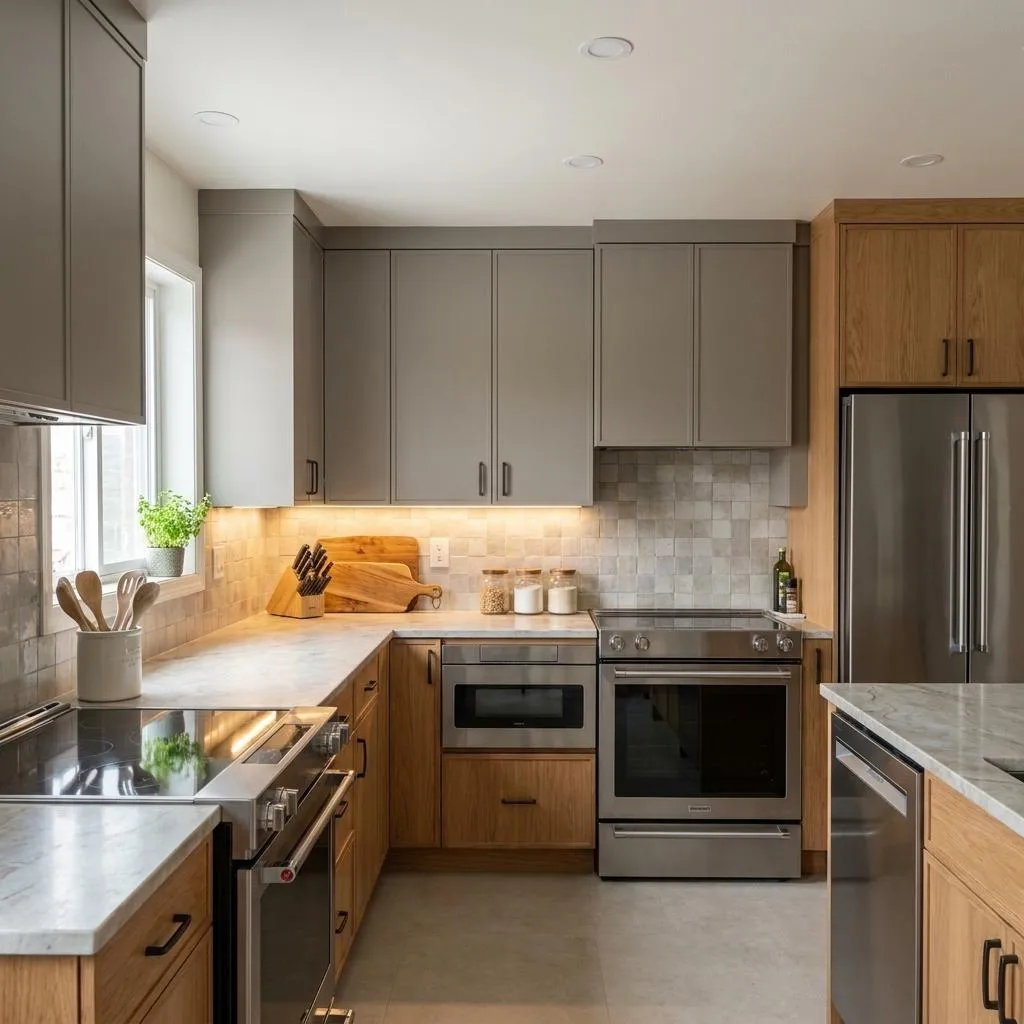
Before & After
Drag the slider to compare the original input with the AI result.
AFTER
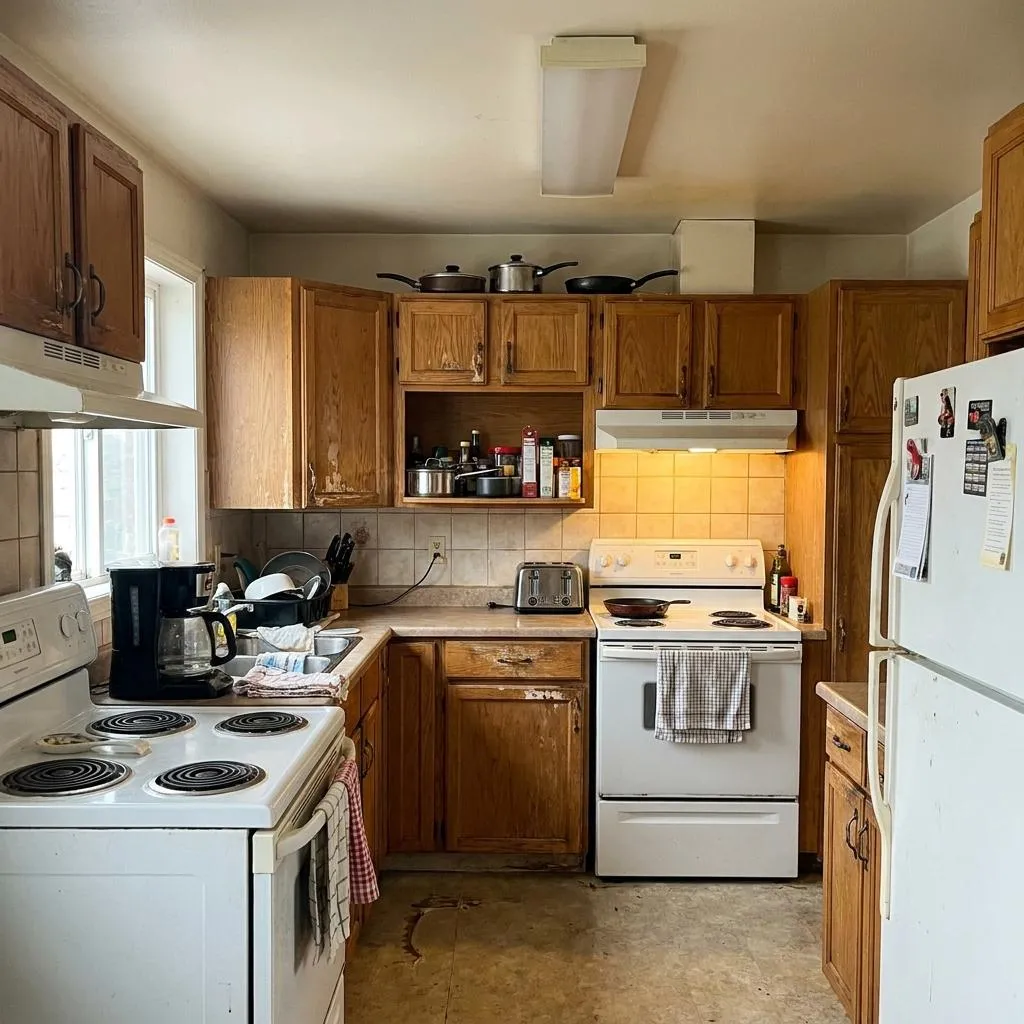 BEFORE
The Prompt
How to Use this Nano Banana Prompt
Open Nano Banana
Launch the AI image tool.
Add Reference
Upload a photo if the prompt needs one.
Paste Prompt
Copy and paste the prompt above.
Generate
Create your AI image.





About This AI Kitchen Renovation Prompt: High-End Contemporary Design Prompt
Unlock the potential of your existing kitchen photographs with this powerful AI kitchen renovation prompt. Designed to transform dated spaces into sophisticated, high-end contemporary kitchens, this prompt meticulously preserves original architecture, room boundaries, and spatial proportions. Visualize elegant custom cabinetry, premium stone countertops, and integrated appliances without altering the fundamental structure. The result is a stunning, ultra-photorealistic image, perfect for design inspiration or client presentations.
This AI kitchen renovation prompt is ideal for homeowners contemplating a remodel, interior designers showcasing concepts, architects visualizing proposed changes, and real estate professionals enhancing property listings. It provides an invaluable tool for creating compelling 'before and after' scenarios or exploring new design possibilities. By allowing you to experiment with different finishes and styles on your existing layout, it minimizes uncertainty and helps solidify design decisions before physical work begins.
To effectively use this prompt, upload a clear, well-lit photograph of your kitchen to your chosen AI image generation platform. Then, input this detailed prompt, emphasizing elements you wish to transform, such as cabinetry materials, countertop types, and lighting schemes. The AI will leverage the input image as a reference, applying the specified high-end contemporary design elements while strictly adhering to the architectural constraints. This method ensures a believable and consistent transformation, respecting the original space.
Customization is a key strength of this AI kitchen renovation prompt. While it guides transformation towards a high-end contemporary aesthetic, you have ample room to personalize details. Experiment with different wood tones for oak cabinetry, explore various matte neutral surfaces, or specify distinct veining patterns for the stone countertop. Adjust types of tasteful objects, from ceramic vessels to unique greenery, to reflect your personal style or a client's brief. Layered architectural lighting can also be fine-tuned to create a specific ambiance.
The visual output from this prompt is incredibly versatile and useful across platforms. For social media, these photorealistic transformations can generate significant engagement, inspiring followers with achievable design goals. For design professionals, they serve as high-quality portfolio pieces or persuasive visual aids during client consultations. The ability to create realistic mock-ups of expensive renovations without physical commitment makes this a powerful asset for creative projects, interior design editorials, and anyone looking to visualize premium home improvements with unparalleled accuracy.
Frequently Asked Questions
Common questions about this AI prompt and how to get the best results.
Pro Tips for Better Results
- Ensure your input kitchen photograph is well-lit and shows the entire space clearly for the best transformation results.
- Experiment with specific material descriptions, like 'honed marble countertop' or 'smoked oak cabinetry,' to fine-tune the high-end aesthetic.
- Adjust the description of 'tasteful objects' to include items that reflect a specific personal style or brand identity.
- Vary the 'layered architectural lighting' descriptions (e.g., 'brighter under-cabinet lighting,' 'cooler ambient light') to alter the kitchen's mood.
- If the initial result isn't perfect, iterate by adding more specific details or slight variations to the prompt to guide the AI.