
 Nano Banana
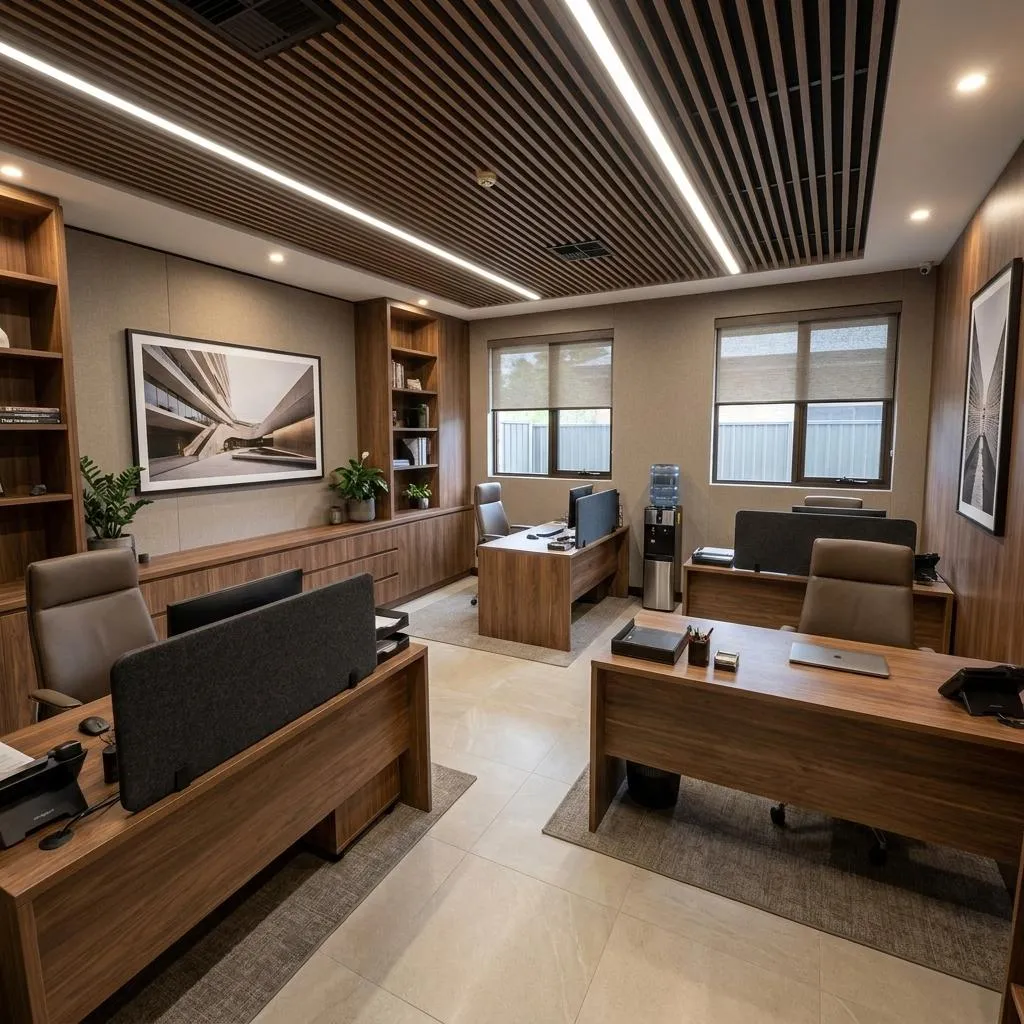
Before & After
Drag the slider to compare the original input with the AI result.
AFTER
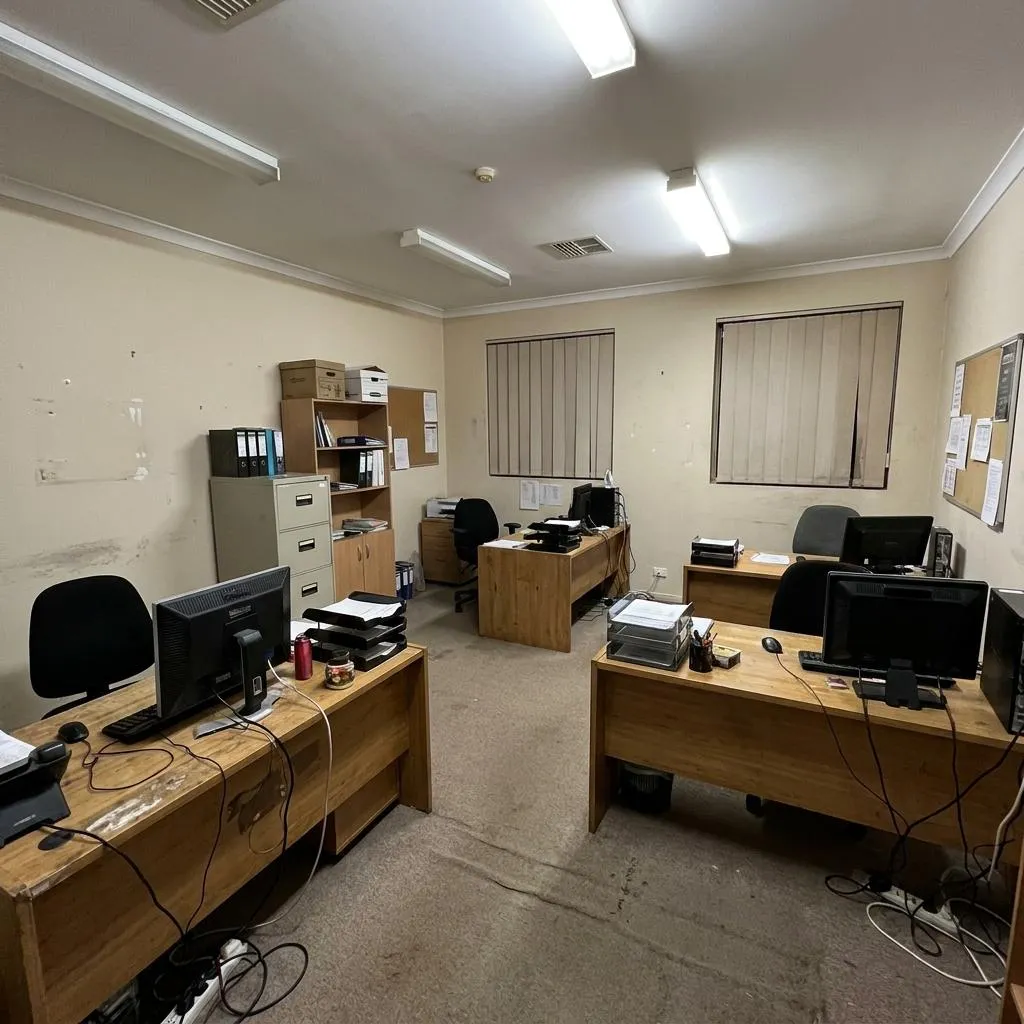 BEFORE
The Prompt
How to Use this Nano Banana Prompt
Open Nano Banana
Launch the AI image tool.
Add Reference
Upload a photo if the prompt needs one.
Paste Prompt
Copy and paste the prompt above.
Generate
Create your AI image.





About This AI Interior Renovation Prompt for Modern Offices Prompt
Unlock the power of AI to visualize stunning transformations with this advanced AI interior renovation prompt. Designed for unparalleled realism, this prompt acts as a world-class interior architect, taking an existing space and meticulously renovating it into a high-end, professional modern office. It excels at preserving the original architectural structure—every wall, window, ceiling, and floor boundary—while completely updating finishes, furniture, lighting, and decorative elements. The result is a photorealistic 'before-and-after' visual that captures the essence of a premium architectural redesign.
This prompt is an invaluable tool for a diverse audience, including interior designers seeking to present concepts to clients, architects visualizing space utilization, and real estate professionals showcasing potential property upgrades. Office managers planning a corporate refresh can also benefit from generating realistic mock-ups. Its focus on physically accurate perspective and believable lighting makes it ideal for creating compelling visuals that go beyond simple renders, offering a genuine glimpse into a renovated space.
To effectively use this AI interior renovation prompt, begin by providing a clear source image of the room you wish to transform. The AI will then interpret the existing structure and apply the renovation instructions. Focus on describing the desired aesthetic—e.g., 'minimalist modern,' 'industrial chic,' or 'warm contemporary'—and specify materials or furniture styles you envision. The prompt is designed to work with various AI image generation platforms that support detailed textual instructions and reference images, allowing for precise control over the renovation process.
Customization options are extensive, allowing you to tailor the renovation to specific needs. While the prompt strictly preserves the room's footprint, you can experiment with different premium materials like polished concrete, natural wood, or bespoke fabrics. Vary the style of custom furniture, from sleek executive desks to comfortable lounge areas, and integrate diverse lighting solutions, such as hidden LED strips or sculptural fixtures. You can also specify realistic acoustic treatments and sophisticated decorative elements to perfectly align the design with your brand or desired ambiance.
Leveraging this prompt for your creative projects offers significant advantages. The ability to generate premium editorial quality, photorealistic architectural photography makes it perfect for client presentations, portfolio showcases, and social media content. It helps communicate complex design ideas clearly and convincingly, providing a tangible vision of a transformed space without the need for costly physical mock-ups or extensive 3D modeling. Embrace this AI interior renovation prompt to bring your most ambitious design visions to life with stunning realism.
Frequently Asked Questions
Common questions about this AI prompt and how to get the best results.
Pro Tips for Better Results
- Always provide a high-quality, well-lit 'before' image to give the AI the best reference for the existing space.
- Be specific with material choices (e.g., 'walnut desk,' 'brushed steel accents,' 'linen upholstery') to guide the AI's design.
- Detail the desired lighting mood—'bright and airy,' 'subtle task lighting,' or 'ambient glow'—to control the atmosphere.
- Specify the exact style of 'modern office' you envision, such as 'minimalist,' 'biophilic,' or 'tech-focused,' for cohesive results.
- Experiment with adding subtle 'sophisticated decorative elements' like abstract art or unique planters to elevate the design.