
 ChatGPT
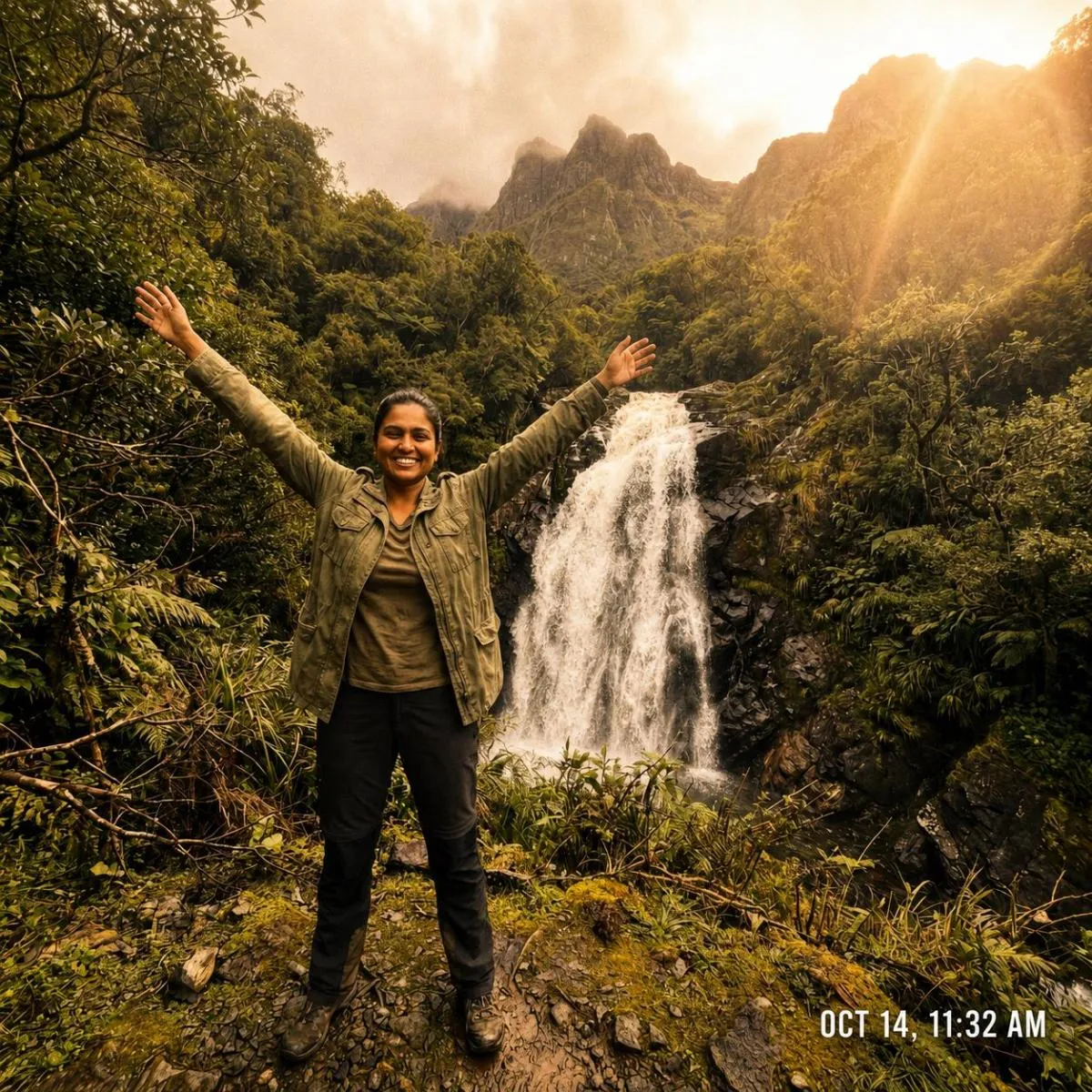
The Prompt
How to Use this ChatGPT Prompt
Open ChatGPT
Launch the AI image tool.
Add Reference
Upload a photo if the prompt needs one.
Paste Prompt
Copy and paste the prompt above.
Generate
Create your AI image.






About This Warm Cinematic AI Photo Style Colour Grading Prompt Prompt
This powerful AI prompt is designed to transform existing images by applying a sophisticated warm cinematic AI photo style, meticulously preserving the original subject identity, face, pose, clothing, and exact background. The output features a rich honey-gold color grade, with the overall white balance shifted warmly within the 5800K-6200K range. Expect to see a soft, inviting glow enhancing highlights, particularly on skin tones and any visible sky, while bright light sources or the sun in the frame will exhibit a subtle, natural lens flare or glow. The visual result aims for the polished aesthetic of a professionally graded travel vlog frame, reminiscent of footage shot on a Sony A7 series camera with a premium warm LUT.
Content creators, travel influencers, and amateur photographers seeking to elevate their visual storytelling will find this prompt invaluable. Individuals looking to achieve a consistent, high-quality aesthetic across their social media feeds, especially on platforms like Instagram and YouTube, can utilize this prompt for a distinctive look. It's particularly useful for those who capture moments in diverse locations but desire a cohesive, warm, and inviting visual signature. Whether you're curating a personal blog or building a professional portfolio, this AI color grade prompt offers a shortcut to a sought-after, professional finish without extensive manual editing.
To begin transforming your images, simply open your preferred AI image generation tool, such as ChatGPT, Gemini, or even a specialized platform like Nano Banana. Copy and paste this complete prompt directly into the input field. If your AI tool supports image uploads, provide the base image you wish to apply this warm cinematic AI photo style to. For optimal results, ensure your chosen AI model is set to a high-quality or detailed generation mode, and remember that some experimentation with the prompt's intensity or wording might be necessary based on your specific image and AI platform. The AI will then apply the specified lighting and color grade adjustments, yielding a new image with the desired aesthetic.
You can easily modify this prompt to fine-tune the warm cinematic AI photo style to your exact preferences. Experiment with adjusting the white balance range (e.g., '6000K-6500K' for even warmer tones or '5500K-5800K' for a slightly less intense warmth). The 'boost warm tones by 20%' parameter can be altered to '10%' for subtlety or '30%' for a more dramatic effect. Furthermore, try changing the '5-10% intensity' for the soft glow/bloom to '3%' or '15%' to control its prominence. You might also specify a different 'camera series' or 'LUT type' if you have a particular professional look in mind, allowing the AI to draw from a broader aesthetic library.
The appeal of a warm cinematic AI photo style lies in its ability to evoke feelings of nostalgia, comfort, and adventure, perfectly aligning with current digital content trends. This aesthetic, often seen in high-production travel vlogs and professional photography, creates an inviting atmosphere that resonates deeply with viewers. By leveraging advanced AI models, this prompt effectively mimics the complex color grading techniques traditionally performed by expert colorists, making a premium look accessible to everyone. We encourage you to try this prompt on NanoAIPrompts.com to explore its full potential and effortlessly achieve stunning, professional-grade visual transformations for your content.
Frequently Asked Questions
Common questions about this AI prompt and how to get the best results.
Pro Tips for Better Results
- Always upload a high-resolution base image to ensure the AI has ample detail to work with for the color grade.
- Experiment with varying the white balance range from 5800K to 6200K to find the perfect warmth for your specific photo.
- Adjust the 'boost warm tones' percentage between 15% and 25% to fine-tune the intensity of yellows and oranges.
- Specify a different camera model or lens (e.g., 'shot on a Fuji X-T4 with a vintage lens') to subtly alter the aesthetic.
- If using an AI that supports it, iterate on the prompt by adding 'less film grain' or 'more bloom intensity' to refine the output.