
 ChatGPT
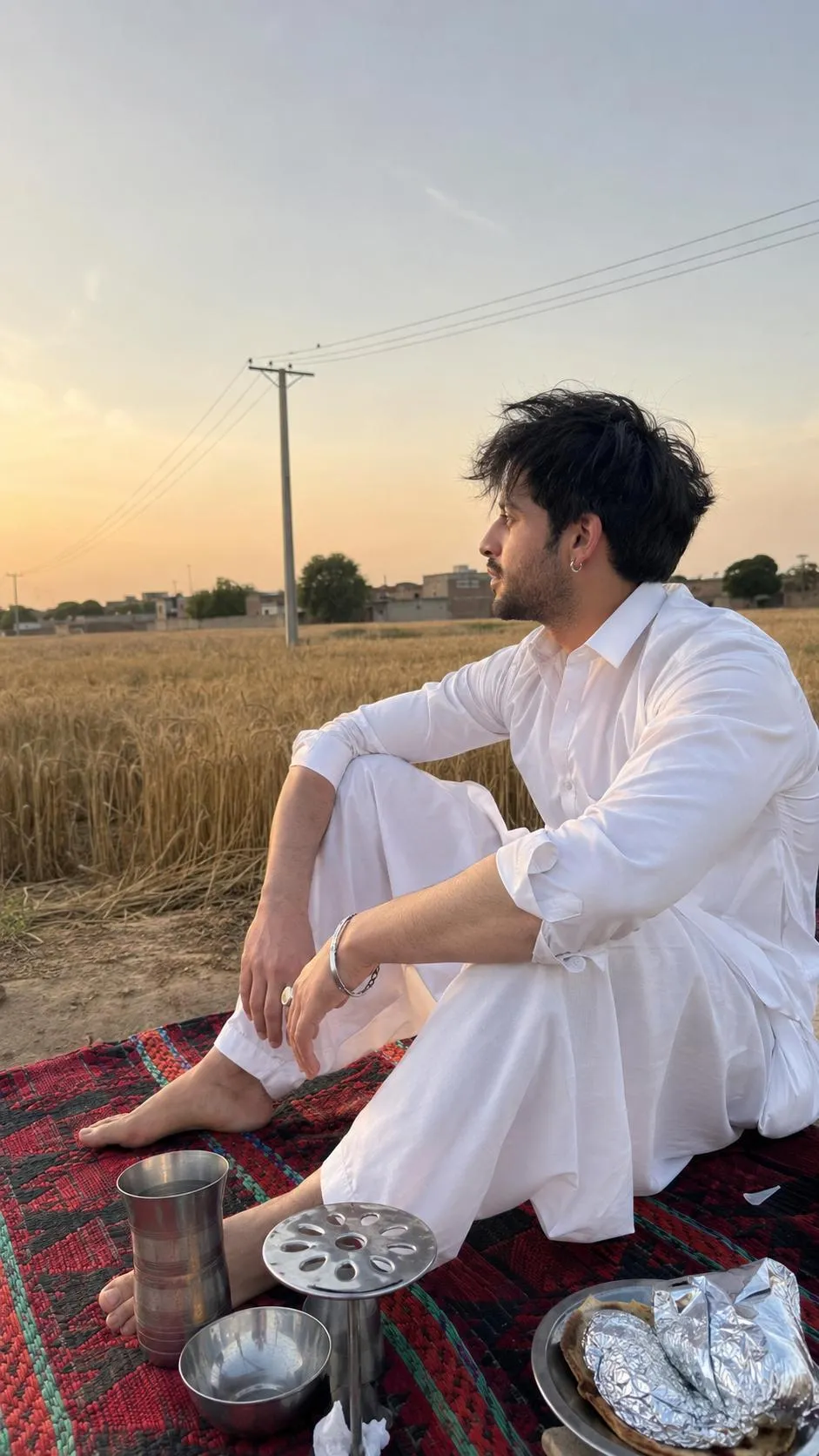
The Prompt
How to Use this ChatGPT Prompt
Open ChatGPT
Launch the AI image tool.
Add Reference
Upload a photo if the prompt needs one.
Paste Prompt
Copy and paste the prompt above.
Generate
Create your AI image.






About This Village Candid iPhone Photo Prompt Prompt
This specialized AI image prompt is designed to generate an ultra-realistic, candid photograph that mimics a snapshot taken with an iPhone 16 Pro Max rear camera. By utilizing an uploaded face photo as a strict identity reference, the prompt preserves every unique facial feature, skin tone, hairstyle, and proportion without applying artificial beautification, smoothing, or reinterpretation. The resulting image places the subject in a seated left profile on a traditional Punjabi dhurrie rug, positioned neatly within a vast rural Punjab landscape.
The visual setting incorporates authentic cultural and environmental elements, including a golden wheat field, a hazy golden-hour sky, distant village rooftops, and an electricity pole with wires. Stainless-steel dining items rest on the rug alongside the barefoot subject who wears a simple white cotton shalwar kameez complemented by a silver hoop earring, bracelet, bangle, and rings. This meticulous attention to regional attire and everyday objects creates a deeply grounded, documentary-style aesthetic that moves far beyond standard generic AI art.
To achieve the best results with this Punjabi village candid iPhone photo prompt, users should input the text into an advanced generative AI tool that supports precise reference image uploading and strict identity preservation. Because the instructions explicitly avoid artificial portrait modes, heavy cinematic grading, and digital beauty filters, your chosen AI model will rely heavily on the natural lighting and composition cues provided in the text. Ensuring your reference photo is clear and well-lit will help the AI accurately map facial textures and proportions onto the generated body.
Customization within this prompt should remain faithful to the original description to maintain its strict documentary realism. You can adjust subtle elements like the time of day within the golden-hour spectrum or modify the specific stainless-steel dining items on the rug, provided these changes match the rural Punjabi context. Avoid introducing modern urban elements, studio lighting setups, or DSLR camera effects, as the prompt relies entirely on handheld iPhone mechanics, slight camera shake, and natural lens softness to sell the authentic snapshot feel.
Documentary-style realism is increasingly valuable for social media feeds, personal storytelling projects, and regional creative portfolios that demand genuine-looking everyday moments over polished studio perfection. By embracing everyday imperfections such as fabric wrinkles, natural skin texture, and unposed body language, this prompt offers a refreshing visual direction. It allows creators to produce relatable, grounded imagery that feels like a true captured memory rather than a heavily rendered digital creation.
Frequently Asked Questions
Common questions about this AI prompt and how to get the best results.
Pro Tips for Better Results
- Upload a clear, front-facing reference photo with neutral lighting to ensure the AI accurately preserves facial identity and skin texture.
- Keep the aspect ratio set strictly to 9:16 to match the vertical iPhone composition specified in the prompt.
- Do not add terms like 'studio lighting' or 'professional retouching' if you want to maintain the authentic documentary snapshot aesthetic.
- Ensure your AI model supports strict negative constraints to prevent it from automatically applying unwanted cinematic blur or beauty filters.
- Use the exact wording for regional items like the dhurrie rug and shalwar kameez to preserve cultural and visual accuracy.