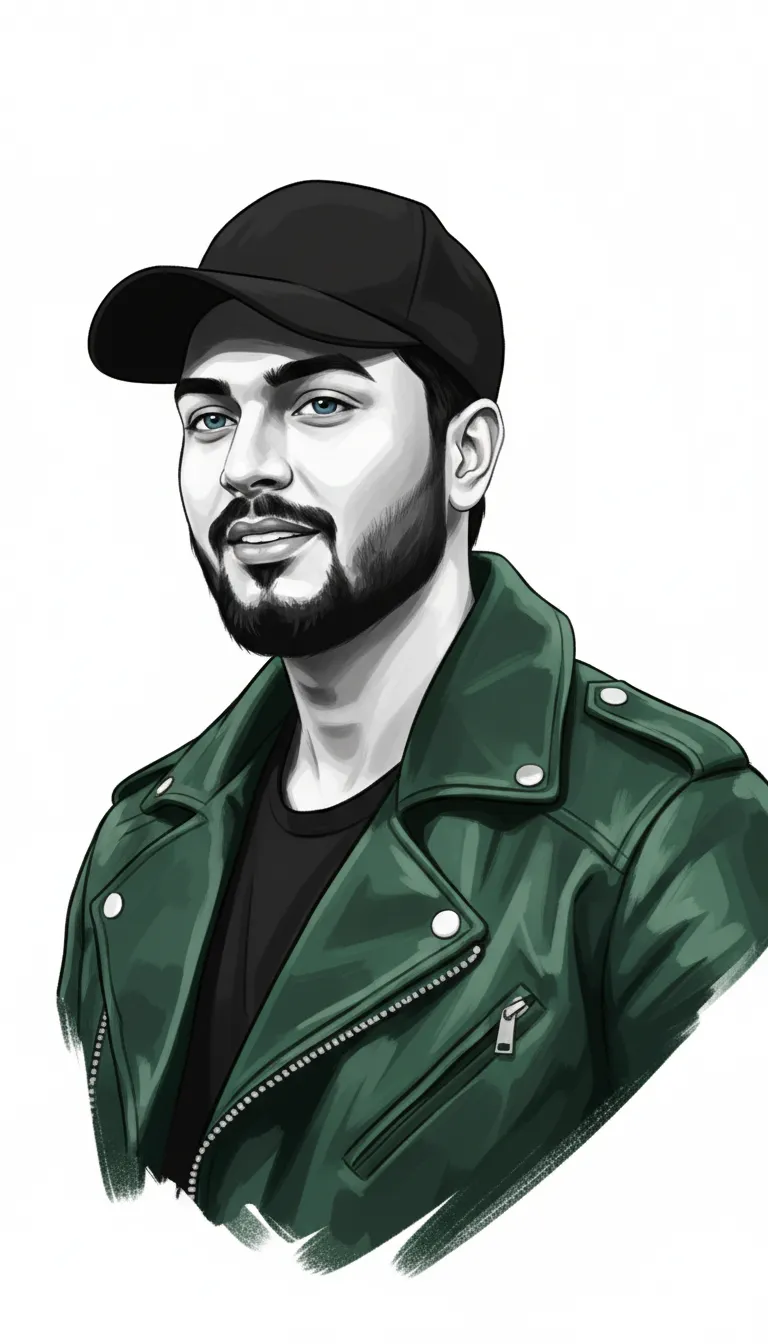
Stylized Digital Illustration Fashion Portrait Prompt

Any Model
Stylized Digital Illustration Fashion Portrait Prompt — AI generated image

The Prompt

Copy-Paste Prompt
use my face image reference) Stylized digital illustration of a fashion portrait with a minimalist color palette of orange, black and white. The subject is wearing retro-style Red sunglasses and a bright Red knitted beret. The jacket is rendered in bright Red tones with paint-like brushstrokes. There is a high contrast between the dark facial features and white skin tones in the illustration. The work has a modern, urban aesthetic with clean lines and bold colors The composition is a head and shoulders portrait with the subject looking up. The background is all white, creating a striking contrast with the orange elements. The illustration style combines realistic features with artistic brushwork, especially visible in garment details and background elements( Use my picture as a reference don't change it,
Subject Head and shoulders portrait of a subject wearing retro-style sunglasses, a knitted beret, and a jacket rendered with paint-like brushstrokes, looking up.
Environment All white background creating high contrast with the orange elements.
Lighting High contrast between dark facial features and white skin tones.
Style Stylized digital illustration combining realistic features with artistic brushwork and a minimalist color palette of orange, black, and white.

How to Use this Any Model Prompt

1

Open Any Model

Launch the AI image tool.

2

Add Reference

Upload a photo if the prompt needs one.

3

Paste Prompt

Copy and paste the prompt above.

4

Generate

Create your AI image.

About This Stylized Digital Illustration Fashion Portrait Prompt Prompt

This fashion portrait prompt generates a striking stylized digital illustration designed around a clean and minimalist color palette. By incorporating a strict color scheme of orange, black, and white, the resulting image achieves a high-contrast aesthetic that immediately draws the eye. The visual composition focuses on a head and shoulders framing where the subject looks upward, creating an engaging and modern urban feel that stands out from standard AI-generated imagery.

Ideal for fashion designers, digital creators, and social media enthusiasts, this prompt serves as a versatile tool for building a cohesive visual identity. Whether you want to showcase unique style concepts or produce artistic profile visuals, this structured fashion portrait prompt helps translate personal reference images into high-end graphic illustrations. It bridges the gap between realistic facial features and expressive, artistic brushwork.

To achieve the best results with this prompt, utilize an AI image generator that supports face reference uploads. Make sure your source photo clearly captures your facial features and is well-lit to ensure the AI can accurately map your likeness into the final stylized output. The reference image instruction ensures that your personal identity is preserved while the generator applies the artistic clothing and background directives.

When customizing the output, you can experiment with altering the specific clothing details or accent colors while keeping the core minimalist structure intact. Because the prompt heavily emphasizes a stark white background and bold brushstroke textures on the jacket, maintaining these specific spatial relationships helps preserve the urban artistic style across different generations.

Ultimately, this digital illustration style is exceptionally useful for digital portfolios, creative branding projects, and modern social media displays. The combination of retro accessories, such as the red sunglasses and knitted beret, with bold paint-like brushstrokes creates a timeless yet contemporary artistic statement that elevates any creative project.

Frequently Asked Questions

Common questions about this AI prompt and how to get the best results.

How do I use my face image as a reference with this prompt?
Upload your picture into the designated image reference slot of your AI generator alongside this exact text prompt. Ensure the platform supports face-swapping or image-to-image conditioning for the best likeness.
What kind of visual style does this prompt produce?
It generates a stylized digital illustration that blends realistic facial features with artistic, paint-like brushwork, set against a stark white background with a minimalist color palette.
Can I change the colors in the minimalist palette?
While the prompt specifically dictates an orange, black, and white palette, you can experiment by swapping the accent color to match your personal branding or aesthetic preferences.
What framing does the final generated image use?
The prompt specifies a head and shoulders composition with the subject looking upward, creating a focused and dramatic portrait framing.
Why is the background all white?
The all-white background creates a striking visual contrast with the orange elements and the dark facial features, emphasizing the clean lines of the urban aesthetic.

Pro Tips for Better Results

  • Upload a clear, front-facing reference image where your face is easily recognizable for accurate face mapping.
  • Ensure your reference photo has good lighting so the high contrast between facial features and skin tones translates correctly.
  • Keep the core color directives of orange, black, and white to maintain the strict minimalist palette.
  • Adjust the clothing description details if you want to experiment with different jacket textures while keeping the artistic brushwork style.
  • Use a generator that strictly adheres to reference image inputs to prevent the AI from altering your facial likeness.
Message here



