
 ChatGPT
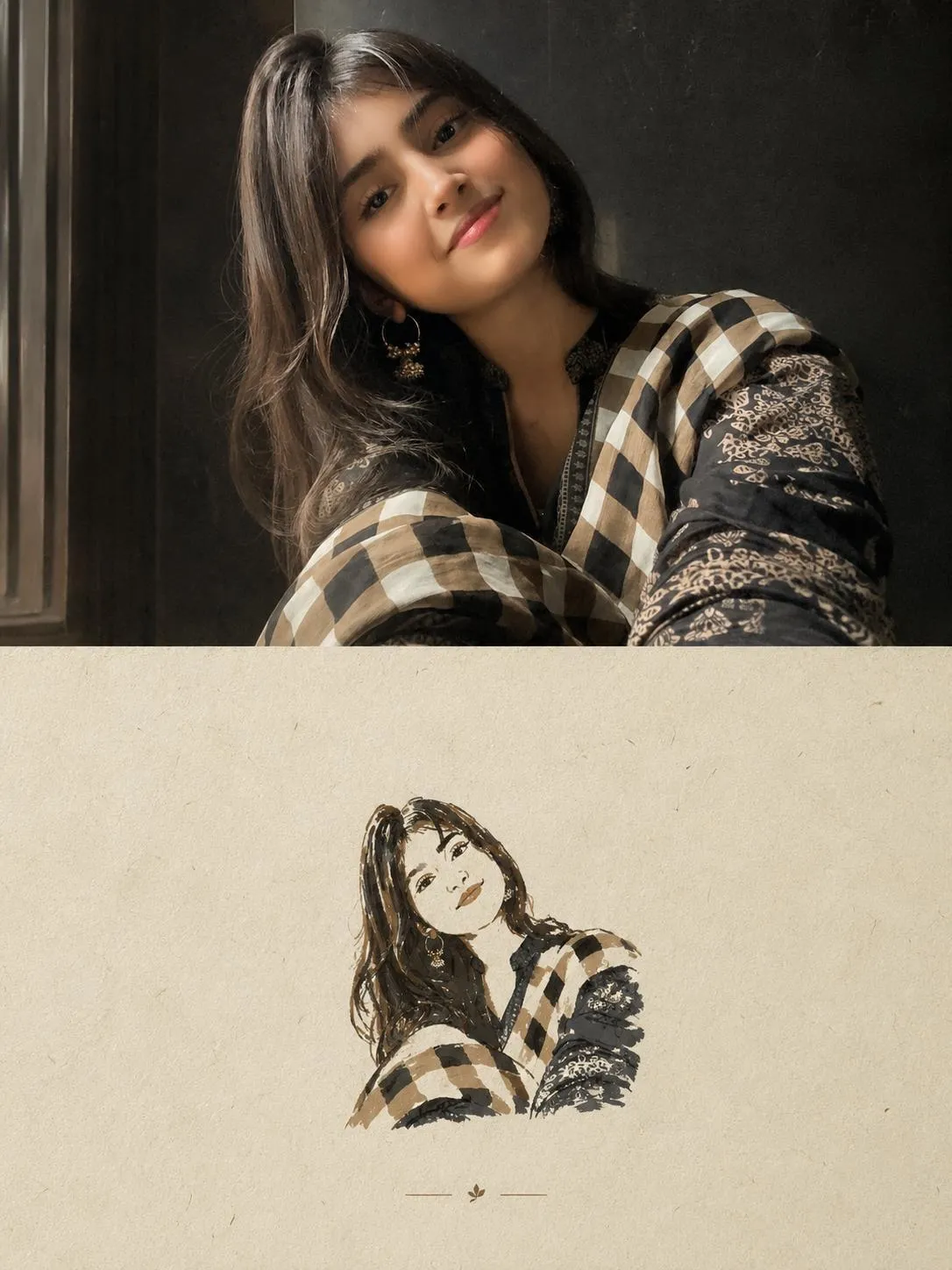
The Prompt
How to Use this ChatGPT Prompt
Open ChatGPT
Launch the AI image tool.
Add Reference
Upload a photo if the prompt needs one.
Paste Prompt
Copy and paste the prompt above.
Generate
Create your AI image.






About This Editorial Poster Split-Screen Prompt Prompt
This specialized prompt allows you to generate a separate, high-end editorial poster for each uploaded photo without combining them into a single composition. The final output is structured in a strict 3:4 vertical format, divided cleanly into two equal 50/50 horizontal sections. The top half preserves your original photo faithfully, retaining the exact identity, pose, proportions, clothing, objects, composition, lighting, and colors while applying subtle premium editorial grading and seamless background extension if needed.
Designed for artists and creators seeking unique visual compositions, an editorial poster prompt bridges the gap between raw photography and conceptual design. It is ideal for independent art-book covers, curated portfolios, and conceptual social media showcases where a refined, gallery-style presentation is required. The split layout offers an immediate visual dialogue between a faithful photographic rendering and an artistic reinterpretation.
To use this prompt effectively, upload your source image into an advanced AI image generator that supports precise image referencing and structured layout instructions. Ensure that your uploaded photo has clear lighting and a distinct subject silhouette, as these elements will directly inform both the photographic top half and the simplified illustrative bottom half of the final vertical poster format.
When customizing the output, you can adjust the color palette constraints by referencing specific tones extracted directly from your original photo, ensuring the maximum limit of four colors remains strictly followed. While the core layout, split ratio, and illustrative rules are firmly established by the prompt parameters, tailoring the source image choice allows you to experiment with different silhouettes, objects, and compositions.
Ultimately, this visual style excels in contexts where quiet, poetic, and understated design commands attention over loud digital effects. By avoiding cartoons, watercolors, 3D modeling, and glossy realism in favor of rough paper textures, flat acrylic shapes, and generous negative space, this prompt delivers a timeless, gallery-ready aesthetic suitable for professional print and digital presentation.
Frequently Asked Questions
Common questions about this AI prompt and how to get the best results.
Pro Tips for Better Results
- Upload a source image with a clear silhouette and distinct objects to ensure the paper illustration simplification works effectively.
- Ensure your AI model supports strict layout formatting and image referencing to maintain the 50/50 horizontal section split.
- Limit your source image color palette beforehand if you want tighter control over the maximum four colors extracted for the illustration.
- Use images with clean backgrounds to allow the seamless background extension feature to function without cluttering the top section.
- Select portraits or subjects with strong compositional geometry for the best translation into bold, flat acrylic-like shapes.