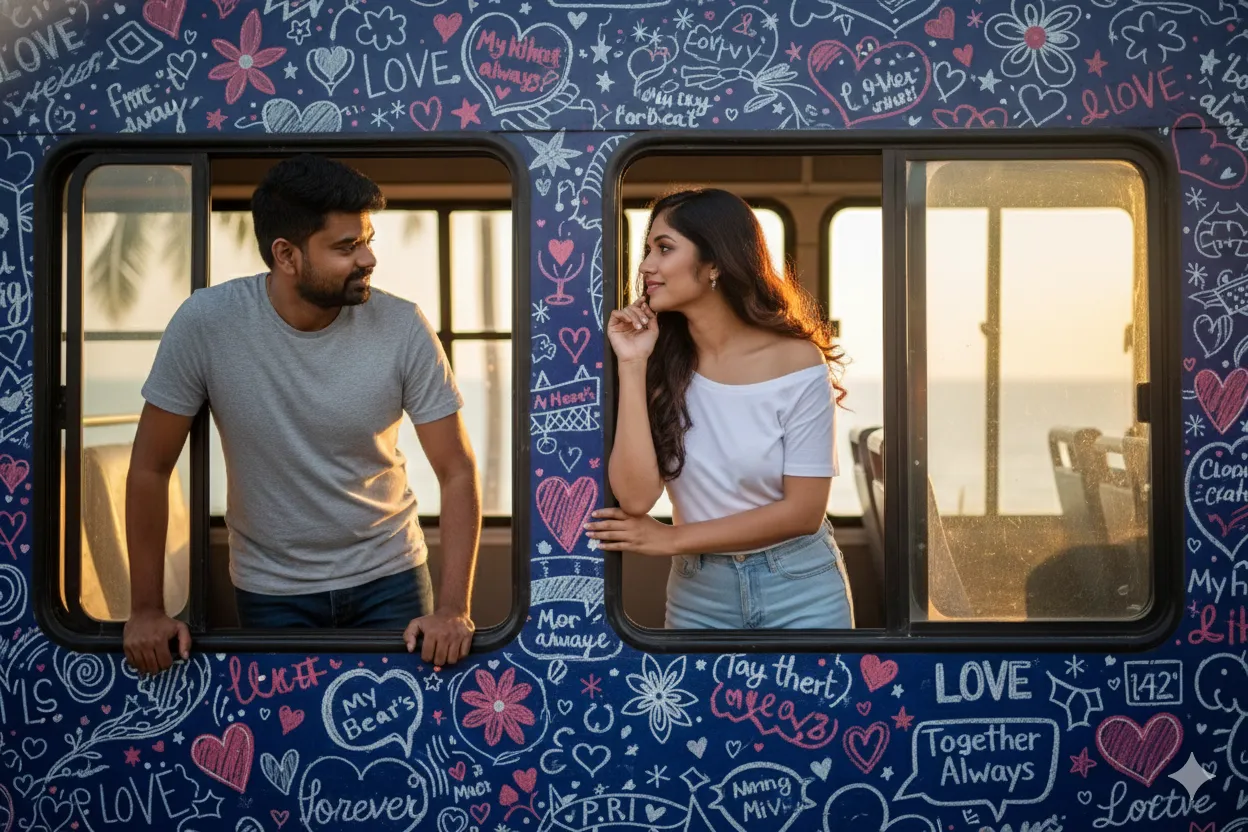
Ultra-Realistic Romantic Bus Window Portrait

Nano Banana Nano Banana
Ultra-Realistic Romantic Bus Window Portrait — AI generated image

The Prompt

Copy-Paste Prompt
Convert the above image into an ultra-realistic portrait where both individuals are looking out romantically from separate windows of a bus. They should wear a T-shirt and pants. The girl should have elegant makeup and a stylish hairstyle. The bus exterior must be fully painted with romantic words and doodle art. Both should look at each other. Full side view of the bus. (Do not change the faces)
Subject Two individuals wearing T-shirts and pants, with the female subject styled with elegant makeup and a stylish hairstyle, looking at each other from separate windows.
Environment A full side view of a bus exterior fully painted with romantic words and doodle art.
Lighting Natural daylight illuminating the side of the bus and the subjects inside.
Style Ultra-realistic portrait with integrated graphic doodle elements.

How to Use this Nano Banana Prompt

1

Open Nano Banana

Launch the AI image tool.

2

Add Reference

Upload a photo if the prompt needs one.

3

Paste Prompt

Copy and paste the prompt above.

4

Generate

Create your AI image.

About This Ultra-Realistic Romantic Bus Window Portrait Prompt

This AI image generation and editing prompt transforms an existing reference image into an ultra-realistic portrait of two individuals looking out separately from the windows of a bus. The composition captures both subjects from a full side view of the vehicle, maintaining their facial identities while placing them in a new narrative environment. The bus exterior features a fully painted surface covered in romantic words and doodle art, adding a unique graphical layer to the background of the scene.

Ideal for digital artists, couples looking for creative keepsakes, and content creators experimenting with narrative AI photography, this couple photo editing prompt offers a structured way to reimagine personal portraits. It is especially useful for projects that require maintaining original facial features while altering the surrounding scenery and atmospheric context without losing the core subjects' identities.

To use this prompt effectively, upload your reference image containing the two individuals into your preferred AI image generator that supports image-to-image workflows or face preservation features. Paste the descriptive text into the prompt input box, ensuring that instructions regarding the bus exterior, clothing like T-shirts and pants, and the specific side-view composition are clearly processed by the AI model.

When customizing this prompt, you can adjust descriptive details that align strictly with the source material, such as the specific style of the doodle art or the wording painted on the bus exterior. Because the core instruction specifies preserving the faces and maintaining a full side view, modifications should focus on the ambient details of the bus surface or the specific styling of the clothing while keeping the primary interaction intact.

This distinct visual style is valuable for creative storytelling, digital art portfolios, and personal photo enhancements that require a blend of realism and graphic elements. By integrating a vehicle exterior covered in romantic doodle art with a natural window interaction, the resulting image creates a compelling narrative moment that stands out from standard portrait photography.

Frequently Asked Questions

Common questions about this AI prompt and how to get the best results.

What does this AI prompt create?
It generates an ultra-realistic portrait of two individuals looking out from separate windows of a bus, featuring a side view of the bus exterior decorated with romantic words and doodle art.
Do I need to upload a reference image?
Yes, this prompt relies on converting an existing source image and requires a reference photo containing the two individuals to maintain their facial features.
Will the AI change the faces from my original photo?
The prompt explicitly instructs the AI not to change the faces, helping preserve the likeness of the individuals in the generated output.
What clothing do the subjects wear in the generated image?
The prompt specifies that both individuals should wear a T-shirt and pants, with the female subject also featuring elegant makeup and a stylish hairstyle.
Can I customize the text on the bus exterior?
Yes, you can modify the description of the romantic words and doodle art on the bus exterior to better fit your desired visual theme.

Pro Tips for Better Results

  • Use a clear reference image where both faces are clearly visible to ensure accurate face preservation.
  • Ensure your AI tool supports image-to-image or reference upload features before running the prompt.
  • Keep the core instruction regarding the full side view of the bus to maintain the intended composition.
  • Verify that the prompt engine respects the negative constraint or instruction to not change the faces.
  • Experiment with minor variations in the bus doodle art description if your AI model allows creative text rendering.
Message here



