
 Nano Banana
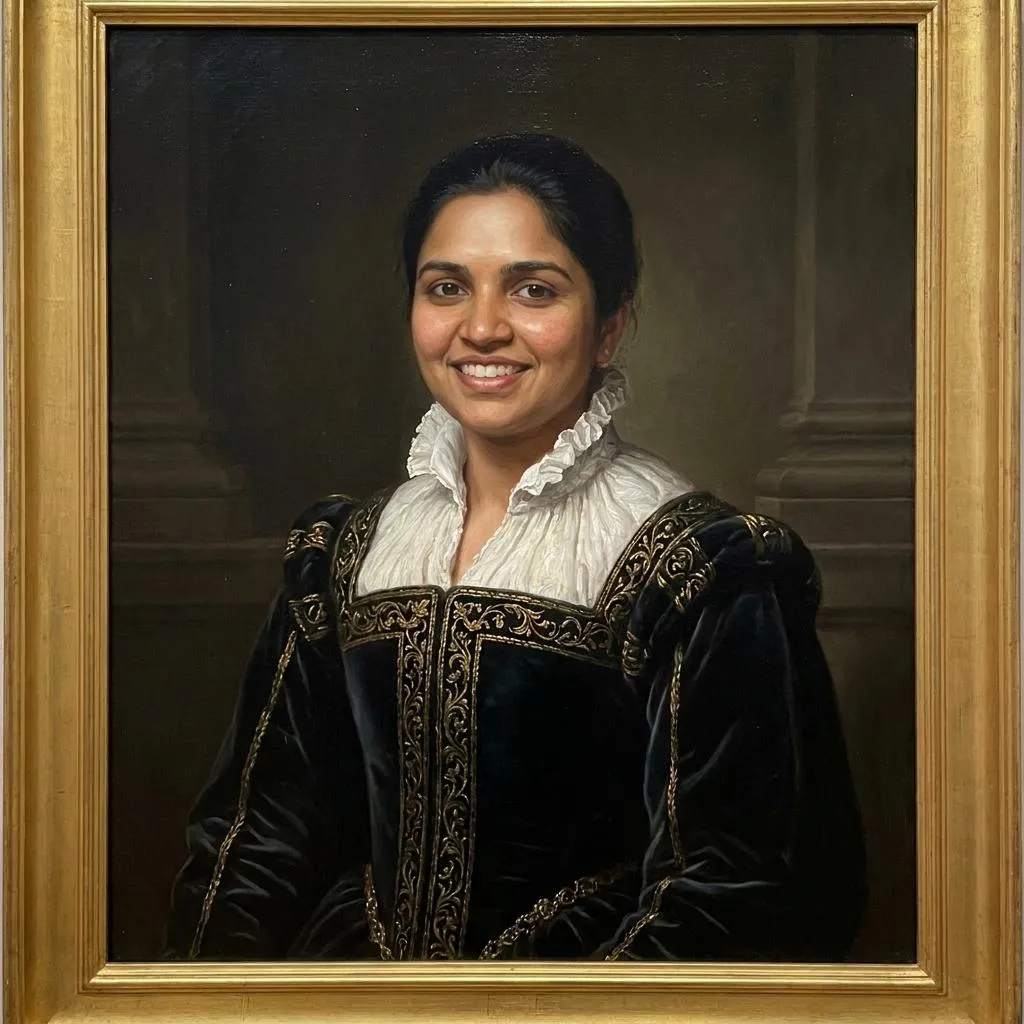
The Prompt
How to Use this Nano Banana Prompt
Open Nano Banana
Launch the AI image tool.
Add Reference
Upload a photo if the prompt needs one.
Paste Prompt
Copy and paste the prompt above.
Generate
Create your AI image.






About This Renaissance Portrait AI Prompt for Digital Paintings Prompt
Transforming modern photographs into classical masterpieces is entirely achievable with this specialized Renaissance portrait AI prompt designed for image-to-image workflows. By leveraging advanced generative capabilities, this prompt takes an uploaded reference image and meticulously converts it into a digital painting reminiscent of old European gallery masterworks. The primary goal of this instruction set is to bridge the gap between contemporary digital photography and historical fine art aesthetics while strictly maintaining the authentic likeness of the original subject.
Digital creators, photographers, and hobbyists looking to experiment with historical aesthetics will find this prompt especially useful for personal projects, creative portfolio pieces, or unique social media visuals. It serves as a reliable tool for anyone wanting to explore classical art styles without needing traditional oil painting skills. Whether you are reimagining a personal selfie or a professional headshot, the workflow ensures that the final output maintains a high level of artistic integrity and visual sophistication.
To achieve the best possible results, use an AI model that supports image-to-image referencing or upload functionality. Ensure your input photo has clear lighting and a distinct facial structure so the generative tool can accurately map the features onto the historical canvas. Adjust the prompt's denoising or strength settings carefully; too high of a setting may alter the original facial proportions, while too low may prevent the Renaissance clothing and painterly brushwork from fully appearing.
Customizing this prompt is straightforward as long as you adhere to the core elements defined in the source instruction. You can experiment with different facial expressions or poses in your initial uploaded photograph, knowing the output will adapt while retaining your identity. While the environment and lighting are intentionally tailored to mimic a dark museum gallery with soft directional illumination, minor adjustments to the clothing descriptions can yield varied historical wardrobe interpretations.
Adopting a classical painterly style opens up new creative avenues for digital storytelling and historical cosplay presentations. The integration of realistic skin texture combined with classical brushwork creates a convincing illusion of a centuries-old European gallery painting. Utilizing this structured approach guarantees consistent, high-end artistic results that elevate standard digital portraits into timeless works of art.
Frequently Asked Questions
Common questions about this AI prompt and how to get the best results.
Pro Tips for Better Results
- Use a clear, high-resolution source portrait with well-defined facial features to ensure accurate identity preservation.
- Keep the image-to-image strength parameter balanced so the AI applies the Renaissance style without losing the original facial structure.
- Ensure your input photo has even lighting to help the model accurately calculate the soft directional museum lighting effect.
- Select a subject image with a neutral or classic expression to best match the dignified mood of historical European gallery paintings.
- If experimenting with variations, keep the core historical clothing and dark background descriptors intact to maintain the masterwork aesthetic.