The Prompt
How to Use this Nano Banana Prompt
Open Nano Banana
Launch the AI image tool.
Add Reference
Upload a photo if the prompt needs one.
Paste Prompt
Copy and paste the prompt above.
Generate
Create your AI image.
About This Night Café Elegant Woman Portrait Prompt
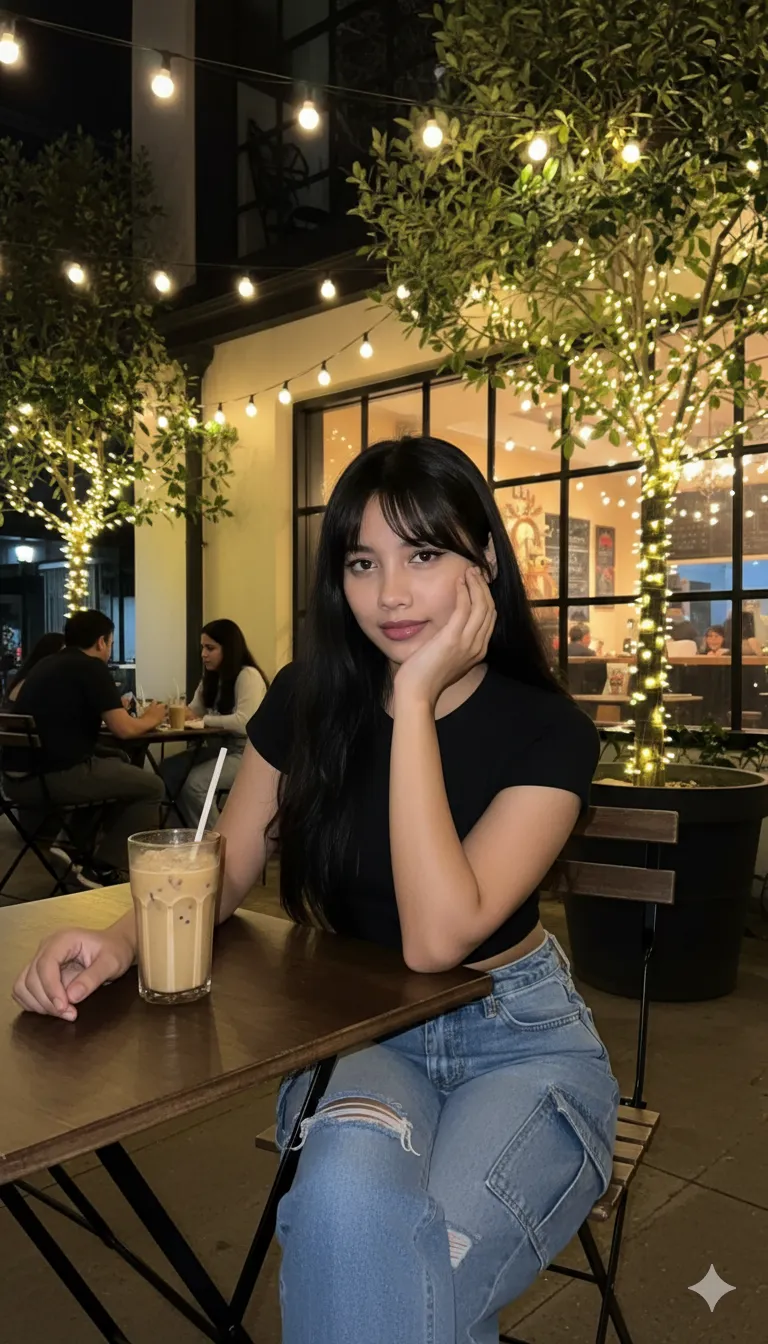
This AI image prompt generates a captivating visual of a beautiful young woman confidently seated at an outdoor night café. The resulting image will feature her with long, flowing black hair adorned with front bangs, elegantly styled to frame her face. She is depicted wearing a chic short-sleeved black crop top paired with stylish ripped blue cargo jeans, showcasing a graceful and elegant demeanor. Her pose includes one hand resting gently on her cheek, while the other is positioned on the table next to a refreshing cup of iced coffee, all set against a vibrant background of seated patrons, warm glowing café interior lights, and trees charmingly decorated with festive lights.
Content creators looking to enhance their social media feeds with aesthetically pleasing lifestyle shots will find this prompt incredibly useful. Fashion bloggers can utilize this prompt to visualize new outfits in dynamic settings, while photographers seeking inspiration for nighttime portraiture can explore its detailed scene construction. Instagram users aiming for a consistent, high-quality visual theme will appreciate the ability to generate specific, stylish imagery, especially those focusing on urban night life or café culture. This night cafe woman AI prompt is also perfect for digital artists who want to quickly render character concepts in a realistic, atmospheric setting without extensive manual drawing.
To begin using this powerful AI prompt, simply open your preferred AI image generation platform, such as ChatGPT or Gemini. Copy and paste the entire prompt text directly into the input field. If your platform supports it, you might optionally upload a reference photo to guide the "without changing her original face" aspect, ensuring facial consistency. For optimal results, ensure your chosen AI model is set to a photorealistic or high-detail rendering mode, if available. After inputting the night cafe woman AI prompt, initiate the generation process and anticipate a visually rich image that brings the described scene to life, often within seconds.
You can easily modify this night cafe woman AI prompt to suit various creative visions. Experiment by changing the woman's outfit details, such as "a silk blouse and high-waisted skirt" instead of the crop top and jeans, or alter her hair color and style. Adjust the café setting by specifying "a bustling Parisian street cafe" or "a quiet, dimly lit alleyway cafe" to change the overall ambiance. You could also introduce different props on the table, like a book or a laptop, to suggest a different narrative. Combining this prompt with specific artistic styles, such as "cinematic" or "bokeh background," can further enhance the image's aesthetic appeal and uniqueness.
The popularity of realistic lifestyle imagery, especially within urban night settings, continues to grow across social media platforms and digital content. This prompt capitalizes on the trend of creating aspirational and relatable scenes that resonate with a broad audience, offering a blend of elegance and casual confidence. AI image generation excels at constructing complex environments with nuanced lighting, making prompts like this highly effective for quickly producing professional-grade visuals. We encourage you to try this versatile night cafe woman AI prompt on NanoAIPrompts.com to explore its full potential and effortlessly generate stunning, rankable content for your projects.
Frequently Asked Questions
Common questions about this AI prompt and how to get the best results.
Pro Tips for Better Results
- To ensure facial consistency, upload a reference photo of the desired face to your AI image generator if the platform supports image-to-image prompting.
- Experiment with adding specific lens effects like "shallow depth of field" or "bokeh background" to further enhance the cinematic quality of the outdoor night café scene.
- Modify the time of night, for example, "twilight hour" or "late night," to subtly alter the lighting and overall mood of the image.
- Specify different types of beverages or objects on the table, such as "a steaming cup of tea" or "a vintage camera," to add personal touches to the scene.
- Try iterating on the prompt by adding emotional cues, like "a thoughtful expression" or "a subtle smile," to give the woman more character and depth.



