
 Nano Banana
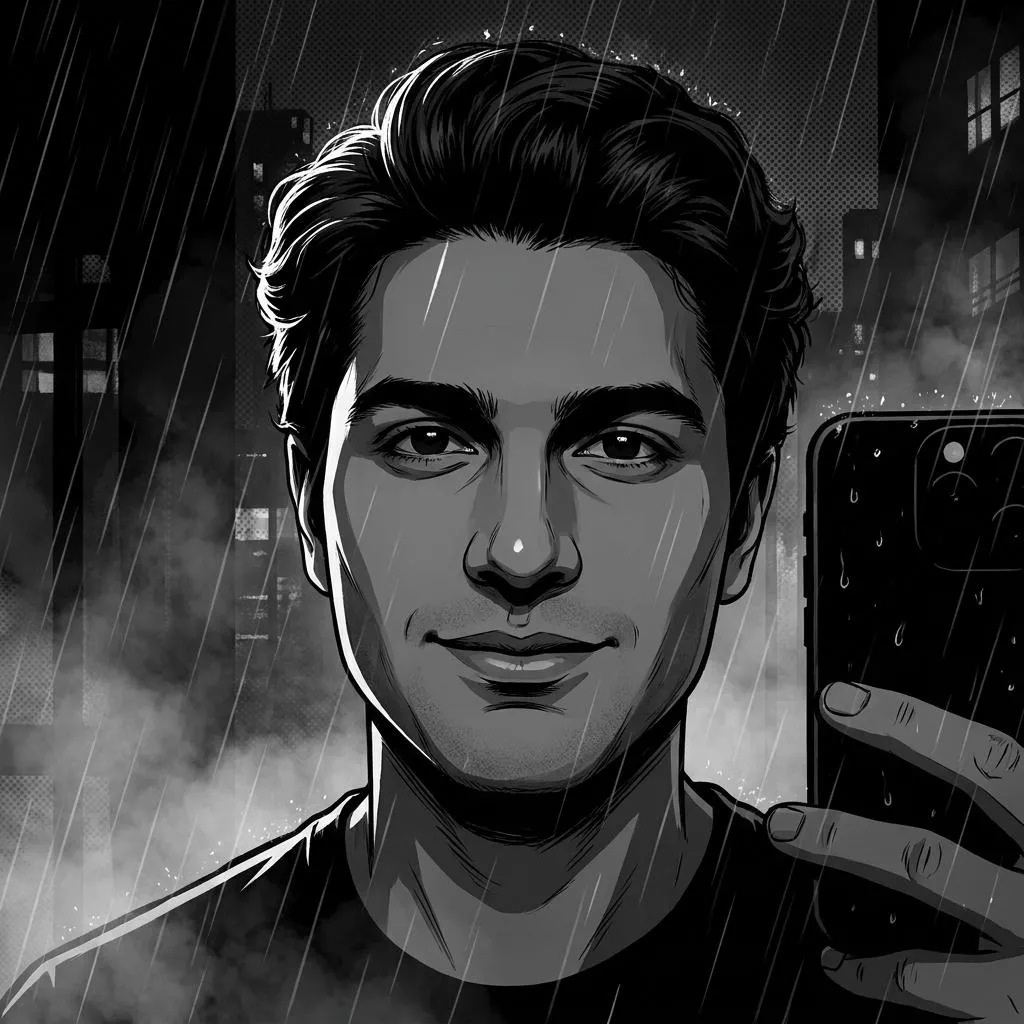
The Prompt
How to Use this Nano Banana Prompt
Open Nano Banana
Launch the AI image tool.
Add Reference
Upload a photo if the prompt needs one.
Paste Prompt
Copy and paste the prompt above.
Generate
Create your AI image.






About This Neo-Noir Graphic Novel Portrait AI Prompt Prompt
This specialized AI photo editing prompt is designed to transform an uploaded selfie into a sophisticated neo-noir graphic novel portrait. Instead of applying a generic cartoon filter, the prompt preserves the exact identity, facial anatomy, hairstyle, and expression of the original subject while completely reimagining the aesthetic through an illustrated medium. It serves as a powerful creative tool for anyone wanting to see their own likeness rendered in a high-end, artistic comic book style.
Digital creators, comic enthusiasts, and individuals looking for unique profile pictures will find this prompt especially useful. It bridges the gap between raw photography and conceptual art, making it an ideal choice for storytelling projects, atmospheric avatars, or stylistic social media posts. Because it retains your precise facial features, the final output remains genuinely recognizable rather than generating an entirely random face.
To use this prompt effectively, upload your clear reference selfie into your preferred AI image generator that supports image-to-image workflows. Copy and paste the provided prompt text directly alongside your uploaded image. Ensure your source photo has good lighting and a clear view of your face so the AI can accurately map your exact identity, facial anatomy, and expression into the final inked illustration.
When customizing the output, you can adjust the descriptive elements surrounding the atmosphere to better fit your creative vision. While the prompt specifies atmospheric rain or mist, subtle halftone textures, and dramatic perspective, you can fine-tune these environment cues if you want a cleaner or denser backdrop. Always keep the core instructions regarding identity preservation intact to maintain your original facial structure throughout the transformation process.
Leveraging this neo-noir visual style adds a distinct, moody edge to creative projects and digital portfolios. The combination of sharp ink outlines, cinematic shadows, and selective highlights mimics premium graphic-novel concept art, elevating standard portraits into polished pieces of sequential art. It offers a reliable method for achieving a professional illustrative look without needing advanced digital painting skills.
Frequently Asked Questions
Common questions about this AI prompt and how to get the best results.
Pro Tips for Better Results
- Use a high-resolution source selfie with clear lighting to ensure the AI accurately preserves your facial anatomy and expression.
- Pair this prompt with image-to-image or face-swap features in your AI generator for the most faithful identity retention.
- Experiment with different crop ratios depending on whether you want a close-up character portrait or a wider environmental shot.
- Ensure your source photo has good contrast so the generator can easily interpret the required cinematic shadows and highlights.
- Keep the core style instructions intact when modifying the prompt to guarantee the final output maintains the neo-noir graphic novel aesthetic.