
 Nano Banana
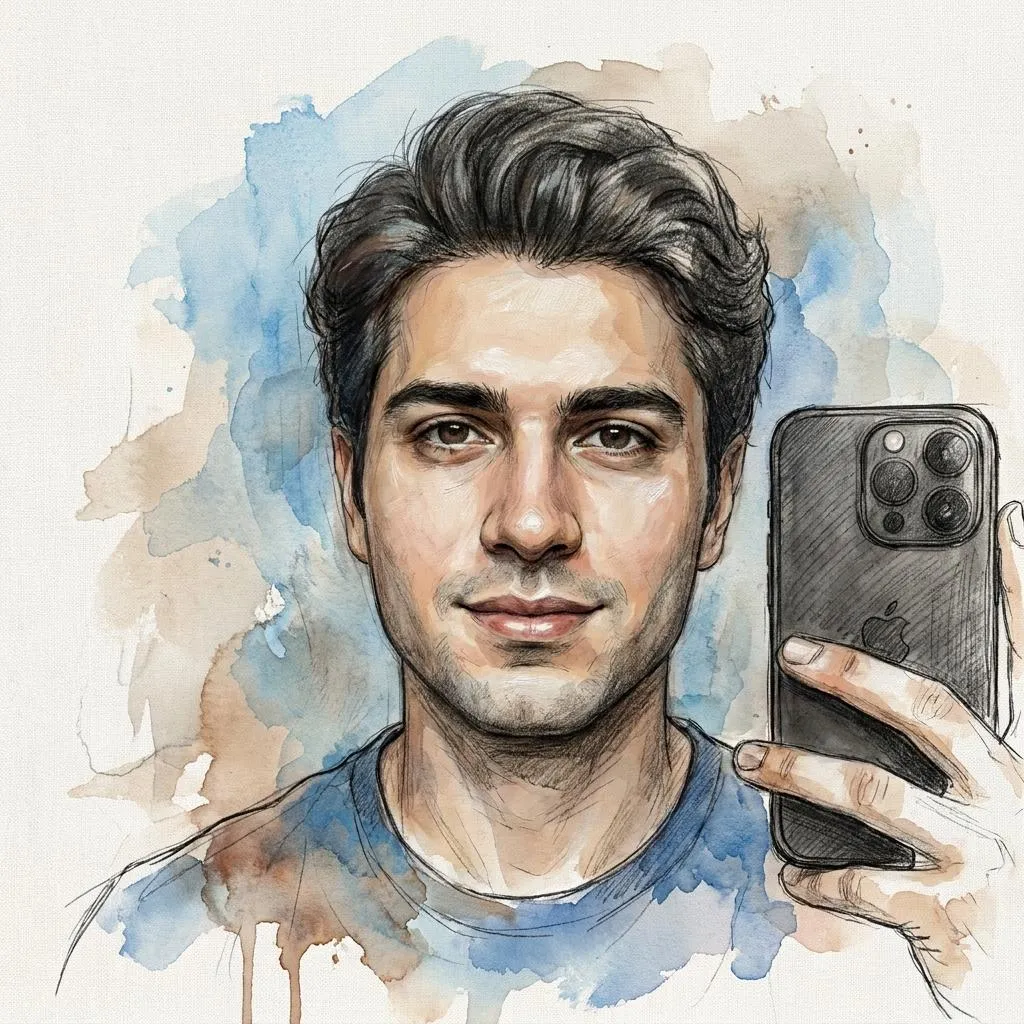
The Prompt
How to Use this Nano Banana Prompt
Open Nano Banana
Launch the AI image tool.
Add Reference
Upload a photo if the prompt needs one.
Paste Prompt
Copy and paste the prompt above.
Generate
Create your AI image.






About This Mixed-Media Fine-Art Portrait AI Photo Editing Prompt Prompt
This AI photo editing prompt transforms a standard uploaded selfie into an extraordinary mixed-media fine-art portrait. By blending realistic oil painting, graphite sketching, charcoal textures, delicate ink lines, watercolor washes, and subtle digital painting, the generated image captures the look of a handcrafted physical artwork on a textured canvas. The prompt is carefully designed to preserve the exact identity, facial anatomy, hairstyle, expression, and proportions of the original subject while introducing sophisticated artistic elements.
Digital artists, portrait photographers, and creative hobbyists will find this prompt especially useful for creating unique profile pictures, conceptual social media posts, or digital gallery displays. Instead of applying a flat, uniform digital filter, this tool allows different artistic mediums to transition naturally across various areas of the image. This creates the authentic illusion of a master artist experimenting with multiple dry and wet mediums on a single canvas.
To use this mixed-media fine-art portrait prompt effectively, simply upload a clear reference selfie to an AI image generator that supports image-to-image transformations and prompt guidance. Paste the prompt text alongside your photo input. Ensure your reference image has even lighting and a clear view of the face, as the AI relies heavily on the source proportions to map out the graphite, charcoal, and paint textures accurately while maintaining your exact identity.
When customizing the output, you can adjust the descriptive weight of specific mediums mentioned in the text. If you prefer a more traditional look, you can emphasize the oil painting and graphite sketching instructions. If you want a more fluid aesthetic, lean into the watercolor washes and ink lines. Because the prompt preserves facial anatomy, changing these artistic parameters will not distort your core facial structure, giving you creative control over the final texture transitions.
Ultimately, this mixed-media approach elevates ordinary digital photographs into rare, gallery-quality contemporary artwork pieces. It bridges the gap between modern AI generation and traditional studio art techniques. Whether you are curating an artistic portfolio or looking to present a personal photograph in a completely unique visual format, this prompt delivers sophisticated, textured, and deeply expressive results without looking like a generic digital filter.
Frequently Asked Questions
Common questions about this AI prompt and how to get the best results.
Pro Tips for Better Results
- Use a high-resolution, sharply focused reference selfie to help the AI accurately preserve your exact facial anatomy and proportions.
- Ensure your reference photo has balanced, natural lighting so the mixed-media textures map evenly across the face.
- Experiment with image-to-image strength settings to balance the intensity of the oil painting and watercolor washes against your original features.
- Keep the background neutral in your reference photo if you want the textured canvas and artistic strokes to remain the primary focus.
- Pair this prompt with generative models that excel at texture blending and fine-art style reproduction for the most authentic canvas effect.