
 ChatGPT
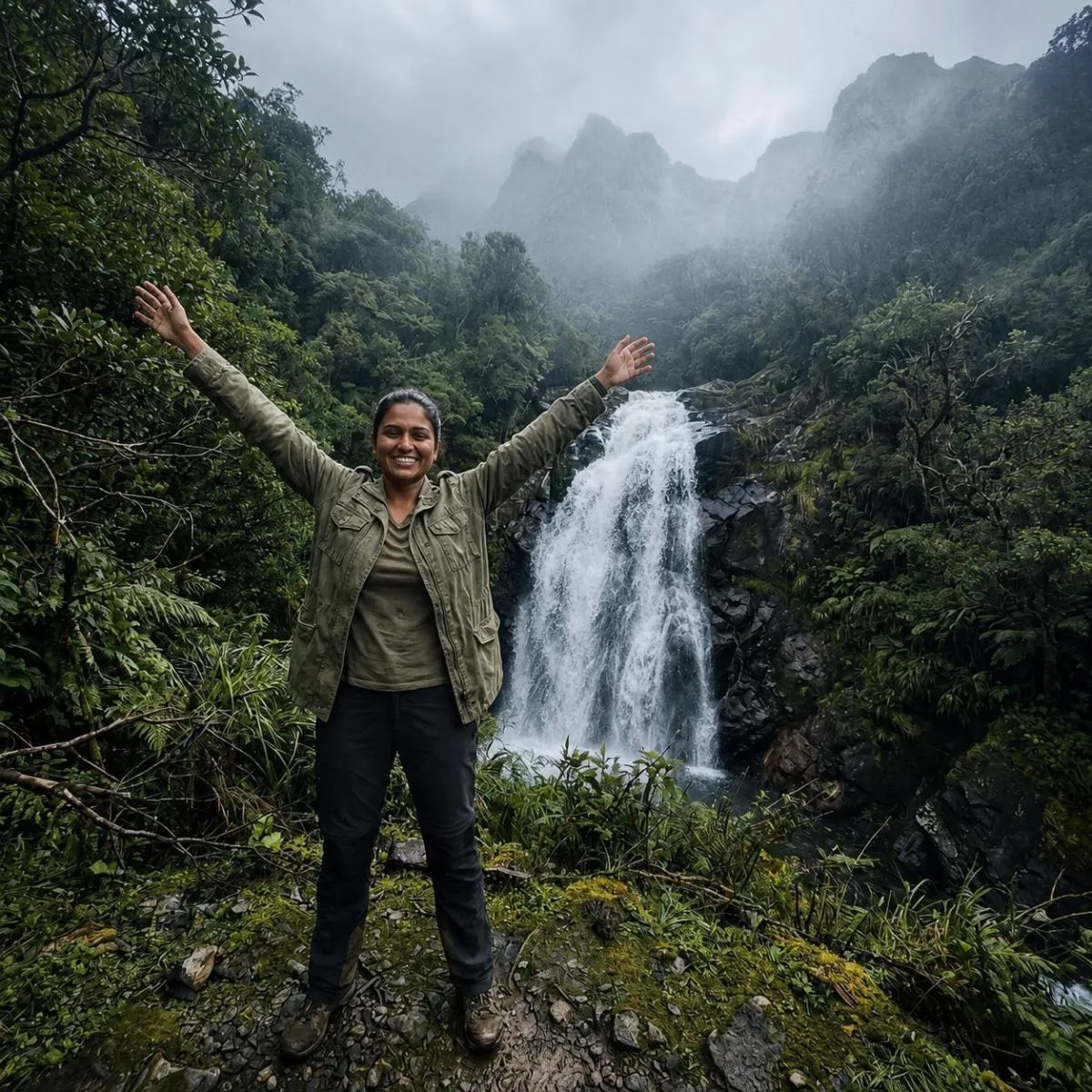
The Prompt
How to Use this ChatGPT Prompt
Open ChatGPT
Launch the AI image tool.
Add Reference
Upload a photo if the prompt needs one.
Paste Prompt
Copy and paste the prompt above.
Generate
Create your AI image.






About This Misty Mountain Photo AI Prompt Colour Gradingi Prompt
This powerful AI image prompt is engineered to transform an existing mountain scene, featuring a person, into a deeply atmospheric and professional-grade photograph, creating a stunning misty mountain photo. It meticulously enhances the original image by introducing a realistic soft haze or fog gradient that begins subtly in the mid-background and extends towards the distant mountains. This effect expertly reduces their contrast and saturation by 30-40%, effectively simulating profound atmospheric depth without obscuring the foreground subject. The resulting visual evokes the serene, cool ambiance of an overcast misty mountain morning, complete with nuanced color shifts and professional filmic qualities.
This specific AI prompt is an invaluable tool for photographers, content creators, and outdoor enthusiasts looking to elevate their mountain imagery with a touch of professional artistry. Instagrammers aiming for a consistent, moody aesthetic will find it particularly useful for giving their landscape posts a distinctive edge. Moreover, travel bloggers and nature documentarians can leverage this prompt to add a dramatic, evocative atmosphere to their visual narratives, making their content more engaging and shareable. Anyone seeking to enhance their existing photos with a realistic misty mountain photo aesthetic without extensive manual editing will benefit immensely.
To begin using this powerful prompt, simply open your preferred AI image generator, such as ChatGPT, Gemini, or a similar platform. First, upload the mountain photograph you wish to enhance, ensuring it features a person as described. Next, copy and paste the entire prompt text directly into the AI's input field. While specific settings might vary slightly between platforms, typically, you'll want to ensure the AI understands the image as a base for modification rather than a new generation from scratch. The AI will then process the instructions, applying the atmospheric haze, color temperature adjustments, and clarity enhancements to your uploaded image, delivering a refined output.
While this prompt provides a robust foundation, several elements can be tweaked for varied results. Experiment with the "30-40%" saturation and contrast reduction for the distant mountains; a slightly higher or lower percentage can alter the intensity of the atmospheric depth. You could also adjust the "7000K" background color temperature to a warmer or cooler value, depending on the desired mood, perhaps moving towards a more ethereal purple-grey for a sunset feel. Consider adding specific types of trees or rocks to the "near foreground" description if your original image lacks detail there, further enhancing the local contrast. Modifying the "10% desaturation" for the whole image can also subtly shift the overall vibrancy.
The aesthetic created by this prompt, characterized by deep atmospheric depth and a professional, filmic quality, aligns perfectly with current trends in photography and AI image generation. There's a strong demand for visuals that evoke mood, realism, and a sense of natural beauty, moving away from overly processed or artificial looks. This prompt's success lies in its detailed instructions for subtle, realistic enhancements, mimicking the effects of professional camera gear like polarizing filters and specific lens choices. By focusing on nuanced adjustments rather than dramatic alterations, it ensures the output retains authenticity. We encourage you to try this misty mountain photo AI prompt on NanoAIPrompts.com to experience its transformative power firsthand and explore its potential for your creative projects.
Frequently Asked Questions
Common questions about this AI prompt and how to get the best results.
Pro Tips for Better Results
- Always start with a high-resolution base image to ensure the subtle enhancements like film grain and clarity are rendered effectively.
- Experiment with slightly varying the "30-40%" contrast and saturation reduction in the background to fine-tune the atmospheric depth.
- Adjust the "7000K" background color temperature value to explore different cool-toned moods, such as a slightly warmer blue or a more intense grey.
- If your foreground lacks detail, add specific descriptive elements like "weathered rocks" or "pine trees" to the prompt for enhanced local contrast.
- After generating, consider a slight final crop or vignette to further emphasize the subject and the newly created atmospheric depth.