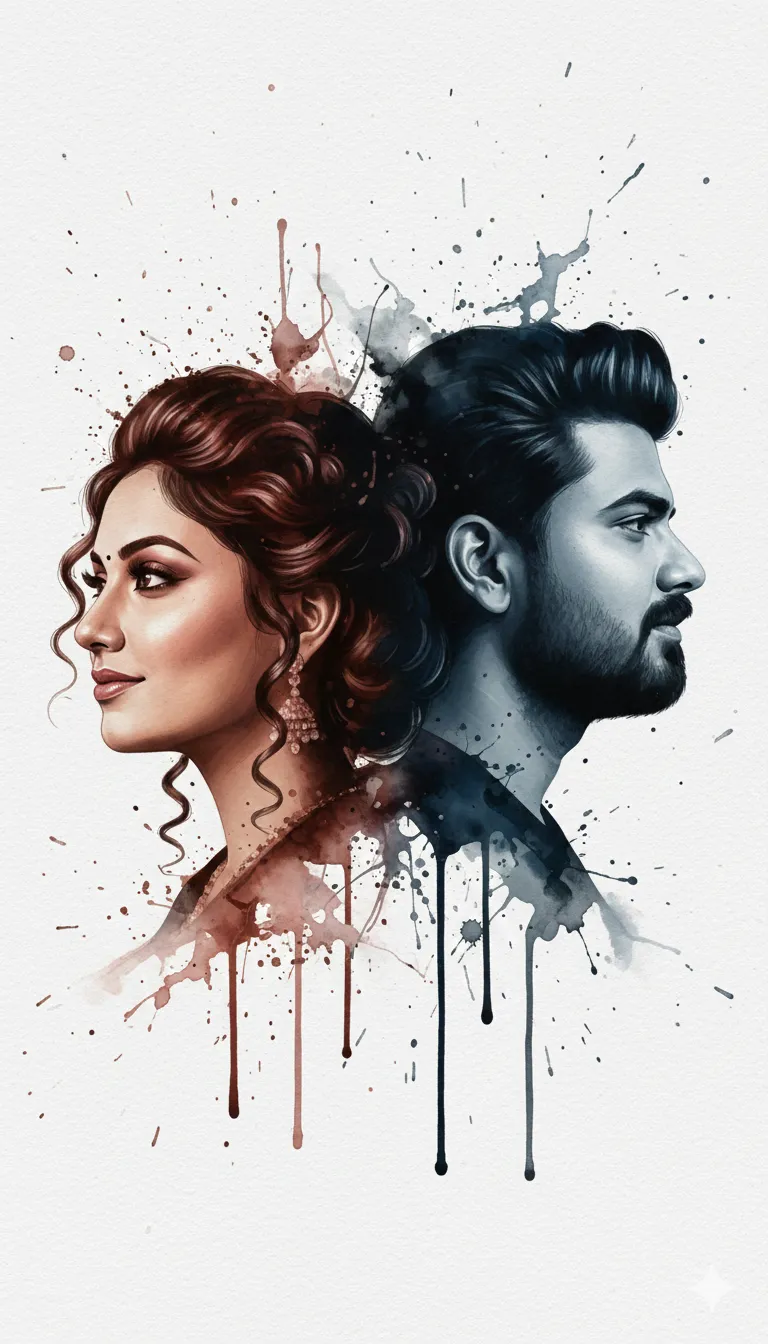
Ink Spill Dual Portrait: Ultra Realistic AI Art

Any Model
Ink Spill Dual Portrait: Ultra Realistic AI Art — AI generated image

The Prompt

Copy-Paste Prompt
Convert the above image into ultra realistic portrait of both in ink spill on paper which is in the form of both guy and girl face .both ink art should be facing opposite to each other with light smile .both should be in elegant makeup and stylish hairstyle side view.guy should be in blue ink and girl should be in brown ink .full paper view .dramatic. (do not change the faces
Subject A guy and a girl in side view with elegant makeup, stylish hairstyles, and light smiles, facing opposite directions.
Environment On a full paper view background.
Lighting Dramatic lighting that emphasizes the fluid ink textures and contours.
Style Ultra realistic portrait rendered in ink spill on paper, featuring blue ink for the guy and brown ink for the girl.

How to Use this Any Model Prompt

1

Open Any Model

Launch the AI image tool.

2

Add Reference

Upload a photo if the prompt needs one.

3

Paste Prompt

Copy and paste the prompt above.

4

Generate

Create your AI image.

About This Ink Spill Dual Portrait: Ultra Realistic AI Art Prompt

This specialized ink spill portrait prompt transforms an existing reference image into a dramatic, artistic composition. The visual concept centers around two profiles—a guy and a girl—rendered entirely through intricate ink art on paper. By utilizing distinct color separation, the male profile forms in blue ink while the female profile forms in brown ink, both featuring elegant makeup, stylish hairstyles, and subtle smiles while facing in opposite directions.

Digital creators, photographers, and AI art enthusiasts who want to produce conceptual graphic art will find immense value in this specific style. It works exceptionally well for personal projects, social media artwork displays, or conceptual digital portfolios where traditional photography needs to be blended with abstract fine art textures. The dramatic aesthetic elevates standard portraits into gallery-worthy illustrations.

To use this prompt effectively, upload your reference image into your preferred AI image generator that supports image-to-image conversions. Ensure the platform allows you to apply descriptive text modifiers alongside a reference photo to maintain facial structure. Because the instruction explicitly preserves the original facial features, it acts as a reliable tool for stylized transformations without altering the core identity of the subjects.

Customizing the output relies heavily on the specific elements provided in the source text. While the faces remain anchored to the uploaded reference, you can experiment by adjusting the paper texture descriptions or altering the ink color dynamics to match different aesthetic moods. Keeping the core parameters—such as the side-view orientation, opposing directions, and ink spill medium—ensures the final result maintains its striking artistic balance.

This unique visual style bridges the gap between traditional fine art techniques and modern AI image creation. The delicate interplay of fluid ink on paper combined with sharp facial details creates a visually arresting contrast that immediately captures attention. Whether utilized for experimental design work or unique digital gifting concepts, this prompt offers a reliable pathway to produce sophisticated, conceptual artwork.

Frequently Asked Questions

Common questions about this AI prompt and how to get the best results.

What kind of image does this prompt create?
It converts your uploaded reference image into an ultra-realistic ink spill portrait on paper featuring a guy and a girl facing opposite directions.
Does this prompt change the faces from my original photo?
No, the prompt explicitly includes instructions to preserve the original faces while applying the artistic ink spill effect.
What colors are used for the ink art?
The guy's profile is rendered in blue ink, while the girl's profile is rendered in brown ink on a full paper view.
How do I use this prompt with an AI generator?
You need to upload your source photo as a reference image into an AI tool that supports image-to-image generation, then paste this prompt into the text box.
Can I change the ink colors in the prompt?
Yes, you can modify the color references in the text if you want to experiment with different ink palettes, though blue and brown are specified by default.

Pro Tips for Better Results

  • Always upload a clear, high-resolution reference image showing both faces clearly to get the best facial preservation results.
  • Ensure your chosen AI image generator supports image-to-image or reference upload workflows before applying the prompt.
  • If the ink colors bleed together too much, try adjusting the style weight or prompt adherence settings in your AI tool.
  • Keep the instruction to not change the faces intact to maintain the likeness of your original uploaded subjects.
  • Experiment with clean, textured paper backgrounds in your source image to enhance the physical realism of the ink spill effect.
Message here



