
 Nano Banana
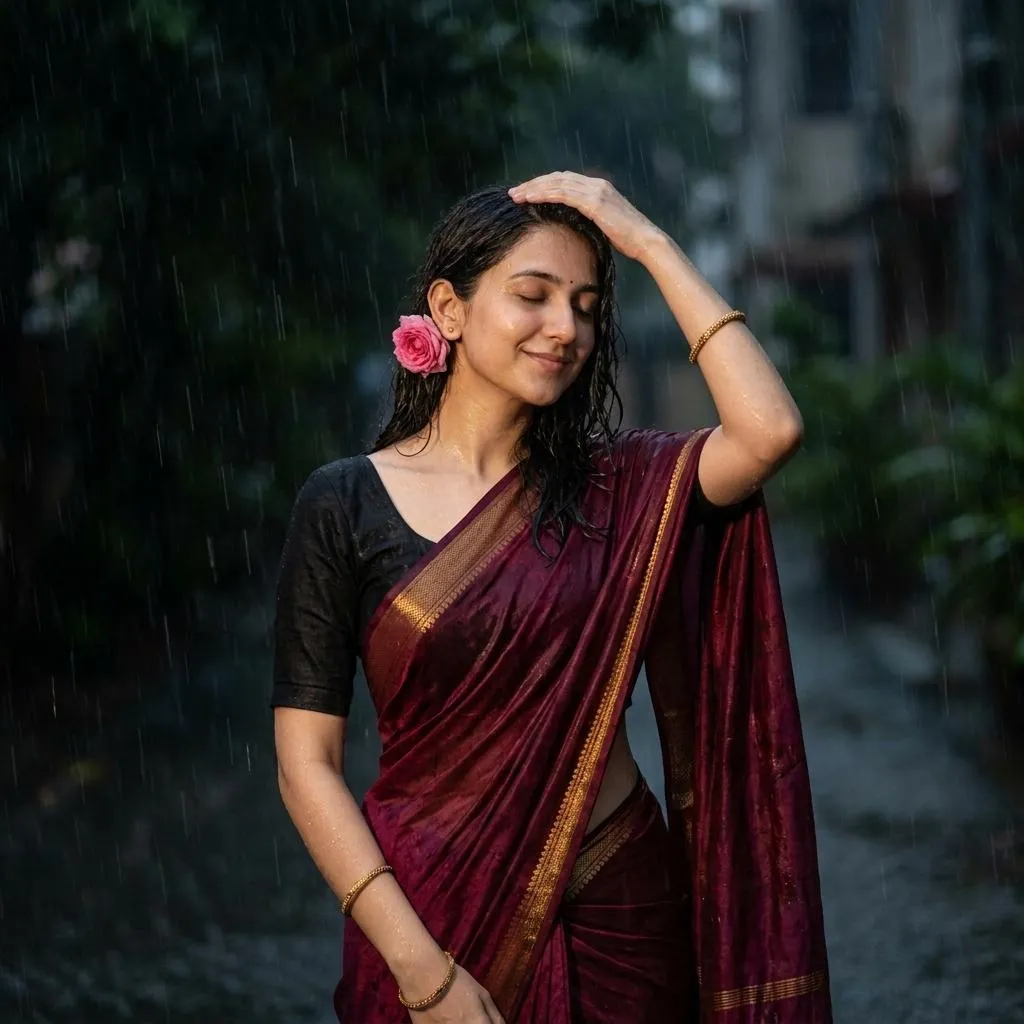
The Prompt
How to Use this Nano Banana Prompt
Open Nano Banana
Launch the AI image tool.
Add Reference
Upload a photo if the prompt needs one.
Paste Prompt
Copy and paste the prompt above.
Generate
Create your AI image.






About This Indian Saree Rain Photo AI Prompt | Copy Paste Prompt
This detailed AI image prompt generates a captivating visual of a young woman immersed in a dark, rainy environment. The resulting image will showcase her wearing a rich maroon silk saree draped elegantly over one shoulder, complemented by a black short-sleeved blouse and delicate gold bangles. You can expect to see her long, dark hair glistening with moisture, eyes closed in a serene expression, with a pink flower subtly tucked behind her ear. The scene focuses on realistic texture rendering, capturing visible falling water droplets, and highlighting the wet skin and fabric under soft, diffused lighting, creating a truly moody and cinematic atmosphere.
This specific AI prompt is ideal for content creators, digital artists, and social media enthusiasts looking to produce high-quality, evocative imagery. Photographers seeking inspiration for dramatic portrait concepts, or those curating visually striking feeds for platforms like Instagram, will find immense value. It's particularly useful for designers and bloggers focusing on cultural fashion, moody aesthetics, or storytelling through visual narratives, enabling them to generate unique "saree rain photo AI prompt" content without needing a photoshoot.
To use this powerful prompt, simply open your preferred AI image generator, such as ChatGPT, Gemini, or even a specialized platform like Midjourney. Copy the entire prompt text provided and paste it directly into the input field. While some platforms allow optional photo uploads for style referencing, this prompt is designed to work standalone for optimal results. Ensure your AI tool is set to a "realistic" or "photographic" style if such options are available, though the prompt itself guides the AI towards a cinematic output. Wait a few moments, and the AI will render a stunning image based on these precise instructions.
Modifying this saree rain photo AI prompt allows for endless creative possibilities. To alter the saree color, simply replace "deep maroon" with "emerald green," "royal blue," or any other shade you envision. You could change the "pink flower" to a "white jasmine" or omit it entirely for a different aesthetic. Experiment with her expression, perhaps changing "serene" to "thoughtful" or "introspective." For a subtle shift in mood, you might adjust "dark, rainy setting" to include elements like "distant city lights" or "lush greenery," ensuring you maintain the core "moody atmosphere" if desired.
The visual appeal of moody, rain-soaked portraits has surged in popularity across digital platforms, resonating with audiences who appreciate depth and emotion in imagery. This specific aesthetic, particularly with cultural attire like a saree, offers a rich narrative quality that stands out. By leveraging an AI image generator with a well-crafted "saree rain photo AI prompt," users can tap into this trend effortlessly, creating professional-grade visuals without extensive photography equipment or complex editing. This prompt works effectively because of its detailed descriptions of subject, environment, lighting, and style, guiding the AI to produce consistent, high-quality results. We encourage you to try it on NanoAIPrompts.com to explore its full potential.
Frequently Asked Questions
Common questions about this AI prompt and how to get the best results.
Pro Tips for Better Results
- Experiment with different saree colors like "emerald green" or "royal blue" to match specific branding or mood requirements.
- Add a specific time of day, such as "late evening" or "pre-dawn," to further influence the lighting and overall atmosphere.
- Incorporate subtle background elements like "blurred streetlights" or "distant foliage" to add depth without distracting from the subject.
- Adjust the rain intensity by adding phrases like "heavy downpour" or "light drizzle" for varied moisture effects.
- Test the prompt in multiple AI image generators to compare outputs and discover which platform best interprets the cinematic and moody style.