
 Nano Banana
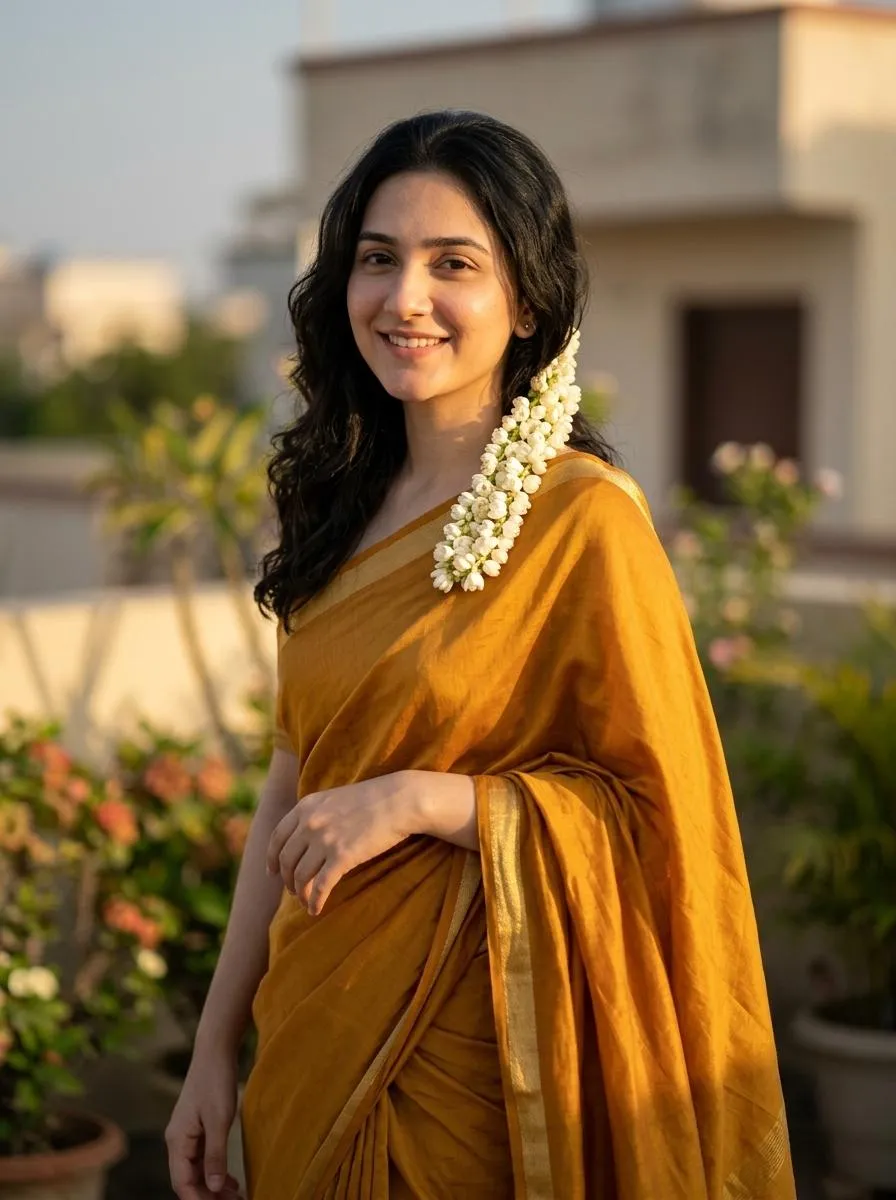
The Prompt
How to Use this Nano Banana Prompt
Open Nano Banana
Launch the AI image tool.
Add Reference
Upload a photo if the prompt needs one.
Paste Prompt
Copy and paste the prompt above.
Generate
Create your AI image.






About This Indian Saree AI Portrait Prompt | Copy Paste Prompt
This AI image prompt generates a truly captivating cinematic HD portrait by transforming an uploaded image into a dreamy, retro, and artistic visual. The subject is elegantly draped in a flowing mustard-yellow silk saree, featuring a delicate thin golden border, all styled with a distinct Pinterest-inspired fashion aesthetic. Her long, glossy black hair cascades in soft waves, beautifully adorned with a jasmine flower garland tucked gracefully behind her ear, adding an authentic touch of traditional charm. The resulting image emphasizes intricate details and a refined, classic appearance.
This sophisticated AI image prompt is ideal for content creators, fashion bloggers, and social media enthusiasts looking to produce high-quality, culturally rich visuals. Photographers seeking to experiment with AI-driven portrait enhancements will find it invaluable for creating unique artistic renditions without extensive post-processing. Furthermore, individuals interested in celebrating Indian fashion or curating a visually stunning Instagram feed will discover this prompt to be an exceptional tool. It specifically caters to those who appreciate the blend of traditional attire with modern digital artistry, offering a seamless way to generate striking imagery.
To utilize this powerful Indian Saree AI Portrait Prompt, simply open your preferred AI image generation platform like ChatGPT or Gemini. Upload the base image you wish to transform, ensuring the subject's face remains clear as specified. Next, copy and paste the entire prompt into the text input field. While settings vary, aim for 'photorealistic' or 'cinematic' styles and high output resolution for optimal detail. The AI will then process your request, seamlessly re-imagining your subject with the described saree, hairstyle, and background elements into an artful new portrait.
While this Indian Saree AI Portrait Prompt offers a beautiful default, it's highly customizable to suit diverse creative visions. To alter the aesthetic, consider modifying the saree's color; for instance, change 'mustard-yellow' to 'emerald green' or 'royal blue' to explore different palettes. You can also specify variations in the floral garland, perhaps opting for 'rose petals' or 'marigold flowers' instead of jasmine. Experiment with different background environments beyond a 'terrace,' such as 'a heritage building balcony' or 'a traditional Indian courtyard,' to achieve distinct cultural settings. Adjusting the time of day for the 'golden sunlight' to 'soft twilight glow' can also dramatically shift the mood of your cinematic HD portrait.
The allure of this visual style stems from a growing appreciation for cultural fashion and nostalgic aesthetics in digital content, making the Indian Saree AI Portrait Prompt incredibly timely. The combination of a cinematic HD portrait with a dreamy, retro, and artistic mood taps into current AI image generation trends that prioritize both realism and stylized beauty. Users are increasingly seeking ways to create unique, personalized content that reflects diverse cultures and specific artistic visions, which this prompt delivers effortlessly. We encourage you to try this sophisticated prompt on NanoAIPrompts.com to experience firsthand how seamlessly it transforms your images into breathtaking works of art, capturing the essence of timeless Indian elegance.
Frequently Asked Questions
Common questions about this AI prompt and how to get the best results.
Pro Tips for Better Results
- Experiment by specifying different silk textures, such as "raw silk" or "brocade," to alter the saree's visual richness.
- Adjust the background description to "sun-drenched balcony" or "ornate Indian archway" for varied terrace settings.
- For a different mood, change "golden sunlight" to "soft twilight glow" to achieve a more ethereal atmosphere.
- Specify a particular era for the "retro" style, like "1970s Bollywood aesthetic," to refine the artistic direction.
- Consider adding "subtle bokeh effect" to the background description to create a more blurred, artistic depth of field.