
 Nano Banana
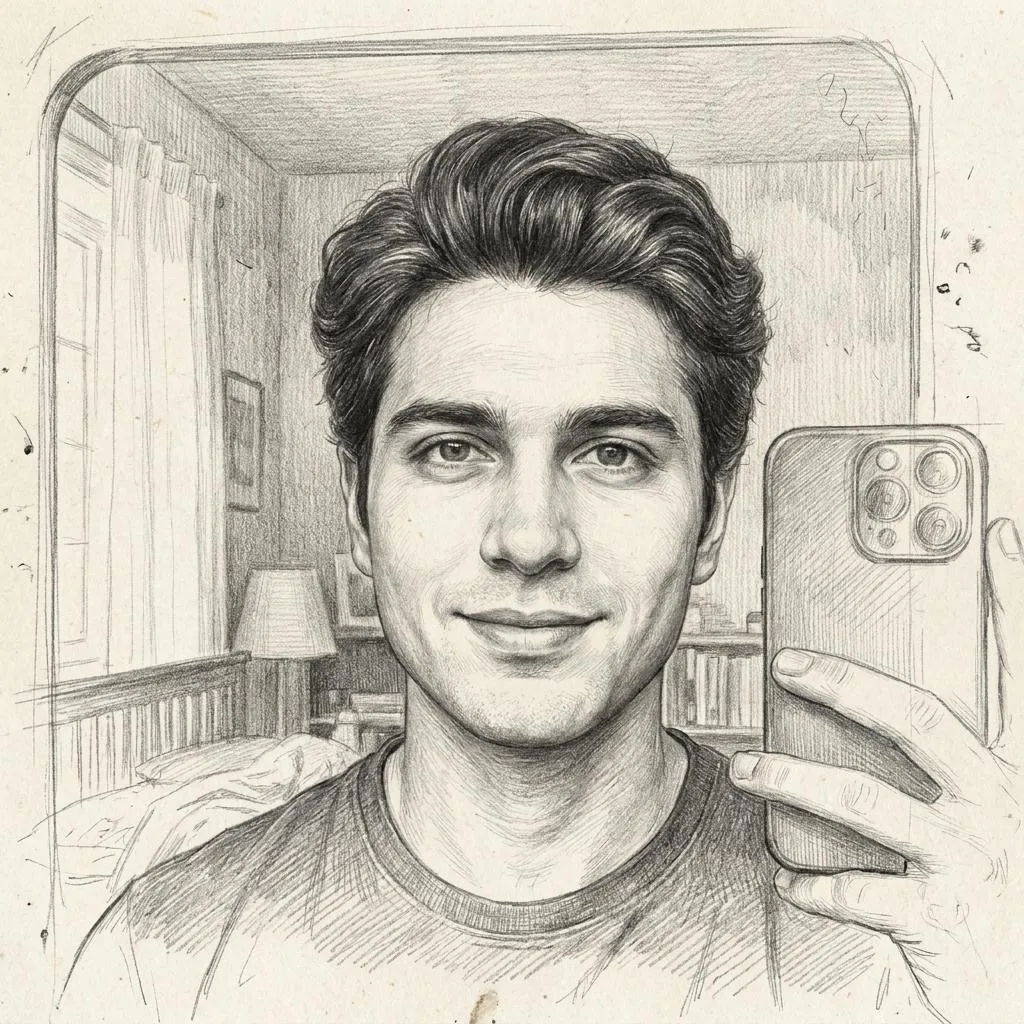
The Prompt
How to Use this Nano Banana Prompt
Open Nano Banana
Launch the AI image tool.
Add Reference
Upload a photo if the prompt needs one.
Paste Prompt
Copy and paste the prompt above.
Generate
Create your AI image.






About This Graphite Pencil Portrait AI Prompt Prompt
This graphite pencil portrait prompt transforms an uploaded reference selfie into an exceptionally detailed hand-drawn artwork rendered on premium textured paper. By focusing on preserving your exact facial identity, proportions, hairstyle, and expression, the prompt ensures the final output remains an authentic representation of the original photo rather than a generic generated face. It instructs the AI generator to apply thousands of delicate graphite strokes, realistic cross-hatching, and soft tonal transitions to achieve a genuine traditional drawing aesthetic.
Ideal for artists, creators, and individuals who want to see their photographs reimagined in a classic medium, this graphite pencil portrait prompt bridges the gap between digital photography and traditional fine art. Use it to create unique profile pictures, personalized digital gifts, or artistic variations of your favorite portraits without needing advanced manual drawing skills. It works exceptionally well for close-up portraits and expressive facial shots where fine details matter.
To get the best results with this prompt, upload a clear, high-contrast reference selfie that features distinct lighting and facial features. Since the prompt instructs the AI to preserve your exact identity and facial proportions, starting with a sharp, well-lit photo allows the generation tool to capture individual hair strands, subtle shading, and precise expressions much more accurately. Pair this workflow with compatible image generation platforms that support detailed reference image uploads.
While the core aesthetic relies on traditional graphite techniques, you can customize the output by adjusting your source reference image's expression, angle, or lighting before generating. The prompt itself is carefully structured to maintain paper imperfections, natural hair textures, and a partially unfinished sketch effect around the edges, which prevents the final image from looking overly digital or sterile and enhances the handmade studio feel.
This distinct visual style is especially popular for social media aesthetics, portfolio showcases, and creative conceptual projects where a classic, hand-crafted look stands out from standard digital renders. The authentic artist's studio drawing appearance provides a timeless quality that captures attention across digital platforms while maintaining a sophisticated, understated elegance.
Frequently Asked Questions
Common questions about this AI prompt and how to get the best results.
Pro Tips for Better Results
- Use a high-resolution, front-facing selfie with clear lighting for the best facial identity preservation.
- Ensure your reference photo has good contrast so the AI can accurately replicate cross-hatching and tonal transitions.
- Experiment with different facial expressions in your source selfie to see how the graphite medium captures mood.
- Keep the background of your source photo simple to let the sketch effect and textured paper stand out clearly.
- Upload the reference image using the designated image-to-image or face-reference upload feature of your chosen AI tool.