
The Prompt
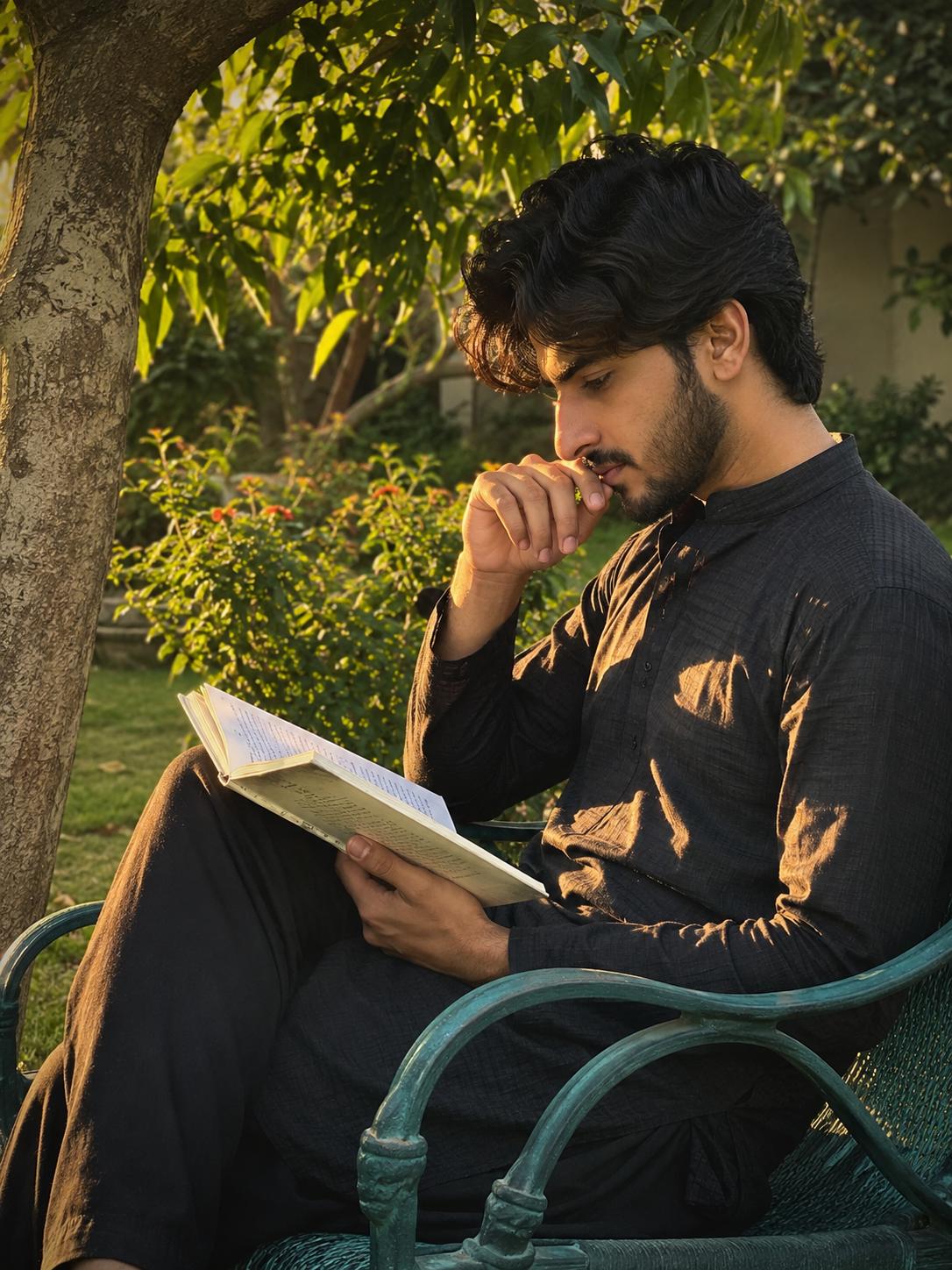
Generate a realistic portrait of a young man sitting on the chair in the Green backyard, morning time, sunrise, clean atmosphere, he sit calmly and reading book, book lean on his one bend leg, his one hand closed to his mouth another one on book, he look towards the book, side angle shot, slightly closeup shot, a green tree close to him, a bush behind him, he wesr respective outfit, golden sunshine fall on him, Strictly preserve his facial details as uploaded image 1, 4:5, hd image
Subject
Young man, reading book, calm pose (hand to mouth, book on leg), looking at book, facial details preserved from uploaded image.
Environment
Green backyard, chair, green tree close, bush behind.
Lighting
Morning time, sunrise, golden sunshine fall on him, clean atmosphere.
Style
Realistic portrait, side angle shot, slightly closeup shot, 4:5 aspect ratio, HD image.
About This Prompt
Discover how to generate a captivating realistic portrait of a young man enjoying a serene morning read in a lush green backyard. This AI prompt focuses on the tranquil beauty of sunrise, with golden sunshine casting a warm glow on the subject. Ideal for creating images that evoke peace, introspection, and the simple joy of reading outdoors. The detailed description ensures a clean atmosphere, specific poses, and a side-angle, slightly close-up shot, perfect for artistic or editorial use. Preserve facial details from an uploaded image for a personalized touch, making this prompt versatile for various creative projects.
Pro Tips
- Ensure your uploaded facial reference image (Image 1) is high-resolution and clearly shows the desired features for optimal preservation.
- Experiment with specific book genres or cover descriptions (e.g., 'vintage paperback', 'modern novel') to add character to the scene.
- Adjust 'green backyard' to 'lush garden' or 'forest edge' for different natural settings while maintaining the serene mood.
How to Use this Workflow
Open AI Tool
Launch App.
Select Model
Nano / ChatGPT
Paste Code
Copy Prompt above.
Generate
Create your Art.



