
 Nano Banana
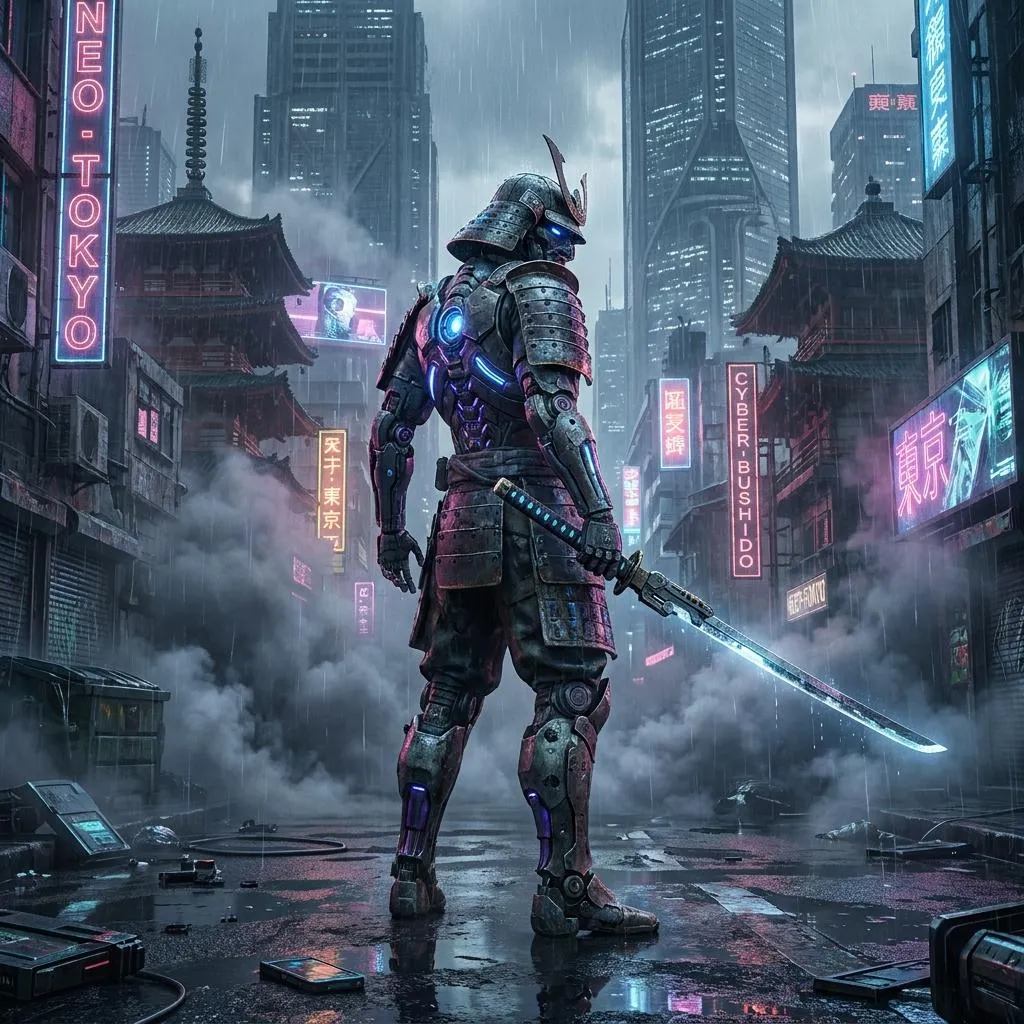
The Prompt
How to Use this Nano Banana Prompt
Open Nano Banana
Launch the AI image tool.
Add Reference
Upload a photo if the prompt needs one.
Paste Prompt
Copy and paste the prompt above.
Generate
Create your AI image.






About This Futuristic Samurai Cyberpunk Prompt for Concept Art Prompt
This futuristic samurai cyberpunk prompt is designed to help creators generate striking AAA video-game style concept art with advanced detail. By combining traditional armor design with intricate cybernetic components, the generated artwork achieves a distinct blend of historical and sci-fi elements that stands out in digital portfolios.
Digital artists, game developers, and science fiction enthusiasts will find this prompt especially useful for world-building projects, concept pitches, or desktop wallpapers. It provides a reliable baseline for producing moody, atmospheric urban environments without needing to manually layer complex lighting and weather descriptions from scratch.
To use this prompt effectively, simply copy the provided text into your preferred AI image generator that supports detailed prompt rendering. Ensure your generator settings emphasize high-frequency textures and dramatic lighting to fully capture the weathered metal surfaces, rain effects, and glowing energy lines specified in the instructions.
When customizing the prompt, you can experiment by altering the color palette of the neon lights, adjusting the weathering details on the armor, or modifying the design of the futuristic katana. Keeping the core structural elements intact will ensure the visual consistency and AAA game aesthetic remain strong across different generation runs.
Mastering this visual style allows creators to quickly establish mood and tone for dystopian narratives, creative portfolios, and digital art exhibitions. The combination of atmospheric smoke, reflective wet surfaces, and strong backlighting creates an immediate sense of depth that elevates standard character concepts into professional-grade illustrations.
Frequently Asked Questions
Common questions about this AI prompt and how to get the best results.
Pro Tips for Better Results
- Adjust the aspect ratio to a vertical format to better capture the full stance of the samurai character and the towering city background.
- Experiment with specifying different neon color schemes, such as cyan and magenta, to change the mood of the wet reflective surfaces.
- Use high-end rendering parameters or style modifiers that emphasize mechanical details and weathered textures for a more tactile metal finish.
- Incorporate subtle variations in the atmospheric smoke density to control how much background detail is obscured.
- Keep the core reference to video-game concept art to maintain the polished, highly detailed rendering style across generations.