The Prompt
How to Use this Nano Banana Prompt
Open Nano Banana
Launch the AI image tool.
Add Reference
Upload a photo if the prompt needs one.
Paste Prompt
Copy and paste the prompt above.
Generate
Create your AI image.
About This Dhurender Movie Style Prompt
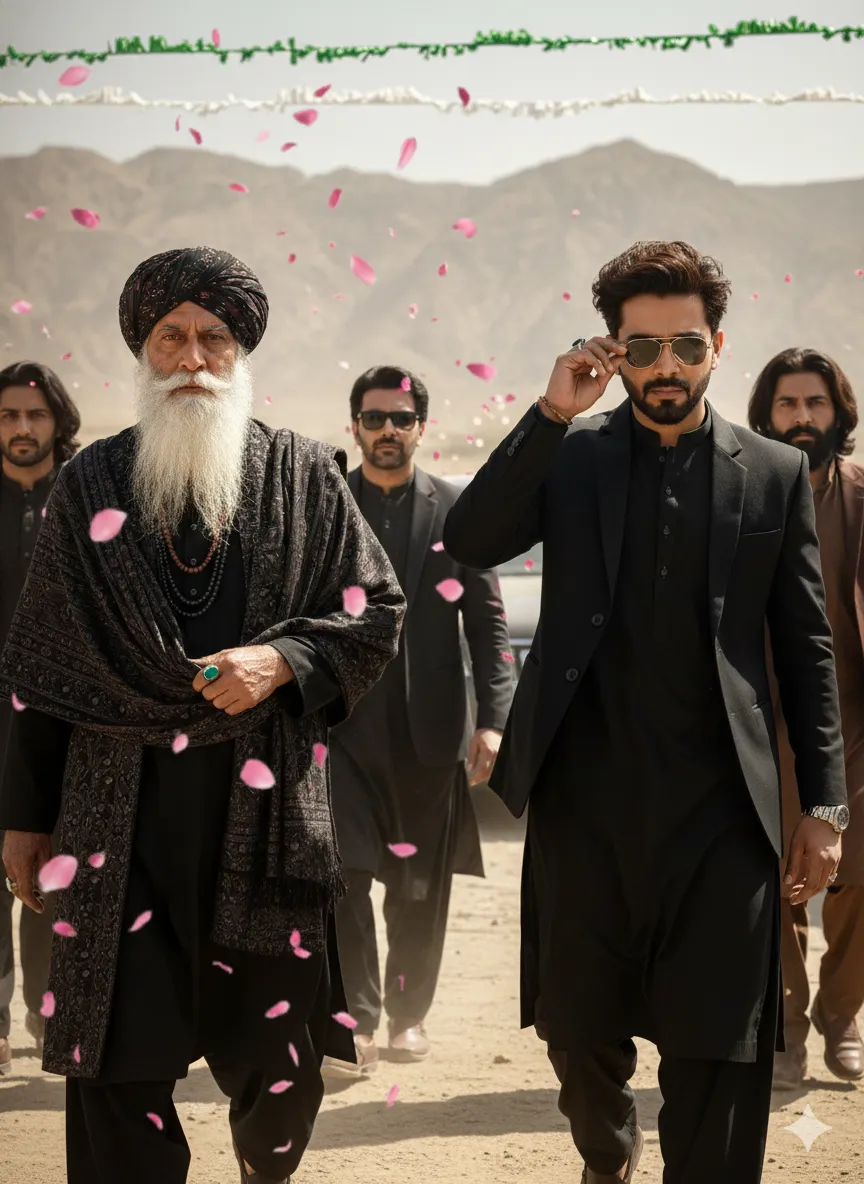
This AI image prompt generates a compelling scene featuring a stylish man with messy dark wavy hair, impeccably dressed in a completely black suit and pathani-style outfit. He is captured wearing sunglasses, either adjusting them or shielding his eyes with his right hand, conveying a sense of purpose and intent. Alongside him, another man walks with similar determination, while three additional men follow closely in the background, including one in a dark jacket with stubble and another with long hair and a beard in a brown outfit, adding depth to the composition. The entire tableau is enveloped in a dramatic atmosphere created by pink rose-like petals falling gracefully around the group.
For content creators seeking visually striking male fashion imagery, this prompt offers a unique opportunity to generate sophisticated visuals. Content creators, photographers, and fashion bloggers can leverage this *stylish men AI prompt* to quickly produce high-impact visuals for social media campaigns, editorial features, or personal projects. This prompt is particularly beneficial for those aiming to create mood boards, story concepts, or promotional material that requires a specific blend of fashion, drama, and cultural flair, without the need for extensive photoshoots.
Utilizing this powerful AI image prompt is straightforward across various platforms. Simply open your preferred AI image generator, such as ChatGPT or Gemini, and paste the entire text of the prompt into the input field. For optimal results, consider specifying an aspect ratio like 16:9 to enhance the cinematic feel of the scene. The AI will then interpret the detailed descriptions to render a high-quality image, closely matching the specified elements from the stylish outfits to the dramatic petal fall. Expect a detailed and evocative output that captures the essence of the scene.
To personalize your output further, consider experimenting with specific elements within this prompt. You can modify the outfit colors, perhaps changing the main character's attire to a 'charcoal grey suit' or the follower's brown outfit to 'deep blue.' Altering the background from a 'dry, mountainous outdoor area' to an 'urban cityscape at dusk' can dramatically shift the mood. Additionally, try replacing 'pink rose-like petals' with 'falling golden leaves' or 'light snow' to introduce seasonal variations and create entirely new dramatic effects.
The demand for dynamic, fashion-forward male imagery continues to grow across digital platforms, making prompts like this incredibly valuable. This specific visual style, blending modern fashion with a touch of traditional Pathani flair and cinematic drama, resonates with contemporary aesthetics often seen in high-end fashion editorials and music videos. AI's ability to render complex scenes with precise details and atmospheric effects makes prompts like this *stylish men AI prompt* invaluable for creators. We encourage you to try it and explore other unique prompts on NanoAIPrompts.com to elevate your visual content.
Frequently Asked Questions
Common questions about this AI prompt and how to get the best results.
Pro Tips for Better Results
- Specify an aspect ratio like 16:9 or 21:9 to enhance the cinematic feel of the dramatic scene.
- Experiment with adding 'golden hour lighting' instead of 'bright and harsh' to create a softer, yet still dramatic, mood.
- Introduce specific accessory details like 'branded leather boots' or 'silver watch' to further elevate the fashion element.
- Vary the number of following men or their attire descriptions to explore different group dynamics and visual compositions.
- Try replacing 'pink rose-like petals' with 'falling autumn leaves' or 'gentle snowfall' for a seasonal and atmospheric shift.



