
 Nano Banana
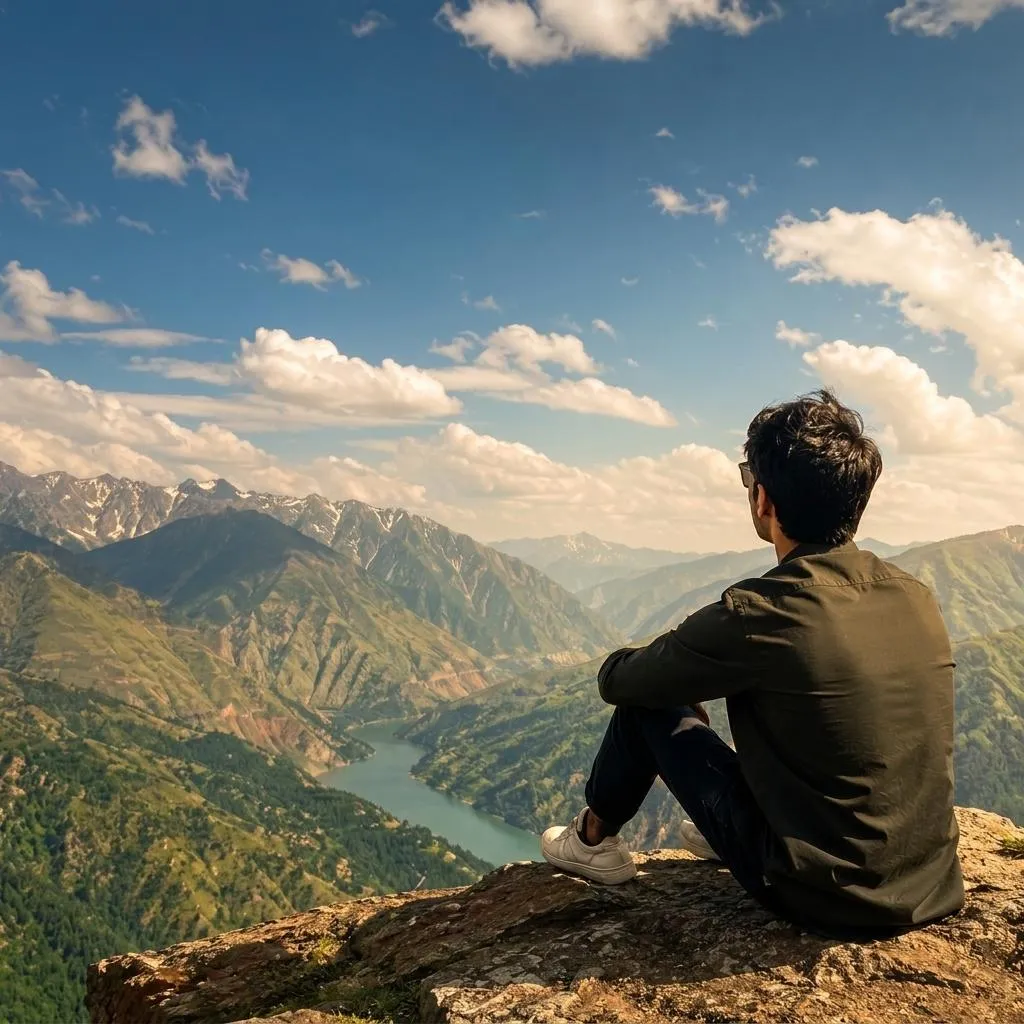
The Prompt
How to Use this Nano Banana Prompt
Open Nano Banana
Launch the AI image tool.
Add Reference
Upload a photo if the prompt needs one.
Paste Prompt
Copy and paste the prompt above.
Generate
Create your AI image.






About This Cinematic Travel Photo AI Prompt | Gemini Prompt
This powerful AI prompt is engineered to meticulously transform your existing travel photographs into premium cinematic masterpieces. By utilizing an uploaded base image, the prompt ensures the exact identity, face, hairstyle, body proportions, clothing, and natural pose of the person are perfectly preserved. The primary focus shifts to enhancing the surrounding mountain landscape, infusing it with realistic atmospheric depth, the warm glow of natural golden-hour sunlight, and soft, directional shadows that add profound dimension. Expect richer yet entirely believable colors, subtle foreground details, and distinct, realistic distant mountains, all without compromising the original integrity of the scene or its subject.
This cinematic travel photo AI prompt is an invaluable tool for a wide range of creators and enthusiasts. Travel bloggers and social media influencers can effortlessly upgrade their content, achieving a professional, magazine-quality look for their posts and stories. Amateur photographers seeking to elevate their vacation snapshots without investing in expensive gear or extensive post-processing software will find this particularly beneficial. Furthermore, content creators who wish to maintain consistency in their visual branding while showcasing breathtaking travel imagery will appreciate the prompt's ability to deliver high-quality, authentic-looking results with minimal effort.
To begin using this transformative cinematic travel photo AI prompt, simply open your preferred AI image generation platform, such as ChatGPT, Gemini, or any other service supporting image-to-image capabilities. First, upload your chosen travel photograph as the base image, ensuring it clearly features the person and the landscape you wish to enhance. Next, copy and paste the entire prompt into the text input field. While specific settings are generally not required, some platforms may offer options like "image strength" or "style weight"; experimenting with these can fine-tune the output, though the prompt is designed to work effectively with default settings for a polished, professional result.
Customizing this cinematic travel photo AI prompt allows for diverse creative interpretations while maintaining its core enhancement capabilities. Instead of "golden-hour sunlight," you could experiment with phrases like "soft morning light" or "dramatic twilight glow" to alter the mood and time of day. The "mountain landscape" can be swapped for "coastal cliffs," "dense forest," or "rolling hills" to adapt the scenery, ensuring the AI focuses its environmental enhancements appropriately. Additionally, specifying "misty valleys" or "clear, crisp skies" can introduce unique atmospheric elements, providing more granular control over the final visual narrative.
The appeal of professional, cinematic travel photography continues to dominate visual platforms, making this prompt particularly relevant in today's digital landscape. Its effectiveness stems from its precise instruction to balance realistic enhancement with the preservation of authentic details, a common challenge in AI image generation. This approach resonates with current trends favoring genuine, high-quality content over overtly artificial visuals, allowing users to create stunning imagery that feels professionally captured rather than AI-generated. We encourage you to try this cinematic travel photo AI prompt on NanoAIPrompts.com to experience its transformative power and elevate your travel memories.
Frequently Asked Questions
Common questions about this AI prompt and how to get the best results.
Pro Tips for Better Results
- Select a base photo with good initial composition and clear subject focus to maximize the AI's enhancement capabilities.
- Experiment with varying the 'golden-hour sunlight' to 'sunrise' or 'late afternoon glow' for different atmospheric effects and moods.
- Specify additional environmental details like 'misty valleys' or 'clear skies' to further refine the landscape's specific characteristics.
- Review the AI's output carefully to ensure the 'natural pose' and 'fabric details' remain authentic and free from distortions.
- Combine this prompt with a negative prompt like 'no cartoon, no blur, no noise, no over-processed' for even cleaner and more realistic results.