
 Nano Banana
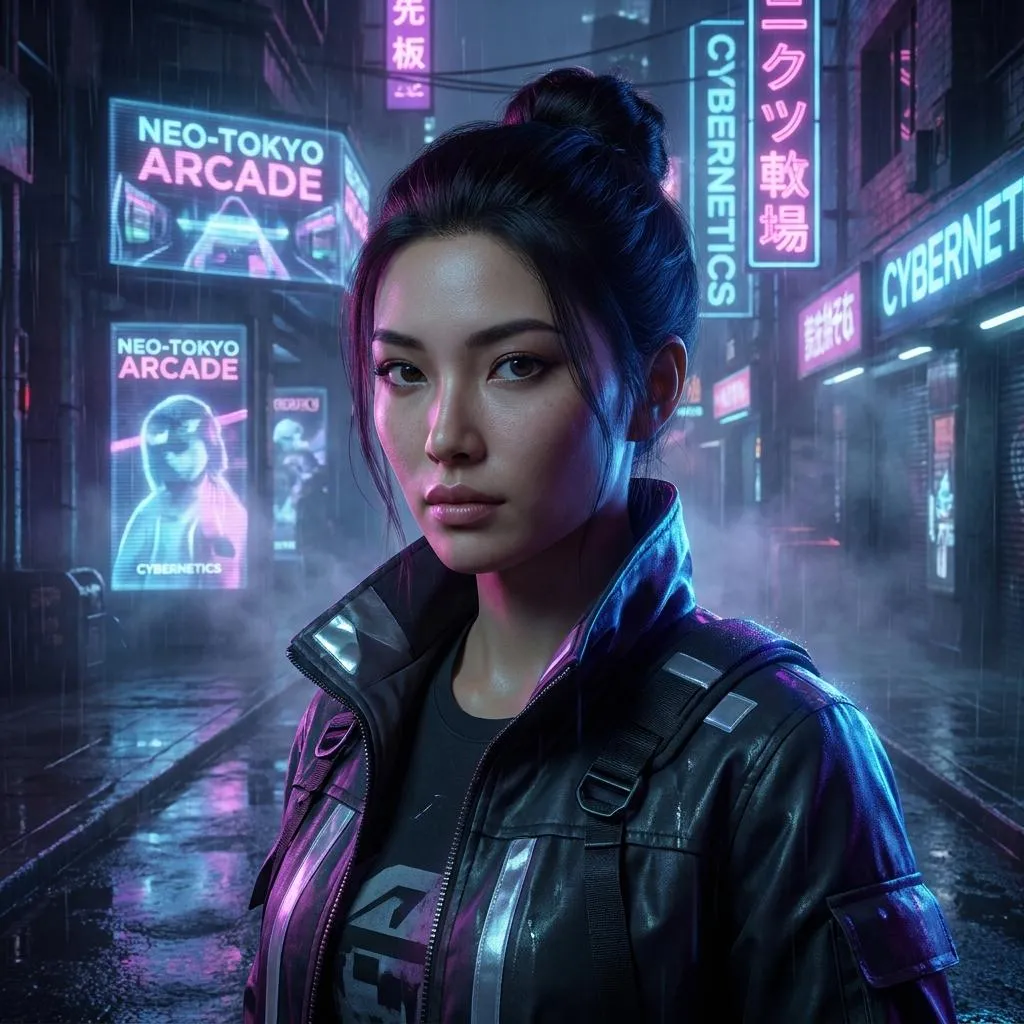
The Prompt
How to Use this Nano Banana Prompt
Open Nano Banana
Launch the AI image tool.
Add Reference
Upload a photo if the prompt needs one.
Paste Prompt
Copy and paste the prompt above.
Generate
Create your AI image.






About This Cinematic Cyberpunk Photo Editing Prompt Prompt
This specialized cinematic photo editing prompt is designed to transform an uploaded portrait into a moody, high-end cyberpunk digital artwork. By leveraging advanced image-to-image capabilities, the instruction seamlessly integrates a subject into a rain-soaked futuristic street environment at night without altering their core facial identity or proportions.
Creators, digital artists, and photography enthusiasts who want to experiment with sci-fi aesthetics will find this prompt especially useful. It provides an efficient way to achieve professional-grade visual effects, making it ideal for concept art, portfolio pieces, or dramatic social media profile transformations.
To use this prompt effectively, upload a clear, high-resolution portrait alongside the text instructions into your preferred AI image generator that supports image referencing. Ensuring the source photo has clear lighting and a visible face helps the model accurately preserve the subject's exact facial identity and unique features.
While the core environment features glowing neon signs, wet reflective pavement, and holographic advertisements, you can easily adapt the atmosphere by modifying specific color references or adjusting the density of the subtle mist. The instructions maintain a strict balance between realistic skin texture and polished digital-art detailing.
Ultimately, this visual style delivers the polished look of a high-budget futuristic movie frame. The combination of atmospheric perspective, sharp subject separation, and sophisticated color grading offers a reliable method for producing striking, immersive digital artwork with cinematic depth.
Frequently Asked Questions
Common questions about this AI prompt and how to get the best results.
Pro Tips for Better Results
- Upload a source portrait with clear, even lighting to help the AI accurately preserve facial proportions.
- Ensure your reference image has a distinct outline to maximize sharp subject separation against the neon background.
- Experiment with different base expressions in your portrait to see how contrasting emotions translate into a gritty cyberpunk setting.
- Adjust the color references in the prompt if you prefer a specific dominant neon hue like cyan or magenta.
- Use a high-resolution base image to retain fine skin texture details alongside the polished digital-art styling.