
 Nano Banana
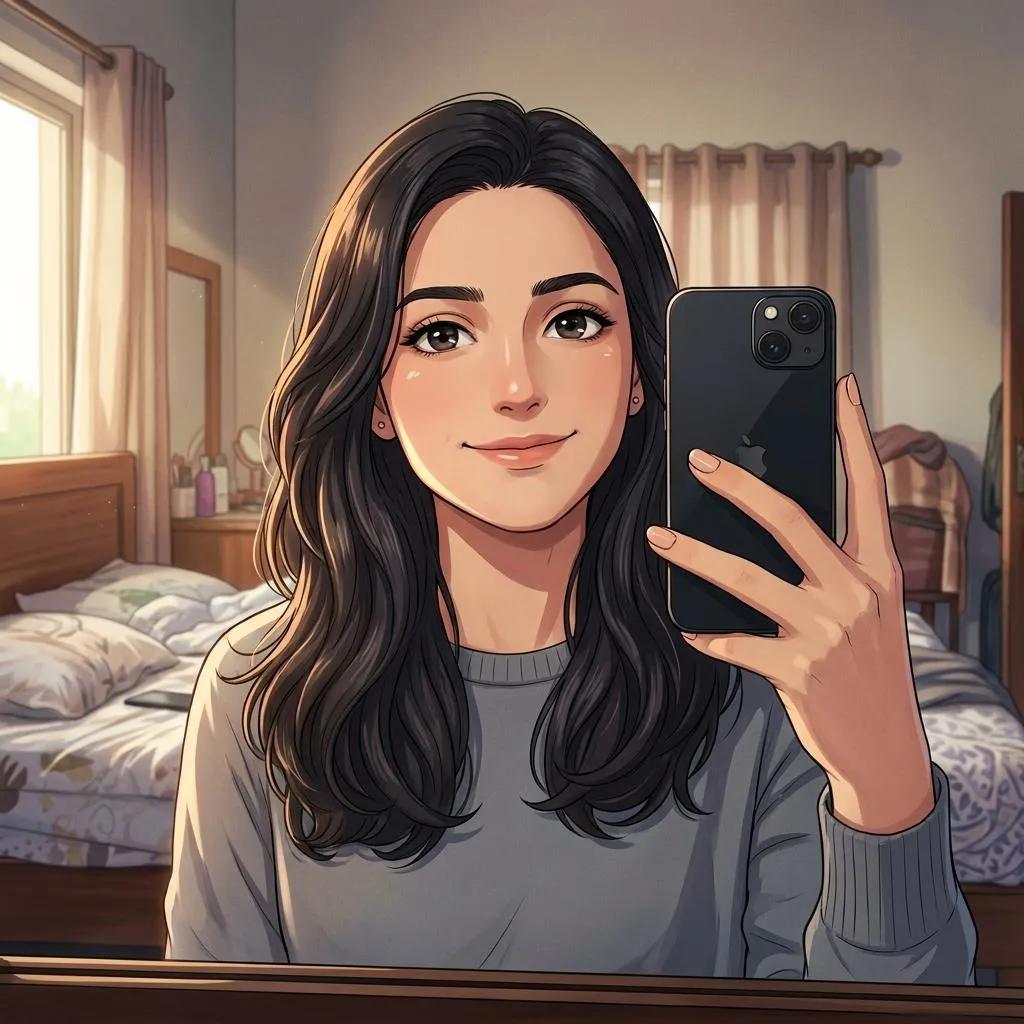
The Prompt
How to Use this Nano Banana Prompt
Open Nano Banana
Launch the AI image tool.
Add Reference
Upload a photo if the prompt needs one.
Paste Prompt
Copy and paste the prompt above.
Generate
Create your AI image.






About This Cinematic Anime Photo Editing Prompt Prompt
This specialized AI image generation and transformation resource allows you to turn any uploaded photograph into a premium cinematic anime-inspired digital artwork. By applying this cinematic photo editing prompt, the AI engine intelligently interprets your input image while strictly preserving the person's exact identity, facial structure, unique hairstyle, original pose, clothing silhouette, and expression. Instead of relying on generic filters, it builds a cohesive visual translation using refined anime linework and detailed artistic touches.
Designed for creators and everyday users alike, this prompt is ideal for anyone looking to reimagine their personal portraits, social media profile pictures, or creative photography in a high-end visual format. Whether you want to explore digital illustration styles or create a custom profile avatar that maintains your true likeness, this tool bridges the gap between realistic photography and stylized modern animation without altering who you are.
To achieve the best possible results with this prompt, upload a clear, high-resolution source photo where the facial features and lighting are easily distinguishable. Paste the prompt directly into your preferred image generation platform that supports image-to-image workflows. Ensure your upload settings match the aspect ratio and transformation strength needed to retain your original pose and expression while letting the AI apply the specified artistic style enhancements.
Customization within this workflow relies entirely on the foundational elements present in your source image. Because the prompt instructs the AI to preserve your clothing silhouette, facial structure, and hairstyle, you can experiment by swapping out different source photographs with distinct lighting or wardrobe choices. This allows you to generate a diverse portfolio of anime-styled digital art while keeping the core identity consistent across every newly rendered image output.
Ultimately, this sophisticated anime movie aesthetic provides a professional composition that avoids overly childish cartoon styling. The inclusion of expressive yet realistic eyes, subtle skin shading, and a beautifully illustrated background ensures the final output looks polished and mature. It is a valuable addition to any prompt library for creators seeking a refined, cinema-grade animation style for their personal creative projects and online galleries.
Frequently Asked Questions
Common questions about this AI prompt and how to get the best results.
Pro Tips for Better Results
- Use a high-resolution source photograph with clear facial lighting to help the AI accurately preserve your exact facial structure and identity.
- Adjust the image-to-image denoise or influence strength carefully so the AI retains your original pose and clothing silhouette without altering your features too drastically.
- Select source photos with distinct clothing silhouettes to make the resulting anime digital artwork visually striking and unique.
- Ensure your background in the reference photo is relatively clean if you want the illustrated background generated by the AI to stand out clearly.
- Experiment with different facial expressions in your source uploads, as the prompt is designed to capture and translate your exact emotional expression into anime form.