
 Nano Banana
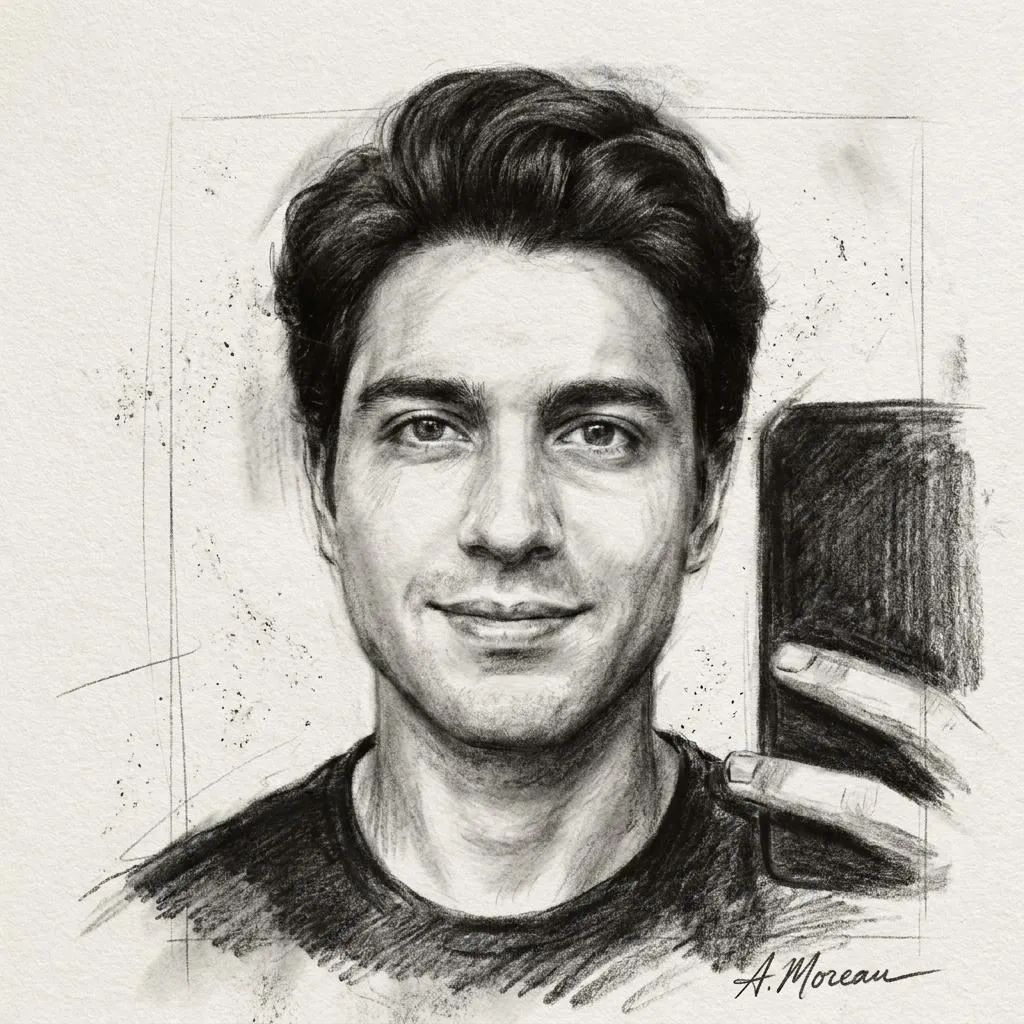
The Prompt
How to Use this Nano Banana Prompt
Open Nano Banana
Launch the AI image tool.
Add Reference
Upload a photo if the prompt needs one.
Paste Prompt
Copy and paste the prompt above.
Generate
Create your AI image.






About This Dramatic Fine-Art Charcoal Portrait Photo Editing Prompt Prompt
Transform your uploaded selfies into stunning fine-art charcoal sketches using this specialized charcoal portrait photo editing prompt. Designed to seamlessly convert ordinary digital photographs into hand-drawn masterpieces, this prompt captures the authentic look of traditional life-drawing art on archival paper.
Digital creators, portrait enthusiasts, and artists looking to experiment with classical mediums will find immense value in this tool. It provides a quick and effective way to turn standard digital portraits into moody, artistic expressions without needing physical sketching skills.
To get the best results, upload a clear, high-contrast reference selfie to your chosen image generation platform alongside the provided text. The AI uses the uploaded visual data to accurately preserve your exact facial identity and structural proportions while applying the requested artistic medium.
When working with this text instruction, you can adjust your reference photo's initial lighting or expression to alter the mood of the final artwork. Because the instructions emphasize expressive strokes and deep blacks, starting with a well-lit reference portrait helps the generator balance the delicate highlights and shadows effectively.
This dramatic artistic style is exceptionally useful for creating striking profile pictures, gallery-style social media posts, or unique digital portfolios. By blending modern AI capabilities with timeless traditional art aesthetics, it offers a fresh way to present your personal portraits online.
Frequently Asked Questions
Common questions about this AI prompt and how to get the best results.
Pro Tips for Better Results
- Upload a high-contrast selfie as your reference image to help the AI map deep blacks and delicate highlights accurately.
- Ensure your reference photo has clear facial features so the identity and proportions remain intact during the transformation.
- Experiment with reference photos featuring dramatic side lighting to enhance the expressive charcoal stroke effect.
- Keep your aspect ratio aligned with standard portrait dimensions to best mimic a professional life-drawing layout.
- Review the initial output to ensure the visible paper grain and dust textures add to the authentic handmade feel.