
 Nano Banana
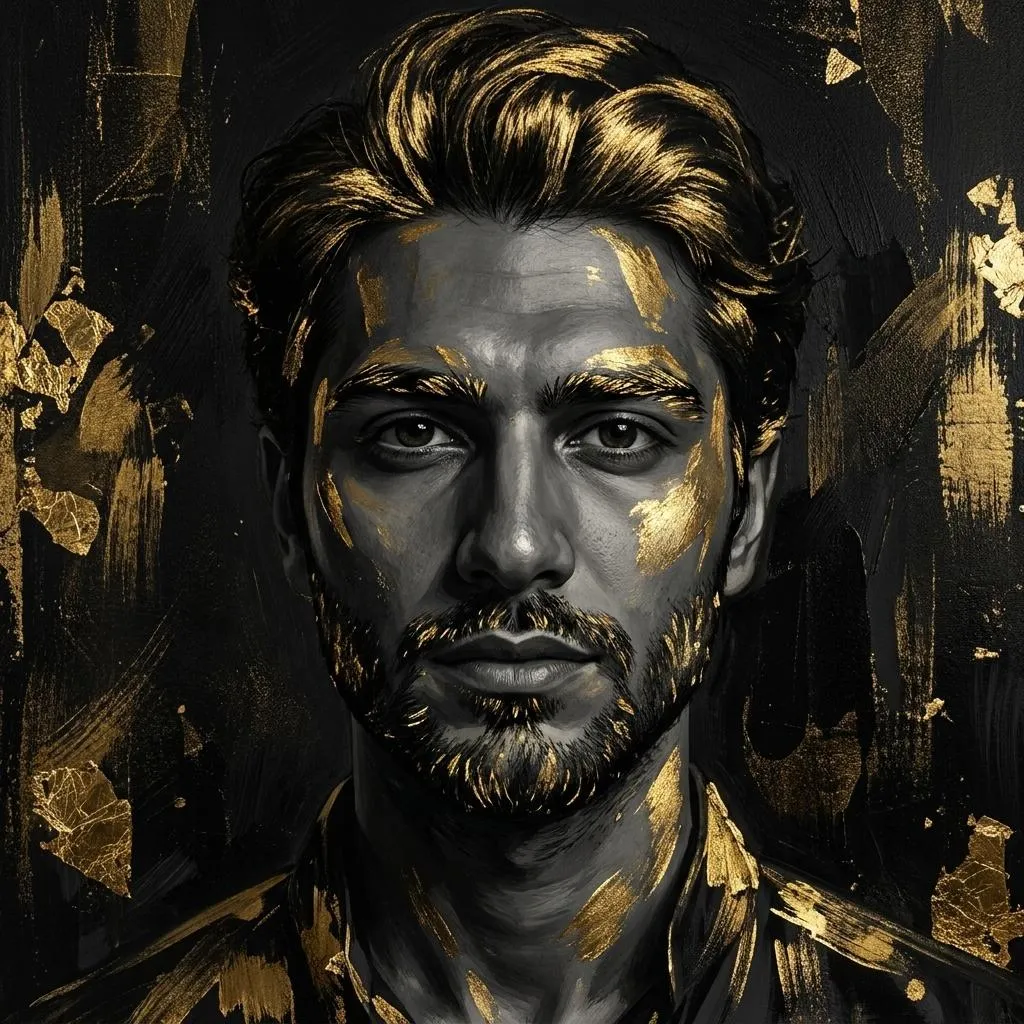
The Prompt
How to Use this Nano Banana Prompt
Open Nano Banana
Launch the AI image tool.
Add Reference
Upload a photo if the prompt needs one.
Paste Prompt
Copy and paste the prompt above.
Generate
Create your AI image.






About This Black and Gold Fine-Art Portrait Prompt Prompt
This specialized AI photo editing prompt transforms an ordinary user selfie into an elegant black-and-gold fine-art portrait. By applying advanced algorithmic instructions, the system retains the subject's exact identity and natural facial structure while completely reimagining the surrounding aesthetic into a high-end gallery piece. The final visual output balances realistic painterly details with striking artistic enhancements to create a museum-worthy composition.
Creative professionals, digital artists, and individuals seeking unique profile pictures will find immense value in this workflow. It is particularly useful for elevating casual portraits into striking, luxurious pieces suitable for online portfolios, digital art galleries, or curated social media grids. The minimalist approach ensures the subject remains the central focus without visual clutter.
To achieve the best results, users should input a clear, front-facing source selfie into their preferred AI image generator or photo manipulation tool alongside this prompt. High-resolution reference images help the AI accurately preserve the natural facial features while applying the requested painterly textures and directional lighting effects. Experimenting with different underlying source photos will yield unique variations of the final artwork.
Customization within this prompt centers on the intensity and placement of the metallic gold brush accents and gold leaf textures. While the core instructions maintain a minimal and luxurious composition, users can adjust descriptive weightings if their chosen AI platform supports parameter tweaking. Maintaining the balance between deep black shadows and bright metallic highlights is key to preserving the intended aesthetic.
The resulting visual style stands out for its sophisticated interplay of light, shadow, and metallic texture, making it an exceptional choice for modern creative projects. This distinctive gallery artwork aesthetic offers an alternative to standard photographic filters by introducing classical painterly techniques combined with contemporary digital processing methods. It provides a reliable pathway to produce high-end, artistic imagery quickly and efficiently.
Frequently Asked Questions
Common questions about this AI prompt and how to get the best results.
Pro Tips for Better Results
- Use a clear, evenly lit reference selfie to help the AI accurately preserve facial structure.
- Ensure your source image has a neutral background so the deep black shadows render cleanly.
- Test different AI generation models to see which one handles metallic textures and painterly details best.
- Keep the composition minimal by avoiding busy clothing or accessories in your original selfie.
- If your tool allows prompt weighting, slightly increase the emphasis on gold leaf textures for a more pronounced effect.