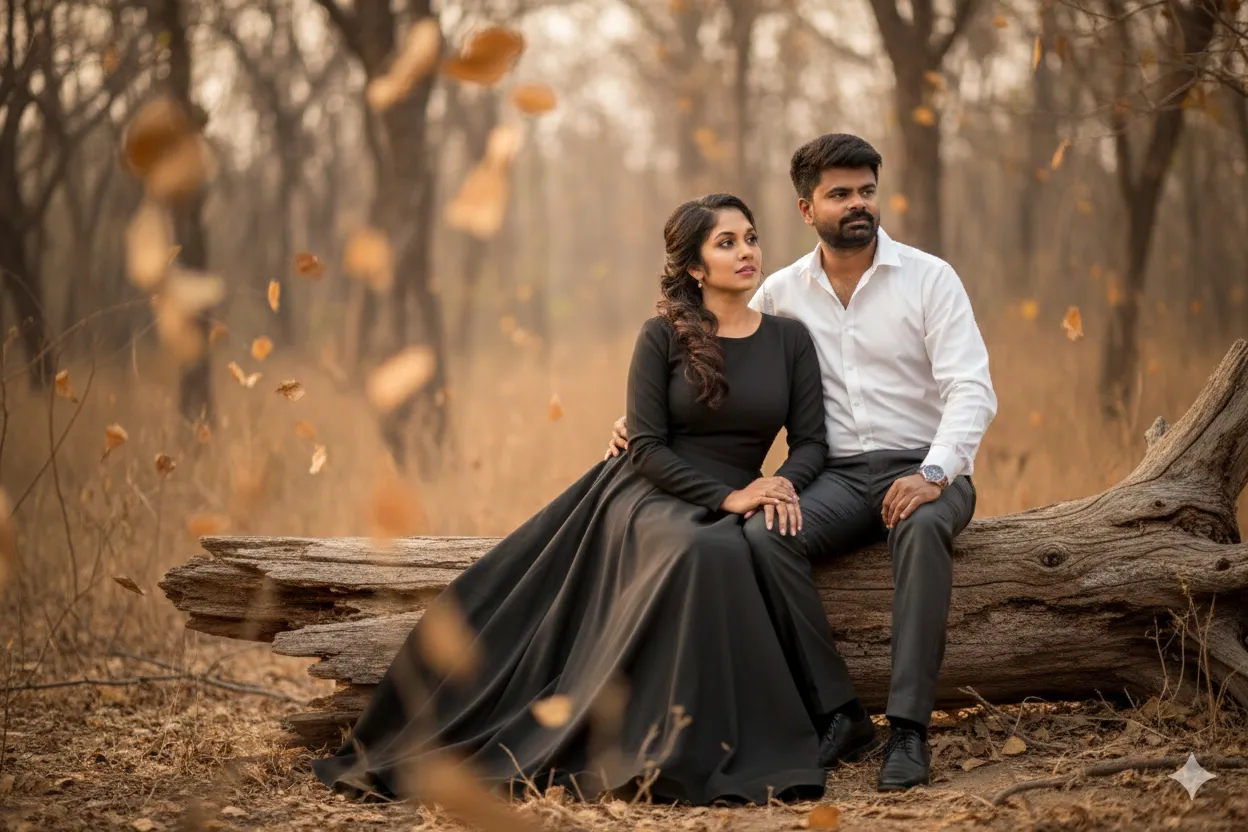
Attitude Couple in Dry Forest

Any Model
Attitude Couple in Dry Forest — AI generated image

The Prompt

Copy-Paste Prompt
Convert the above image into ultra realistic portrait of both should be in an arid forest sitting on a dry broken tree. girl should wear a very long white gown. guy should wear formal shirt and trousers. girl should be in elegant makeup and chic hairstyle. both should be in attitude pose and should not look at the camera. there should be dry leaves flying in front and back in soft out-of-focus depth. (do not change the faces)
Subject An ultra-realistic portrait of a couple (girl and guy) in an attitude pose, not looking at the camera. Girl in a very long white gown, elegant makeup, and chic hairstyle. Guy in formal shirt and trousers. Faces should not be changed from an imagined 'above image'.
Environment Arid forest, sitting on a dry broken tree. Dry leaves flying in front and back in soft out-of-focus depth.
Lighting Implied natural lighting, conducive to an 'ultra realistic portrait' with 'soft out-of-focus depth'.
Style Ultra realistic portrait, with soft out-of-focus depth of field.

How to Use this Any Model Prompt

1

Open Any Model

Launch the AI image tool.

2

Add Reference

Upload a photo if the prompt needs one.

3

Paste Prompt

Copy and paste the prompt above.

4

Generate

Create your AI image.

About This Attitude Couple in Dry Forest Prompt

This AI image prompt generates a captivating, ultra-realistic portrait featuring a sophisticated couple. The scene places them within an arid forest, seated gracefully on a dry, broken tree. The girl is depicted wearing a very long white gown, complemented by elegant makeup and a chic hairstyle, while the guy is dressed in a formal shirt and trousers. Both subjects strike an attitude pose, deliberately not looking directly at the camera, adding an air of mystery and candidness to the composition. The foreground and background are softly blurred with out-of-focus dry leaves gently flying, enhancing the depth and natural feel of the desolate, yet beautiful, environment.

Content creators, social media influencers, and digital artists seeking unique and high-quality visuals will find this prompt incredibly valuable. It's particularly useful for those curating themes around romantic realism, high fashion in natural settings, or even conceptual art pieces. Photographers looking for inspiration or a way to prototype complex shoot ideas without a full production team can leverage this prompt to visualize intricate scenes. Furthermore, couples desiring personalized, artistic representations for their online presence or personal keepsakes will appreciate the specific details and aesthetic.

To use this elegant couple AI portrait prompt, simply open your preferred AI image generator like ChatGPT, Gemini, or a similar platform. Copy and paste the entire prompt text directly into the input field. If your platform allows, you can specify an aspect ratio like 2:3 or 9:16 for a portrait orientation, though most AI models will interpret "portrait" correctly. Ensure your AI model is set to generate realistic or photorealistic images for the best results, then generate to see the stunning output.

Customizing this prompt allows for endless creative variations to fine-tune your elegant couple AI portrait. You can experiment with changing the girl's gown color or style, such as a "black velvet dress" or "boho lace gown." The guy's attire can also be modified to a "tuxedo" or "casual linen shirt." Adjusting the environment is another powerful customization; try a "misty redwood forest" or "rocky desert landscape" to alter the mood. You could also specify "golden hour lighting" or "overcast daylight" to influence the overall atmosphere and visual temperature of the image.

This visual style resonates deeply with current trends in AI image generation, where photorealism combined with specific artistic direction is highly sought after. The demand for detailed, emotionally resonant imagery, especially featuring couples in unique settings, continues to grow across digital platforms. By providing a clear, descriptive prompt for an elegant couple AI portrait, users can achieve professional-grade visuals without extensive photo editing skills. We encourage you to try this prompt on NanoAIPrompts.com and explore the vast possibilities of AI-driven creativity.

Frequently Asked Questions

Common questions about this AI prompt and how to get the best results.

What kind of image does this AI prompt generate?
This AI prompt generates an ultra-realistic portrait of an elegant couple seated on a dry broken tree in an arid forest. The image features specific attire, poses, and soft out-of-focus dry leaves for depth.
Can I use this prompt with both ChatGPT and Gemini?
Yes, this prompt is designed to be compatible with popular AI image generators like ChatGPT, Gemini, and other similar platforms. Simply copy and paste the text into your chosen AI tool.
How can I customize the couple's outfits or environment?
You can easily customize by changing descriptive words within the prompt, such as 'very long white gown' to 'dark blue evening dress' or 'arid forest' to 'misty mountain landscape'. Be specific with your desired changes.
Does the prompt create a specific facial appearance for the couple?
The prompt explicitly states '(do not change the faces)', indicating it intends to maintain the original faces if you're using it to convert an existing image. If generating from scratch, the AI will create realistic faces that fit the 'elegant' description.
What are the best settings to use for an 'ultra realistic portrait'?
For an ultra realistic portrait, ensure your AI image generator is set to its highest quality or 'photorealistic' mode. Specifying '8k resolution' or 'cinematic lighting' within the prompt can also help enhance realism and detail.

Pro Tips for Better Results

  • Experiment with different aspect ratios (e.g., 2:3 or 9:16) to best frame the elegant couple within the arid forest setting.
  • Specify a time of day, like 'late afternoon light' or 'overcast daylight', to influence the mood and shadows in the realistic portrait.
  • Vary the color of the girl's gown or the guy's formal wear to explore different aesthetic outcomes while maintaining elegance.
  • Introduce subtle environmental elements like 'a faint haze in the distance' or 'sparse dry shrubs' to add more depth to the arid forest.
  • After generating, use an AI upscale tool to enhance the details of the elegant makeup, chic hairstyle, and garment textures for a truly high-resolution finish.
Message here



