
 Nano Banana
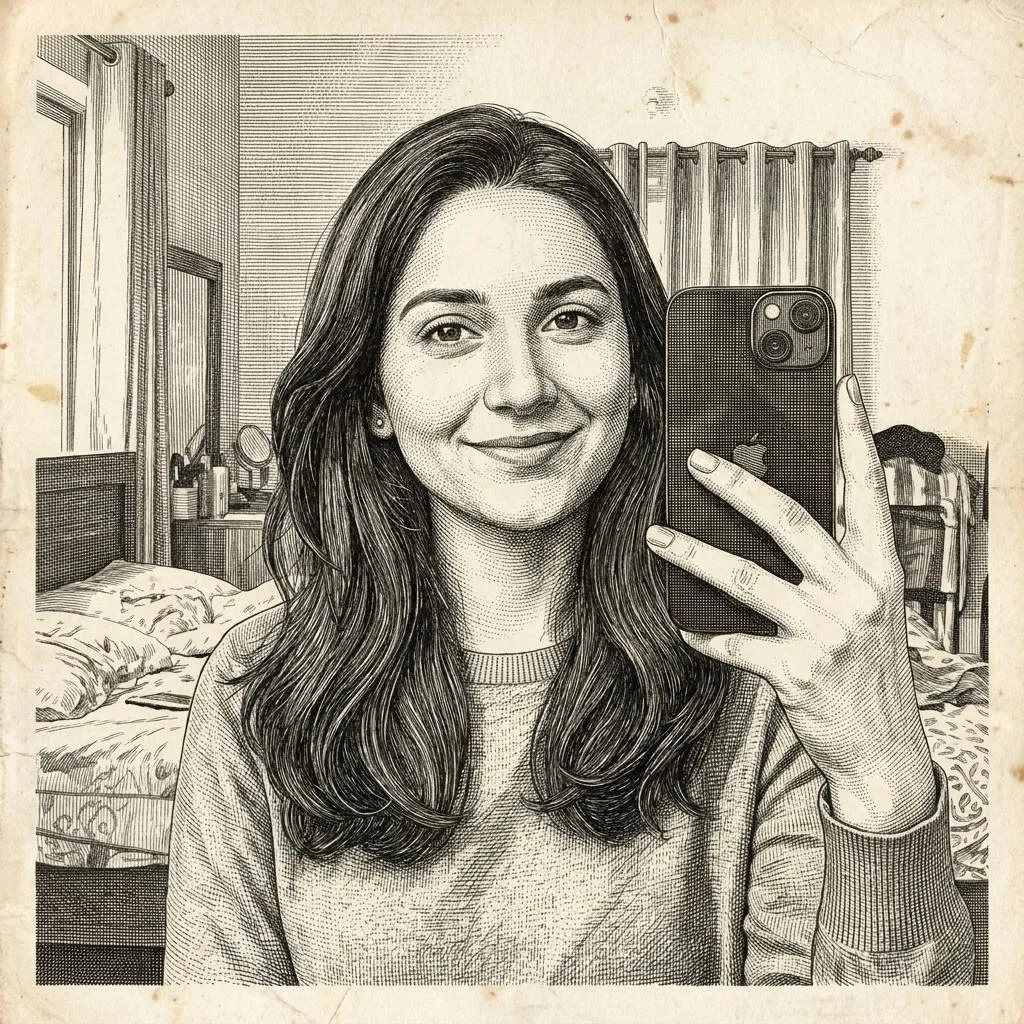
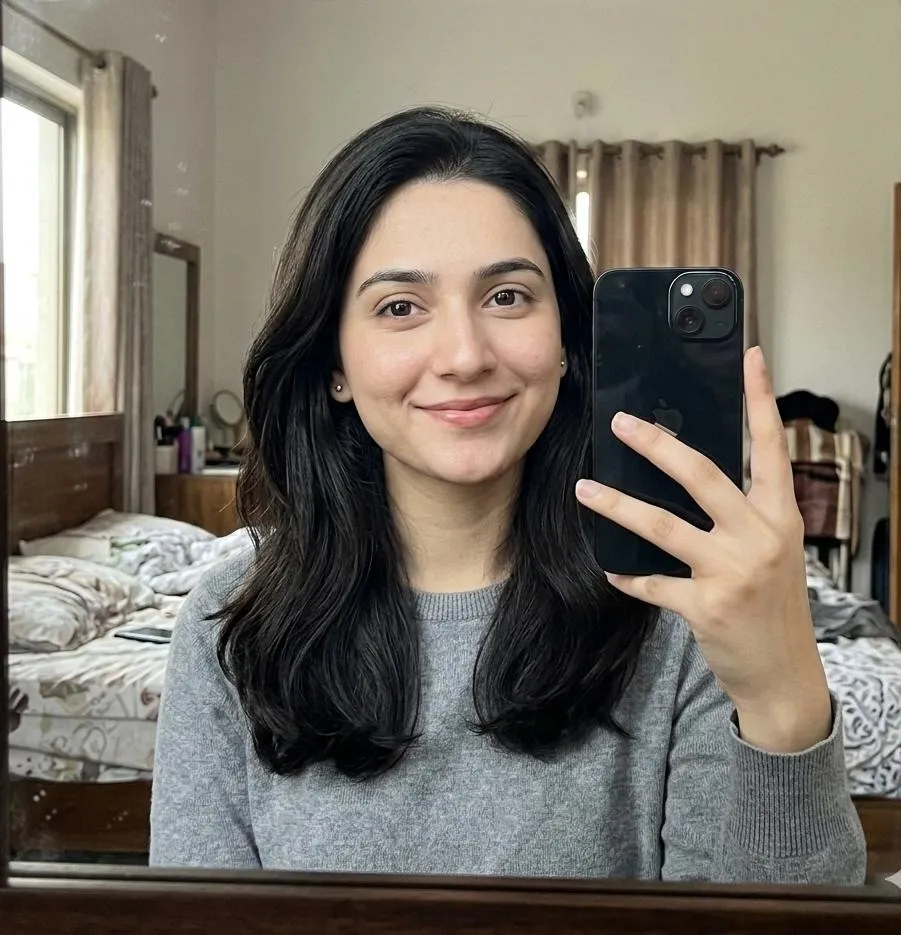
Before & After
Drag the slider to compare the original input with the AI result.
AFTER
 BEFORE
The Prompt
How to Use this Nano Banana Prompt
Open Nano Banana
Launch the AI image tool.
Add Reference
Upload a photo if the prompt needs one.
Paste Prompt
Copy and paste the prompt above.
Generate
Create your AI image.






About This Antique Engraving Photo Editing Prompt Prompt
This specialized antique engraving photo editing prompt transforms any uploaded selfie into an intricate, banknote-style portrait reminiscent of 19th-century master craftsmanship. By instructing the AI to preserve the exact facial identity and proportions of the subject, the tool ensures a faithful likeness while completely shifting the aesthetic into a timeless historical medium. The output captures the meticulous line work characteristic of classic currency and vintage book illustrations, giving modern photographs an unmistakably archival quality.
Creators, digital artists, and history enthusiasts will find this prompt valuable for unique profile pictures, historical art projects, and creative portfolio pieces. It bridges the gap between contemporary digital photography and traditional printmaking techniques, making it ideal for anyone seeking an unconventional visual style. Whether you are designing custom stationery, digital art zines, or simply experimenting with unique portrait styles, this prompt offers a reliable way to achieve a sophisticated, hand-crafted appearance without manual drawing skills.
To use this prompt effectively, upload your chosen selfie to a compatible AI image generator that supports image-to-image or reference uploads. Paste the prompt alongside your reference image to guide the transformation process accurately. Ensure your uploaded photo features clear lighting and a well-defined face, as the AI relies on these details to map the facial structure precisely onto the simulated engraved plate format.
While the core aesthetic is strictly defined by the instructions, you can customize the output by adjusting your source reference image's expression or framing before generating. Because the prompt strictly mandates thousands of ultra-fine engraved lines, cross-hatching, stippling, and an aged ivory paper background with subtle imperfections, the texture and tone remain consistently authentic to the 19th-century engraving style across different generation attempts.
Ultimately, this antique engraving photo editing prompt elevates standard digital pictures into striking pieces of classical graphic art. Its ability to blend personal likeness with traditional banknote textures makes it a standout resource for anyone looking to produce memorable, texture-rich imagery that immediately draws the eye and sparks curiosity in digital spaces.
Frequently Asked Questions
Common questions about this AI prompt and how to get the best results.
Pro Tips for Better Results
- Use a high-contrast reference selfie with clear facial features to ensure the cross-hatching maps accurately.
- Keep the background of your source photo simple so the AI can easily replace it with the aged ivory paper texture.
- Ensure your image generation platform supports image-to-image references for the best identity preservation.
- Experiment with different expressions in your source selfie to see how historical engraving techniques interpret various moods.
- Check that your output resolution is high enough to capture the ultra-fine engraved lines and stippling details clearly.