The Prompt
How to Use this Any Model Prompt
Open Any Model
Launch the AI image tool.
Add Reference
Upload a photo if the prompt needs one.
Paste Prompt
Copy and paste the prompt above.
Generate
Create your AI image.
About This AI Art: Surreal Frame Portrait, Chiaroscuro Glow Prompt
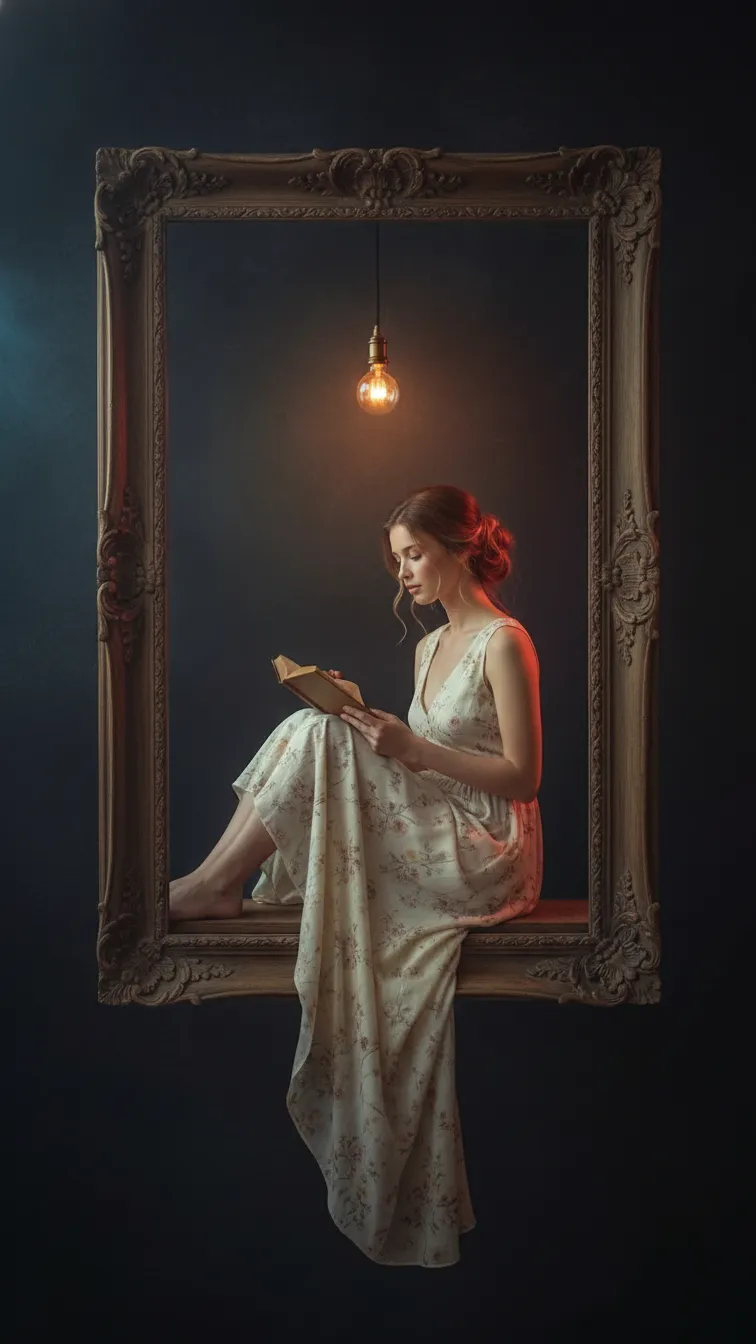
This AI image prompt crafts a deeply atmospheric and surreal portrait, placing a young woman within the confines of a rustic wooden picture frame. The final image will showcase her in a delicate pose, knees drawn up as she sits on a narrow wooden ledge, creating an illusion of a private world. A warm, vintage Edison bulb casts a gentle golden glow, highlighting her fair skin, calm expression, and brown hair tied in an elegant bun. She is depicted wearing a light, cream-colored sleeveless dress with faint floral patterns, engrossed in reading a small book, all set against a deep, dark background that amplifies the cinematic chiaroscuro aesthetic.
Content creators, digital artists, and photographers seeking to generate distinctive and emotive imagery will find this **frame portrait AI prompt** exceptionally useful. It caters specifically to those who desire a blend of fine-art photography with a touch of surrealism for their portfolios, social media, or digital projects. Instagram users aiming for a sophisticated, tranquil aesthetic will also appreciate its ability to produce highly shareable and visually rich content. Furthermore, illustrators and concept artists can leverage this prompt to quickly visualize complex scene ideas with intricate lighting and mood.
To utilize this powerful **frame portrait AI prompt**, simply open your preferred AI image generator, such as ChatGPT, Gemini, or even a specialized platform like Nano Banana. Copy and paste the entire prompt text directly into the input field. If your chosen tool supports image uploads, consider uploading a reference image of the desired face to maintain consistency, as specified in the prompt. For optimal results, ensure your generator's settings are configured for a high-resolution output, mimicking the "64K DSLR shot" detail mentioned, and potentially experimenting with "cinematic" or "photorealistic" style options if available.
Modifying this prompt allows for a wide range of creative variations to suit different artistic visions. Experiment with altering the woman's attire, perhaps a flowing bohemian dress or a more contemporary outfit, to change the narrative. You could also adjust the type of book she holds, or even replace it with another small object like a teacup or a quill, to shift the context of her intimate world. Consider changing the "rustic wooden picture frame" to a gilded, ornate one for a touch of classic luxury, or a minimalist metal frame for a modern twist, fundamentally altering the scene's overall ambiance.
The appeal of a "frame within a frame" concept, combined with dramatic chiaroscuro lighting, resonates strongly with current trends in AI image generation and digital art. This particular **frame portrait AI prompt** works effectively because it provides highly specific visual cues, from the Edison bulb's golden glow to the "Octane render & Unreal Engine 5" technical styles, guiding the AI to produce a coherent and high-quality image. The tranquil and nostalgic mood captured within the prompt taps into a desire for serene, introspective art in a fast-paced digital world. We encourage you to try this prompt on NanoAIPrompts.com and explore its potential for generating truly unique fine-art pieces.
Frequently Asked Questions
Common questions about this AI prompt and how to get the best results.
Pro Tips for Better Results
- Always specify the desired aspect ratio (e.g., 2:3 for portrait) to ensure proper framing of the full-body shot.
- Experiment with adding specific camera lens details, such as '85mm prime lens' or '100mm macro,' to enhance the fine-art photography feel.
- If your AI tool supports negative prompts, include terms like 'blurry,' 'low resolution,' or 'distorted' to refine the image quality further.
- Adjust the 'dark, moody wall' description to include textures like 'peeling paint,' 'exposed brick,' or 'velvet wallpaper' for environmental variation.
- Play with the color of the 'Edison bulb' light, trying 'cool blue light' or 'emerald green glow' to create entirely different atmospheric effects.



