The "Holy Grail" of AI Art: Consistency

Every storyteller faces the same nightmare: You generate a perfect hero in one image, but in the next image, they look like a completely different person. Research shows that "Identity Locking" is the #1 feature requested by comic creators in 2026.

Google's Nano Banana Pro model allows you to lock a character's features, but it can be "stubborn" if you don't use the right commands.

Step 1: Create the "Master Reference" (Character Sheet) 📄

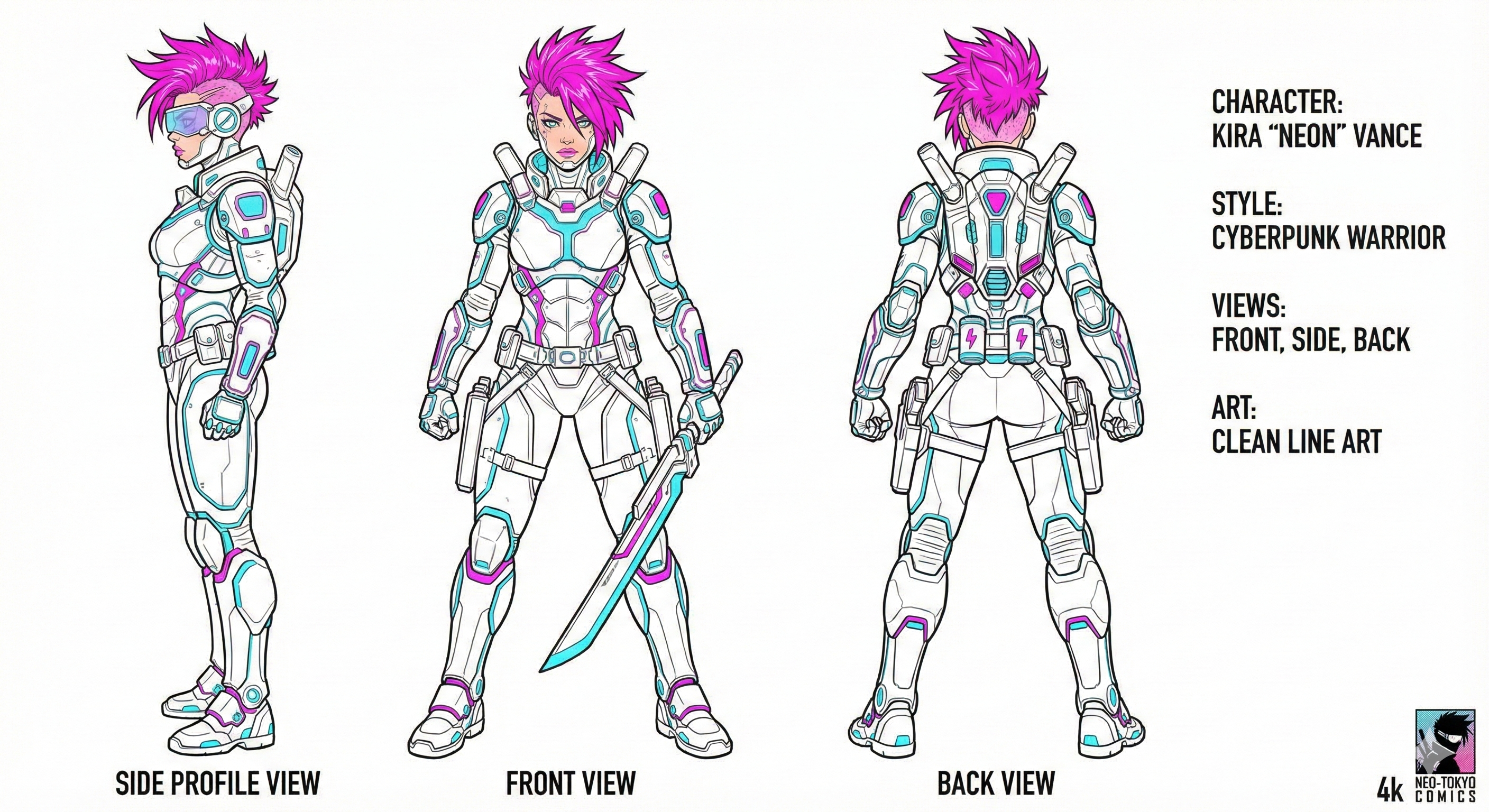
Before you make a comic panel, you need a Reference Sheet. This tells the AI exactly what your character looks like from all angles.

Prompt: "Character design sheet of a [DESCRIPTION], showing front view, side view, and back view. White background, neutral lighting, consistent facial features. 4k, flat illustration style."

Step 2: The "Pose" Formula 🏃‍♂️

Now, use your Master Reference to generate action scenes. You must tell Gemini to "Reference" the first image.

  • Upload: Your Master Reference Image.
  • Command: "Use this character reference."
  • Prompt: "Generate a panel showing [CHARACTER NAME] running through a cyberpunk city. Maintain 100% facial and costume consistency with the reference image. Dynamic action angle."

How to Fix "Stubborn" Models

If Nano Banana refuses to keep the face same (a common frustration), try this "Anchor Trick":

  1. Describe a unique feature (e.g., "Scar on left cheek" or "Neon green glasses").
  2. Repeat this feature in every single prompt. This forces the AI to "remember" the specific identity.

Conclusion

Building a comic book is now possible for free. You just need patience and the right Identity Lock workflow.

Start your story today! Check out our Character Sheet Prompts.