
The Prompt
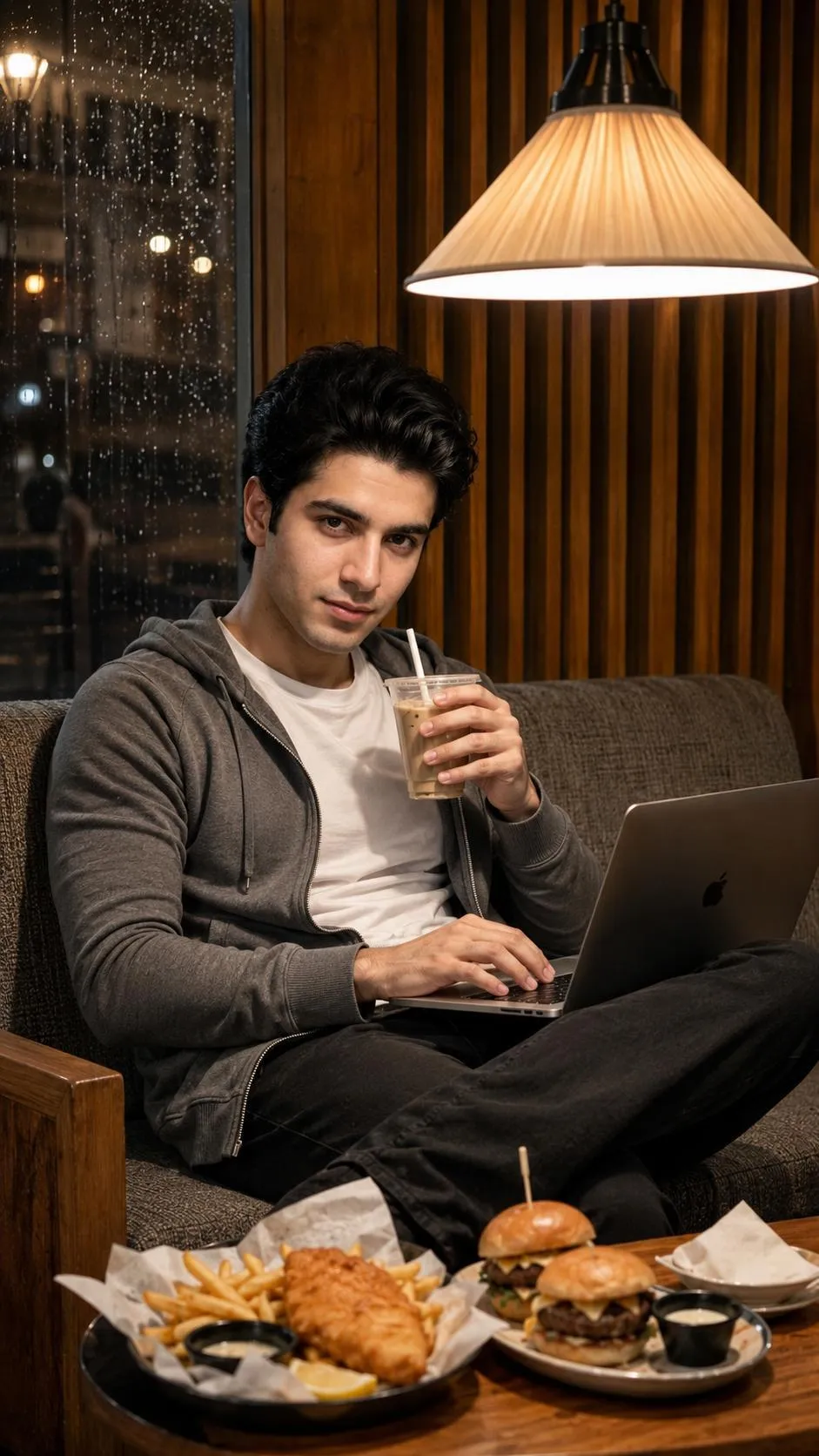
A photorealistic 9:16 portrait of a handsome young man with black hair in a 1/4 view, sitting relaxed on a rough-textured gray upholstered sofa. His head is slightly tilted downward, eyes focused toward the camera. His legs are crossed with a laptop open on his lap. He wears a tight white T-shirt layered under a smooth gray zipper hoodie showing natural horizontal creases.
His right hand tightly holds a glass cup of iced cappuccino with a white straw, thumb pressing the lid, fingers curled around the cup. His left hand interacts with the illuminated keyboard of the silver laptop.
In the foreground, a reddish-brown wooden table holds small items including a fish-and-chips platter and a plate of burgers, lit warmly by a large chandelier with an inverted cone-shaped white fabric shade above him, casting sharp highlights on his hair and skin.
The background features warm wooden architecture: a light brown armrest, vertical striped wooden panels, and on the left, a rain-covered window with bokeh lights, creating a cozy, dim café atmosphere with cloudy daytime lighting.
Subject
Handsome young man, black hair, 1/4 view, sitting relaxed, head tilted, eyes focused toward camera, legs crossed, wearing tight white T-shirt under smooth gray zipper hoodie, right hand holding glass cup of iced cappuccino with white straw, left hand interacting with illuminated keyboard of silver laptop.
Environment
Rough-textured gray upholstered sofa, reddish-brown wooden table with fish-and-chips platter and plate of burgers, warm wooden architecture (light brown armrest, vertical striped panels), rain-covered window with bokeh lights, cozy, dim café atmosphere.
Lighting
Warmly lit by large chandelier with inverted cone-shaped white fabric shade, casting sharp highlights on hair and skin, cloudy daytime lighting.
Style
Photorealistic, 9:16 portrait.
About This Prompt
Discover a stunning photorealistic portrait of a handsome young man captured in a cozy, dim café atmosphere. This detailed image features him seated relaxed with a laptop, enjoying an iced cappuccino. The scene is bathed in warm chandelier light and cloudy daytime ambiance, with striking bokeh lights through a rain-covered window, creating a compelling and realistic visual narrative perfect for various digital projects.
Pro Tips
- Experiment with different laptop screen content or cup designs to personalize the scene.
- Adjust 'dim café atmosphere' to 'bright café' or 'night café' for varied lighting moods.
- Change 'iced cappuccino' to another drink (e.g., 'hot coffee', 'tea') for a different beverage focus.
How to Use this Workflow
Open AI Tool
Launch App.
Select Model
Nano / ChatGPT
Paste Code
Copy Prompt above.
Generate
Create your Art.



