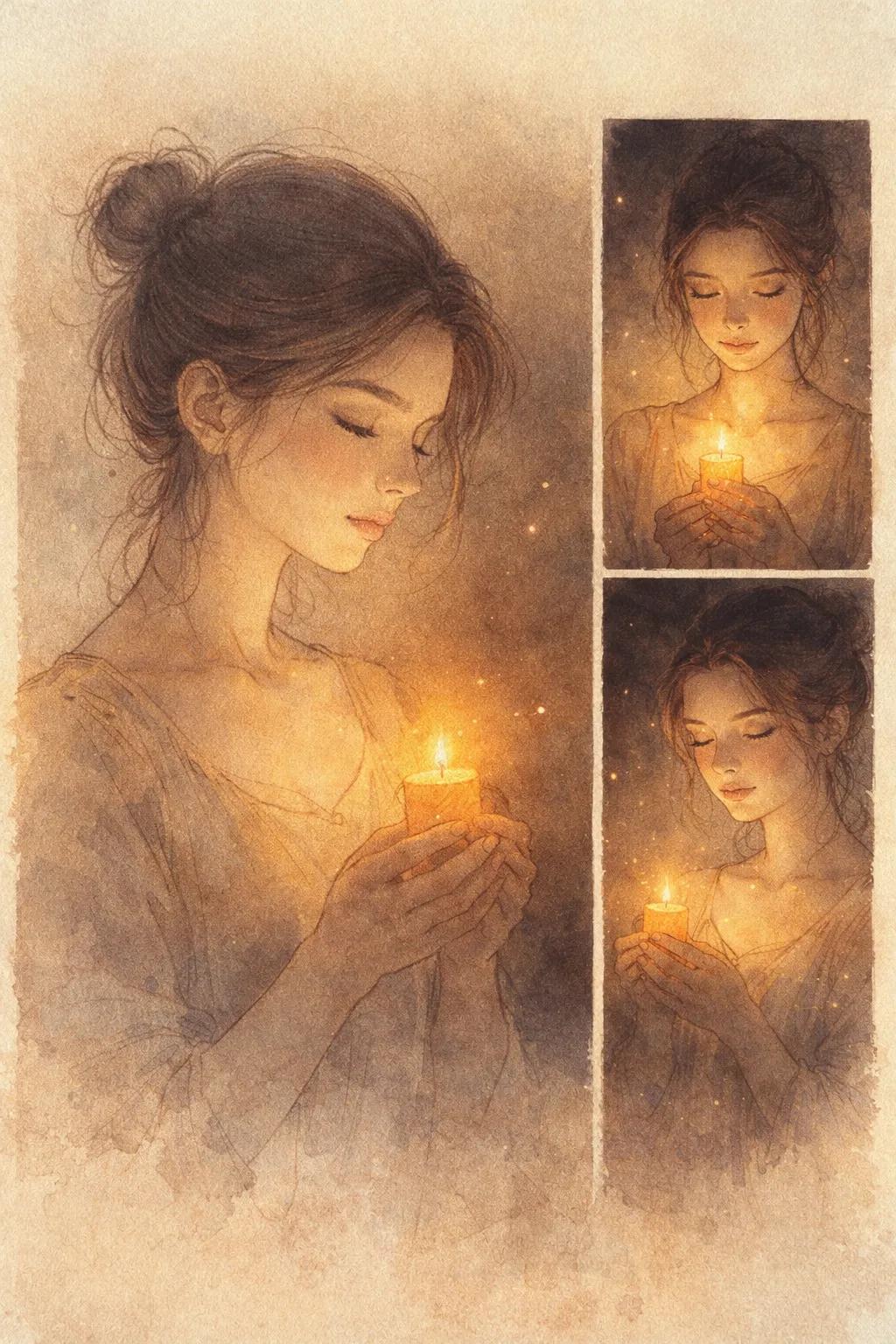
Candlelit Fine Art Illustration AI Photo Prompt

Nano Banana Nano Banana
Candlelit Fine Art Illustration AI Photo Prompt — AI generated image

The Prompt

Copy-Paste Prompt
Candlelit Serenity Triptych PROMPT👇🏻 Transform this image [Upload Your Image] into a 64K DSLR shot resolution of poetic, fine-art illustration of a young woman (same face as the uploaded image) holding a small glowing candle, depicted in a soft, minimalist line-art sketch style blended with warm painterly light. The woman (same face as the uploaded image) is shown primarily in a side-profile portrait, her eyes gently closed, her expression calm, introspective, and emotionally
Subject A young woman holding a small glowing candle
Environment Not specified, implied minimalist focus
Lighting Warm painterly light, glowing candle
Style Poetic, fine-art illustration, soft minimalist line-art sketch, 64K DSLR shot resolution

How to Use this Nano Banana Prompt

1

Open Nano Banana

Launch the AI image tool.

2

Add Reference

Upload a photo if the prompt needs one.

3

Paste Prompt

Copy and paste the prompt above.

4

Generate

Create your AI image.

About This Candlelit Fine Art Illustration AI Photo Prompt Prompt

Unlock a new realm of artistic expression with this unique AI photo to fine art illustration prompt. Designed to transform your uploaded images, this prompt crafts a poetic and serene depiction of a young woman holding a small glowing candle. The resulting image is a high-resolution, fine-art illustration rendered in a soft, minimalist line-art sketch style, beautifully blended with warm, painterly light. It focuses on a side-profile portrait, capturing a calm, introspective, and emotionally resonant expression, making it perfect for creating deeply personal and artistic visual content.

This prompt is an invaluable tool for artists, graphic designers, and content creators looking to infuse their work with a distinct fine-art aesthetic. Photographers can use it to convert their portraits into stylized illustrations, offering a fresh perspective on their subjects. Individuals seeking unique profile pictures, artistic social media content, or personalized gifts will also find this prompt incredibly useful. It's ideal for anyone who wants to elevate a simple photograph into a piece of art that evokes a sense of tranquility and introspection, providing a powerful AI photo to fine art illustration prompt solution.

To use this AI photo to fine art illustration prompt, simply upload your chosen image to an AI image generation tool that supports image-to-image transformation. Then, input the provided prompt text. The AI will analyze your uploaded image, retaining the likeness of the subject while applying the specified artistic style. Ensure your base image is clear, especially the facial features, to achieve the best possible transformation into a high-resolution, poetic illustration.

Customization options within this prompt primarily revolve around the initial image you provide. While the core style of minimalist line-art and warm painterly light is fixed, the specific emotional depth and subtle nuances of the portrait will stem from your uploaded photograph. You can experiment with different source images to influence the young woman’s expression, or even adjust the implied intensity of the glowing candle through subsequent edits if your AI tool allows for iterative refinement. The prompt’s emphasis on a “64K DSLR shot resolution” ensures a high level of detail in the final artistic output.

The unique visual style generated by this prompt makes it highly effective for various creative projects. The blend of minimalist line-art with warm, painterly light creates a timeless and elegant aesthetic that stands out on social media feeds, personal blogs, or digital portfolios. This fine-art illustration approach is particularly good for conveying emotion and introspection without relying on hyper-realism, making it a versatile choice for storytelling, mood-setting, or simply creating beautiful, thought-provoking imagery.

Frequently Asked Questions

Common questions about this AI prompt and how to get the best results.

What kind of artistic image does this prompt create?
This prompt transforms an uploaded image into a poetic, fine-art illustration of a young woman in a side-profile portrait. It features a minimalist line-art sketch style blended with warm painterly light, depicting her holding a small glowing candle with a calm, introspective expression.
How do I use this AI photo to fine art illustration prompt?
To use it, upload your desired photo to an AI image generation tool that supports image-to-image transformation. Then, copy and paste the full prompt into the text input area. The AI will use your image as a reference to generate the stylized illustration.
Can I customize the features of the woman in the illustration?
The prompt explicitly states 'same face as the uploaded image', meaning the AI will strive to retain the likeness of the person in your original photo. Customization of facial features beyond what's in your source image is generally not supported by this prompt's design.
What does '64K DSLR shot resolution' mean in this prompt?
This phrase instructs the AI to generate an output image with an extremely high level of detail and clarity, mimicking the quality of a professional DSLR photograph, but applied to the illustration style. It ensures a sharp and refined artistic result.
Which AI models are best suited for this type of image transformation?
While no specific model is named, prompts requiring image transformation and style blending (like line-art with painterly light) typically perform well on advanced AI image generators such as Midjourney, Stable Diffusion, or similar platforms that offer robust image-to-image capabilities.

Pro Tips for Better Results

  • Select a high-quality reference image where the subject's face is clearly visible and in a suitable side-profile for optimal results.
  • Experiment with different expressions in your uploaded image to subtly influence the 'calm, introspective, and emotionally' output of the illustration.
  • If your AI tool allows, try adding negative prompts to reduce unwanted elements or to further refine the minimalist aesthetic.
  • Consider the background of your uploaded photo; while the style is minimalist, subtle cues from the original environment might influence the artistic rendering.
  • Explore variations by slightly adjusting the candle's description, e.g., 'flickering candle' vs. 'steady glow', if your AI platform is responsive to such nuances.
Message here



