
 ChatGPT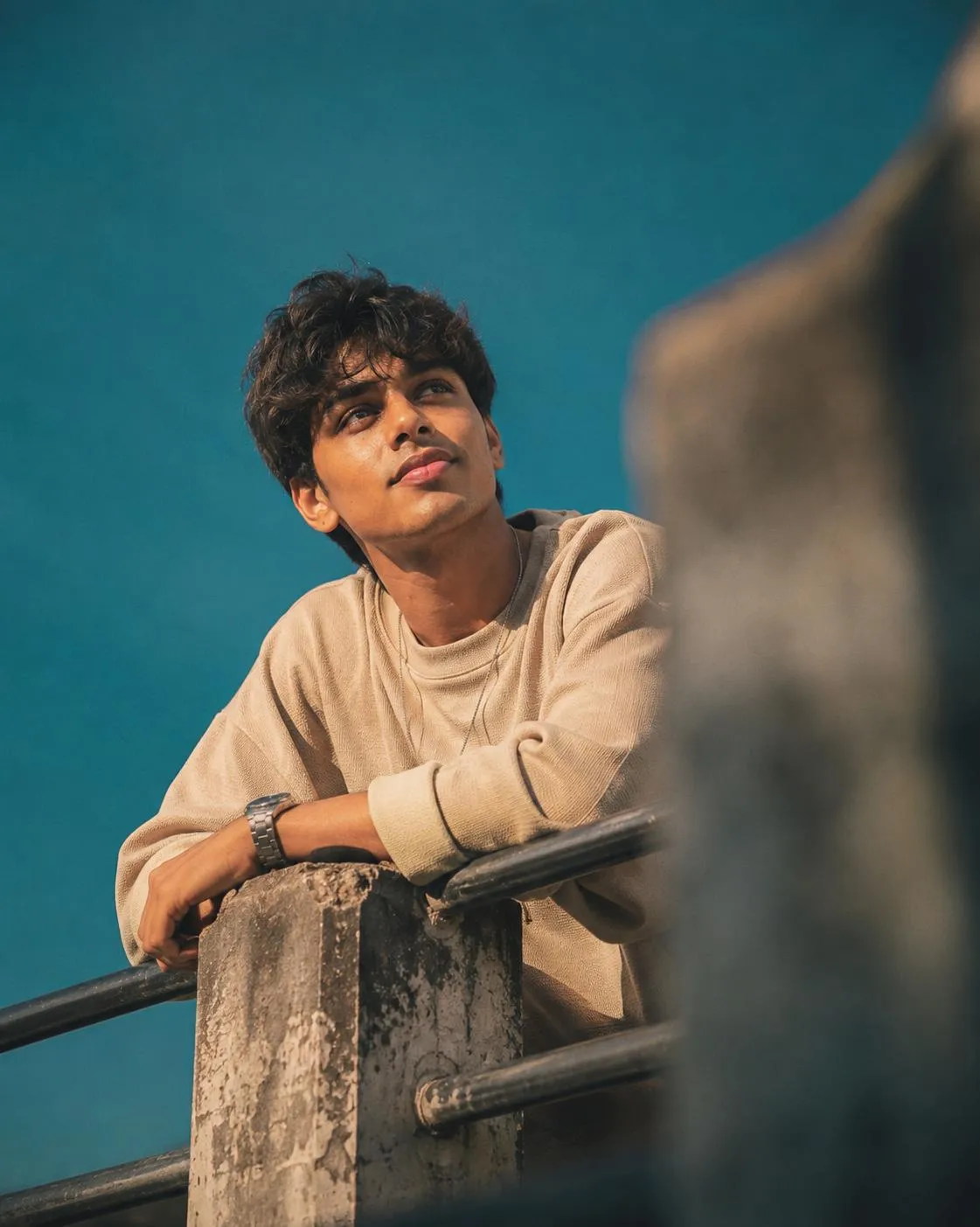
The Prompt
How to Use this ChatGPT Prompt
Open ChatGPT
Launch the AI image tool.
Add Reference
Upload a photo if the prompt needs one.
Paste Prompt
Copy and paste the prompt above.
Generate
Create your AI image.
About This Cinematic Male Portrait AI Image Prompt Prompt
This AI image prompt is designed to generate a highly realistic, cinematic low-angle portrait of a male subject while strictly preserving the facial identity and structure from an uploaded reference image. By maintaining skin tone, natural proportions, and hairstyle without artificial beautification, the prompt ensures an authentic and true-to-life result. Shot with a 50mm lens perspective, the composition features the subject leaning casually on a weathered concrete and metal railing, creating a balanced and grounded posture that suits editorial photography.
Content creators, designers, and photography enthusiasts who want consistent character representation across different AI-generated scenes will find this cinematic male portrait AI prompt especially valuable. It bridges the gap between custom face-reference generation and high-end editorial aesthetics. Whether you are building a conceptual portfolio, testing advanced image generation workflows, or creating mood boards, this prompt offers a dependable framework for generating professional-grade human portraits with authentic expressions and detailed textures.
To use this prompt effectively, upload your source face reference image into an AI generator that supports image-to-image or face-locking capabilities. Pair the reference upload with the provided text instructions to guide the composition, lighting, and environmental details. Because the prompt relies on a specific face reference, ensure your input photo features clear lighting and a neutral or direct expression for the most accurate facial structure preservation in the final output.
Customization options within this prompt focus entirely on elements explicitly defined in the source text. You can adapt the style by adjusting the framing, fine-tuning the background teal-and-orange color grading, or modifying the specific clothing details such as the oversized textured beige crewneck sweatshirt. Because the negative prompt actively filters out cartoon, anime, CGI, and plastic skin effects, the resulting image retains a raw, analog film photography quality with realistic skin details and natural shadows along the jawline.
Integrating this visual style into your digital projects adds depth and an analog film aesthetic reminiscent of professional magazine editorials. The combination of a strong blurred foreground element, a clean deep teal-cyan sky, and soft warm natural sunlight creates a distinct atmospheric quality. This makes the generated portraits ideal for creative storytelling, digital art collections, and sophisticated mood framing where lighting and realism are the primary focus.
Frequently Asked Questions
Common questions about this AI prompt and how to get the best results.
Pro Tips for Better Results
- Upload a clear, front-facing reference photo with even lighting to ensure the facial structure and skin tone are preserved accurately.
- Keep the negative prompt intact to prevent unwanted CGI, plastic skin, or cartoon rendering styles from overriding the photorealistic output.
- Experiment with slight variations in the clothing description if you want to test different textures while keeping the same facial identity.
- Ensure your AI generation tool supports strict face-reference weighting so the subject's identity remains consistent with the uploaded image.
- Maintain the 50mm lens and low-angle framing instructions in the prompt to preserve the natural editorial perspective.