
 ChatGPT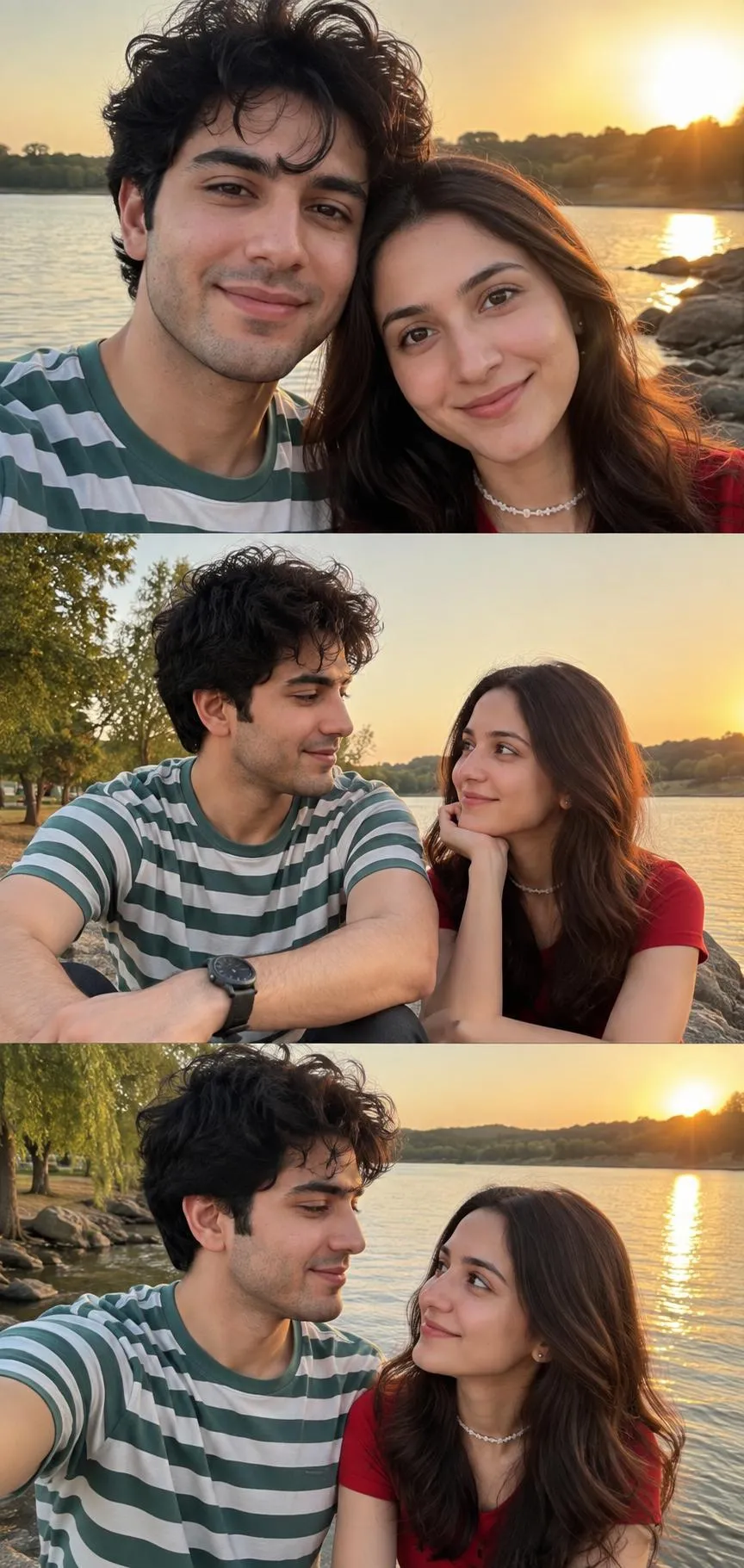
The Prompt
How to Use this ChatGPT Prompt
Open ChatGPT
Launch the AI image tool.
Add Reference
Upload a photo if the prompt needs one.
Paste Prompt
Copy and paste the prompt above.
Generate
Create your AI image.

About This Cinematic Couple Photo Prompt Prompt
This specialized couple photo prompt is designed to generate an ultra-realistic 3-panel vertical photograph featuring a young couple in an intimate, natural setting. The visual composition captures a cohesive sequence of moments by a serene lakeside, utilizing specific character locks to maintain consistency across the panels. It serves as an exceptional resource for creators looking to experiment with multi-frame storytelling within a single AI-generated image output without losing subject identity between frames.
Designed primarily for digital artists, social media creators, and photography enthusiasts, this prompt fills a niche for those who want to produce narrative-driven relationship portraits. Instead of single static frames, the multi-panel layout adds depth and visual interest, making it ideal for storytelling projects, romantic mood boards, or creative concept designs. It removes the guesswork of trying to prompt sequential consistency manually.
To use this prompt effectively, copy the text into a compatible advanced AI image generator capable of handling multi-subject locking and complex panel layouts. Because the prompt relies on detailed character locks such as specific hair textures, clothing colors, and accessories, ensure your chosen AI model supports precise attribute tracking to preserve the appearance of both the male and female subjects across all panels.
When customizing this prompt, you can adjust minor details while keeping the core structure intact. You might modify the clothing colors like the green-and-white striped T-shirt or the red top, or alter the accessories such as the wristwatch and white beaded choker necklace to fit a different wardrobe style. However, keeping the core descriptors for the natural lakeside environment and golden hour lighting will ensure the atmosphere remains consistent.
The golden hour lakeside setting provides a warm, flattering light source that enhances the emotional tone of the portraits. This makes the resulting images particularly useful for lifestyle content, digital art portfolios, or personal creative projects that require a touch of cinematic warmth and realism. By leveraging structured prompts like this one, creators can achieve professional-grade photographic storytelling results with ease.
Frequently Asked Questions
Common questions about this AI prompt and how to get the best results.
Pro Tips for Better Results
- Ensure your AI generator supports multi-panel or grid output generation to properly capture the 3-panel vertical layout.
- Maintain the character lock tags if you want the male and female subjects to look consistent across all panels.
- Keep the golden hour lighting instruction intact to preserve the warm, natural atmosphere of the lakeside scene.
- Modify the clothing colors carefully if you want to test alternative wardrobe combinations without breaking the visual harmony.
- Use high upscale settings to bring out the fine details in textures like the hair, fabric weaves, and accessories.