
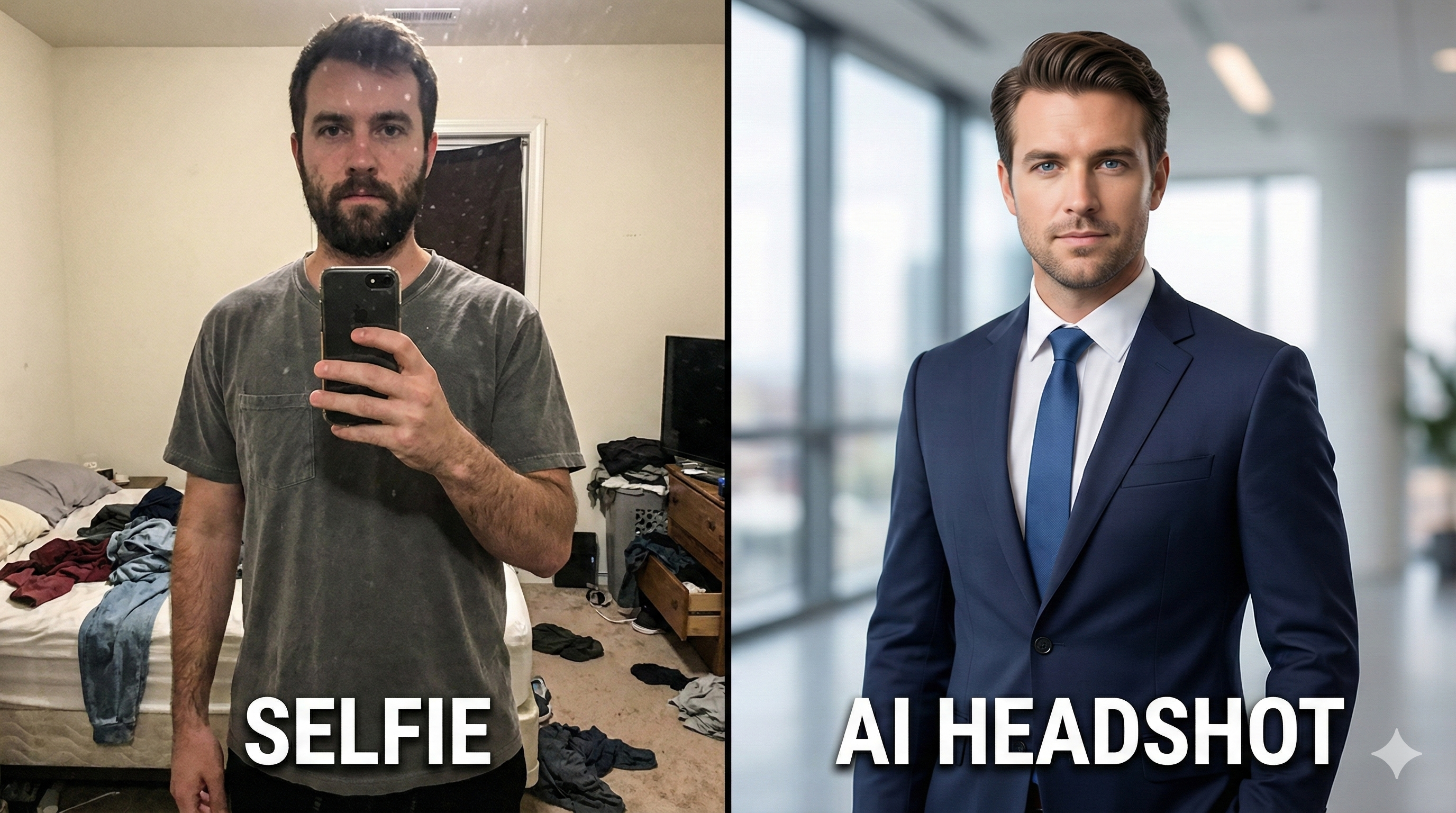
How to Turn a Boring Selfie into a Professional Headshot with Gemini (Free)
The $200 Problem
We all need good photos. Whether it's for your CV, LinkedIn profile, or even a dating app, a blurry selfie just doesn't work. But hiring a professional photographer is expensive and time-consuming.
Good news: Google's Nano Banana model is incredibly good at "Upscaling" and "Relighting" images. You can take a photo in your bedroom and make it look like it was taken in a New York studio.
The "Corporate Clean" Formula 👔
This prompt is designed to fix lighting, change the background, and upgrade your outfit—all while keeping your face lock secure.
"Transform this image into a professional corporate headshot. The subject should be wearing a [Suit/Blazer/Formal Shirt]. Background: blurred modern office with soft bokeh. Lighting: Studio softbox lighting, rim light on hair. 8k resolution, photorealistic."
Step-by-Step Workflow
- Take a clear photo: Even a selfie works, but make sure your face is clearly visible (no shadows covering eyes).
- Upload to Gemini: Use the prompt above.
- Refine: If the skin looks too "fake" or smooth, add the keyword:
detailed skin texture, raw photo style.
The "Casual Candid" Formula (For Social Media) 📸
If you don't want a suit but just want to look cool (like an influencer), use this formula:
"Reimagine this photo as a high-quality candid lifestyle shot. Golden hour lighting (sunset). Background: A cozy coffee shop or city street. Subject is wearing smart casual clothes. Depth of field, cinematic look."
Why This is Better Than Filters
Instagram filters just overlay colors. AI actually reconstructs the lighting. It adds shadows where they should be and highlights your features, making the photo look expensive.
Conclusion
Your profile picture is your digital handshake. Don't settle for mediocre selfies when you have the power of a professional studio in your pocket.
Need more styles? Browse our Portrait & Headshot Prompts.